
AUGMENTATION DES PRIX MICROSOFT 365 · JUILLET 2026
Microsoft augmente ses prix.
Pas nécessairement votre facture M365.
ShareGate Protect vous aide à réduire les coûts Microsoft 365 grâce à l'optimisation des licences. Identifiez les licences inutilisées, nettoyez les espaces de travail inactifs et récupérez du stockage. Avant que votre renouvellement ne vous coûte davantage.
Approuvé par plus de 100 000 professionnels IT
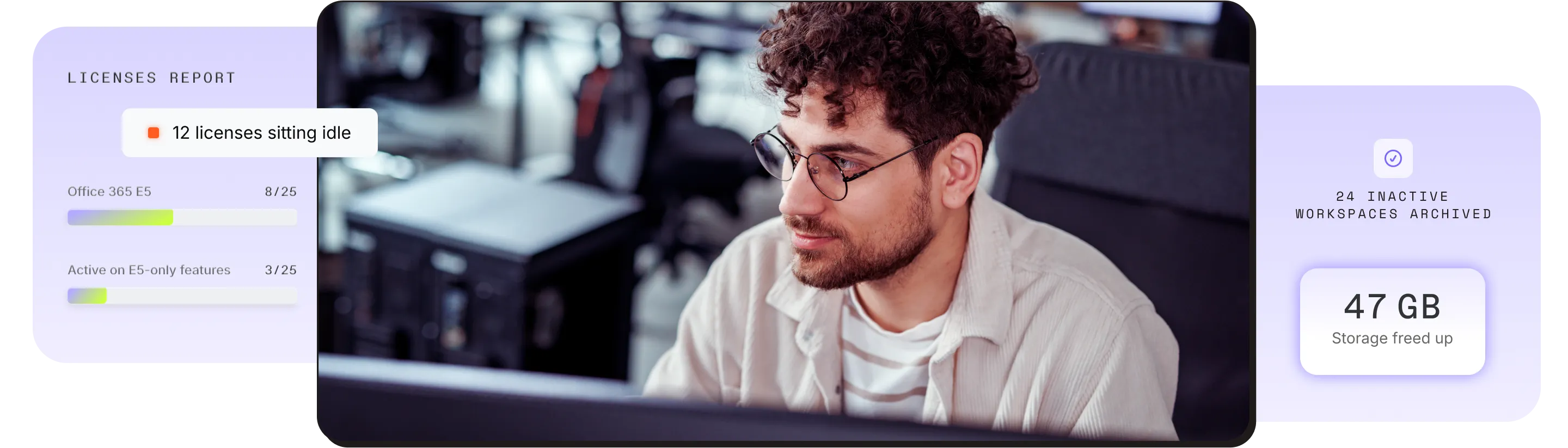
La mise à jour tarifaire de Microsoft rend le gaspillage trop coûteux pour être ignoré
Les licences inutilisées, les utilisateurs sur-provisionnés et les espaces de travail inactifs font grimper vos dépenses Microsoft 365. Sans une optimisation adéquate de vos licences Microsoft 365, ces inefficacités ne feront que coûter plus cher après la hausse des prix. Autrement dit, vous paierez l'augmentation en plus du gaspillage que vous n'avez pas encore identifié.
Qu'est-ce qui change ?
- Les tarifs Microsoft augmentent jusqu'à 33 % sur sept références le 1er juillet 2026
- Les nouveaux contrats et renouvellements conclus après cette date sont concernés
Pourquoi c'est important
- Des prix plus élevés signifient que les licences inutilisées coûtent encore plus cher à négliger
- Les utilisateurs sur-approvisionnés grignotent silencieusement votre budget Microsoft 365
- Les espaces de travail inactifs et en double font gonfler le stockage
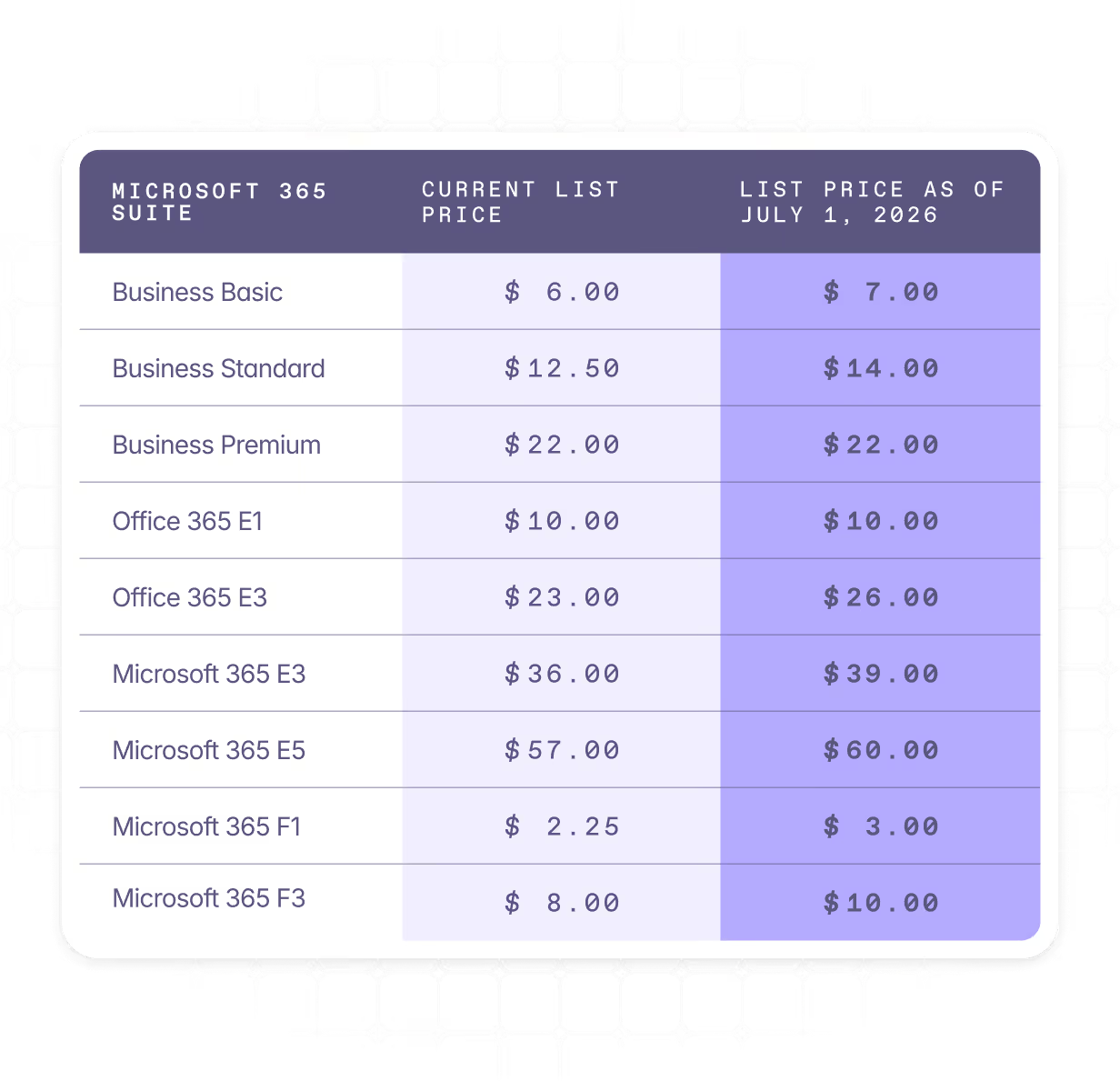
Anticipez la hausse. Identifiez vos gaspillages. Remédiez-y.
Avec ShareGate Protect, vous pouvez visualiser l'utilisation des licences, supprimer les espaces de travail inactifs et récupérer du stockage. Sans scripts ni allers-retours entre les centres d'administration.
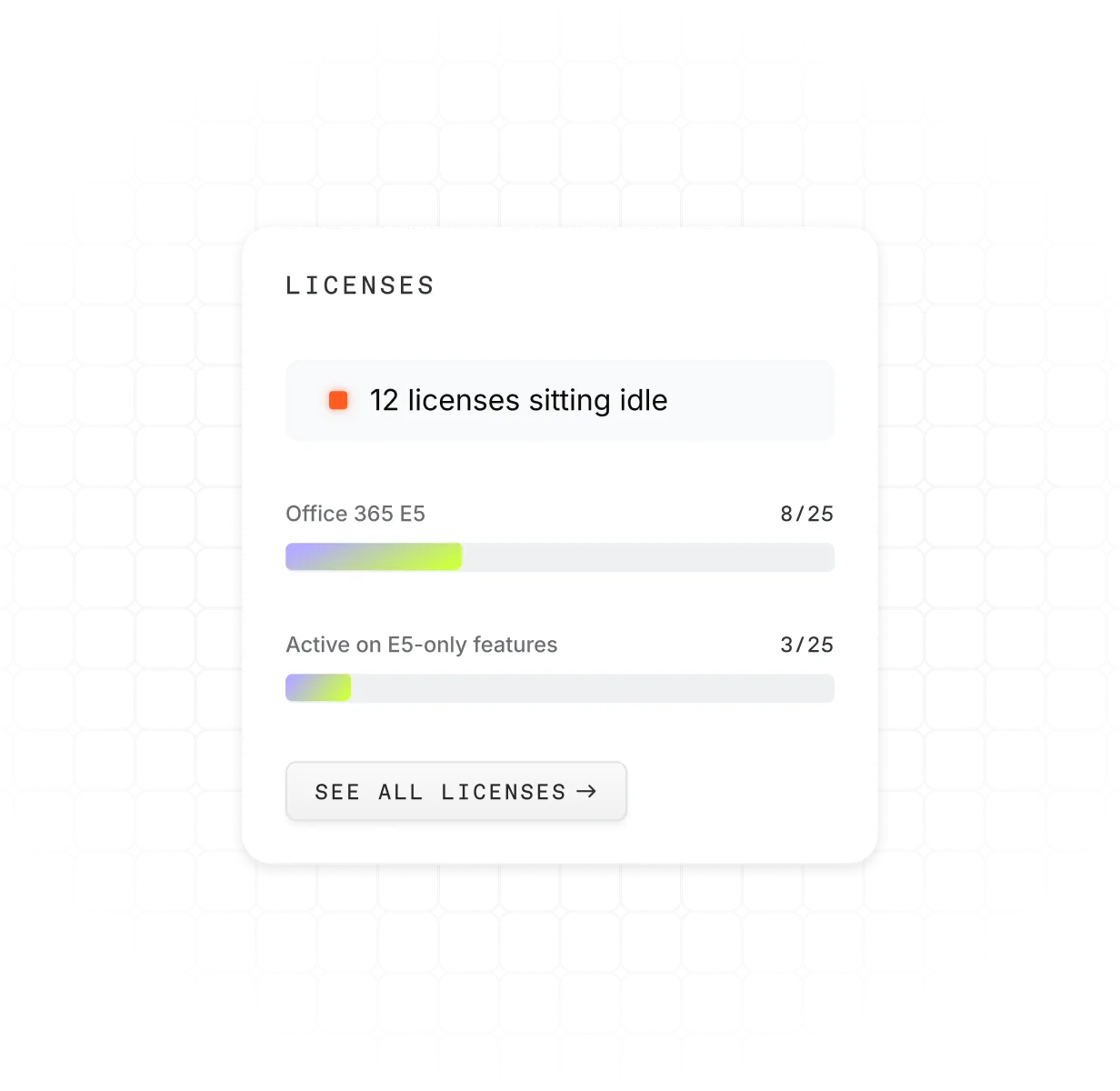
Visualisez toutes les licences de votre tenant
Le rapport de licences affiche l'ensemble de votre environnement M365 en une seule vue. Fini les audits par tableur ou les vérifications croisées manuelles.
- Comprenez rapidement comment les licences sont attribuées au sein de votre tenant grâce à des informations clés et des options de filtrage
- Identifiez les licences qui incluent Copilot
- Réduisez les dépenses inutiles en repérant les licences non attribuées et celles assignées à des utilisateurs inactifs
Agissez sur les espaces de travail inactifs et récupérez du stockage
ShareGate Protect transforme les insights en actions grâce à des outils de remédiation intégrés qui vous permettent d'effectuer des nettoyages en toute confiance. Sans changer d'outil, sans script.
- Anticipez les coûts de stockage en supprimant les espaces de travail inactifs et redondants
- Archivez les espaces de travail (sites, groupes et équipes) sans perdre de contenu important
- Récupérez de l'espace de stockage en examinant les espaces de travail archivés et en supprimant ce dont vous n'avez plus besoin
.webp)
Identifiez les gaspillages. Corrigez-les rapidement.
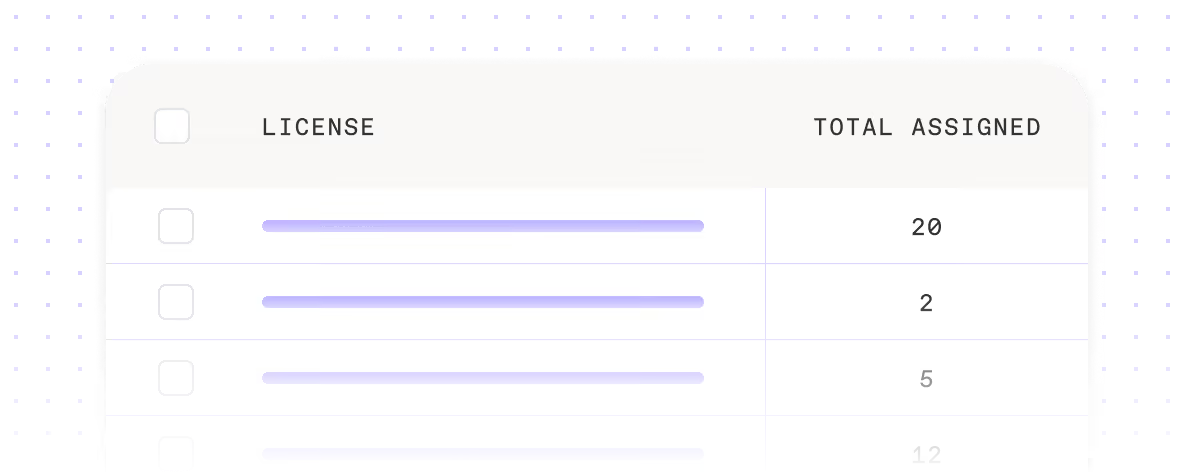
Visualisez chaque licence et ses utilisateurs

Nettoyez les espaces de travail inactifs
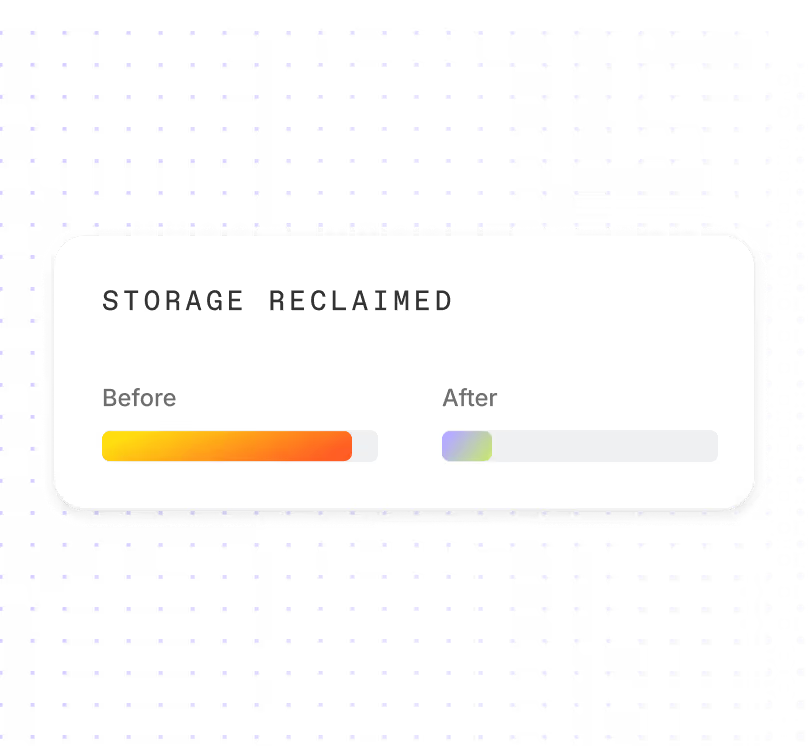
Récupérez de l'espace de stockage avant que les coûts ne s'accumulent
Adoptez la gouvernance avant que votre facture M365 n'augmente.



Pendant que vous optimisez vos coûts, ne négligez pas ces points

Questions fréquemment posées

Voyez les choses ainsi : tout gaspillage existant dans votre tenant aujourd'hui, comme les licences inutilisées, les utilisateurs sur-approvisionnés et les espaces de travail inactifs, deviendra plus coûteux après le 1er juillet 2026, date à laquelle les mises à jour tarifaires de Microsoft entreront en vigueur. Cela signifie que vous paierez la hausse en plus du gaspillage que vous n'avez pas encore détecté.
La bonne nouvelle, c'est que la fenêtre d'action est encore ouverte. Si vous pouvez identifier et supprimer les licences inutilisées avant votre renouvellement, vous n'évitez pas seulement la hausse sur ces postes, vous les éliminez entièrement. Il en va de même pour le stockage : nettoyer dès maintenant les contenus archivés ou orphelins signifie que vous n'aurez pas à payer des tarifs majorés pour stocker des éléments dont personne n'a besoin.
Notre article de blogue sur les changements tarifaires de Microsoft 365 passe en revue les références SKU concernées et la façon d'évaluer votre empreinte avant le renouvellement.
La hausse entre en vigueur le 1er juillet 2026 et s'applique aux contrats renouvelés à cette date ou après. Si votre contrat est renouvelé avant le 1er juillet, votre tarification actuelle reste en vigueur pour cette période. Les abonnements mensuels reflètent généralement les nouveaux tarifs lors du premier cycle de facturation après le 1er juillet 2026. Vérifiez votre date de renouvellement dans le Centre d'administration Microsoft 365, sous Facturation. Pour plus d'informations, consultez la documentation de Microsoft sur la gestion des abonnements dans le Centre d'administration Microsoft 365.
La suppression d'une licence Microsoft 365 d'un utilisateur inactif n'entraîne pas la suppression immédiate de ses données. L'utilisateur perd l'accès aux services, mais ses données sont conservées pendant une période déterminée en fonction de la charge de travail et des paramètres de rétention de votre organisation. Consultez la documentation Microsoft sur la suppression de la licence d'un utilisateur pour plus d'informations.
Avant de supprimer une licence, déterminez ce qui doit être conservé et migrez-le vers un OneDrive sous licence ou un site SharePoint, ou vers une archive. ShareGate Protect vous aide à identifier ces comptes orphelins avant d'agir, afin qu'aucune donnée ne disparaisse accidentellement.
L'impact réel de la hausse tarifaire de Microsoft sur vos coûts dépend moins du pourcentage d'augmentation que du nombre de licences que vous détenez et du nombre de celles qui sont réellement utilisées.
Pour les clients entreprises, même une augmentation modeste par utilisateur peut se traduire par des dizaines ou des centaines de milliers de dollars annuellement. Par exemple, une augmentation de 3 $/utilisateur/mois appliquée à 5 000 utilisateurs représente 180 000 $ supplémentaires par an.
Si 10 à 20 % des licences sont attribuées à des utilisateurs inactifs ou peu actifs, la hausse tarifaire vient amplifier ce gaspillage. Autrement dit, vous payez davantage pour des licences dont vous n'avez pas besoin.
En pratique, l'impact « réel » sur les coûts ne se limite pas à la hausse elle-même. Il s'agit de cette hausse appliquée à l'ensemble de votre parc de licences, y compris les capacités inutilisées.
Approuvé par des professionnels IT comme vous
Prêt à maîtriser vos coûts Microsoft 365 ?

Demander une démonstration
Obtenez une session individuelle en direct avec un expert pour découvrir comment ShareGate peut vous aider.

Commencer un essai gratuit
Essayez ShareGate gratuitement. Aucune carte de crédit requise.