
Visualisez chaque risque dans Microsoft 365.
Corrigez ce qui compte.
Copilot doesn't wonder if you should see that file.
ShareGate Protect vous offre une visibilité complète sur les autorisations, le partage et les espaces de travail inactifs, afin que vous puissiez résoudre les problèmes potentiels avant que l'IA ne les amplifie.
It just knows you have access. ShareGate Protect finds what's overshared across your sites, files, and workspaces, and fixes it in bulk. Before Copilot surfaces it to the whole company.
Approuvé par plus de 100 000 professionnels IT

4,8★ sur g2

4,7★ sur Gartner
Mettez votre tenant en ordre.
Et gardez-le ainsi.
Étape 01
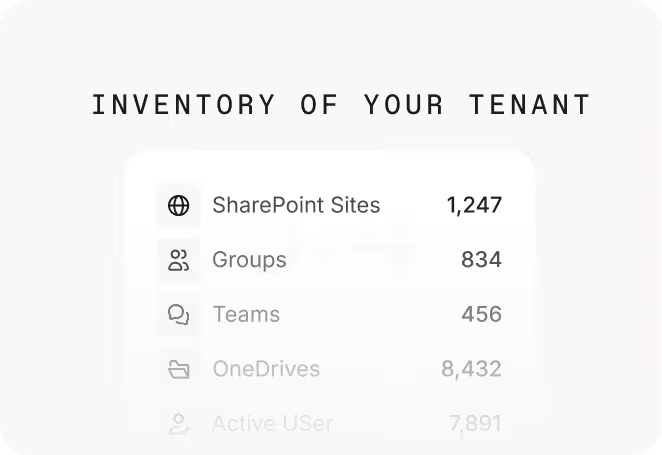
Évaluez votre tenant en quelques minutes

Étape 02
Résolvez les problèmes là où vous les trouvez

Étape 03
Avancez avec confiance, sans croiser les doigts


Your tenant is quietly burning budget.
See how much, and what you’d get back with Protect.
Instant estimate. No signup required.

Visualisez qui a accès à quoi dans Microsoft 365
Identifiez et corrigez les partages à risque dans Teams, SharePoint, les groupes et OneDrive.
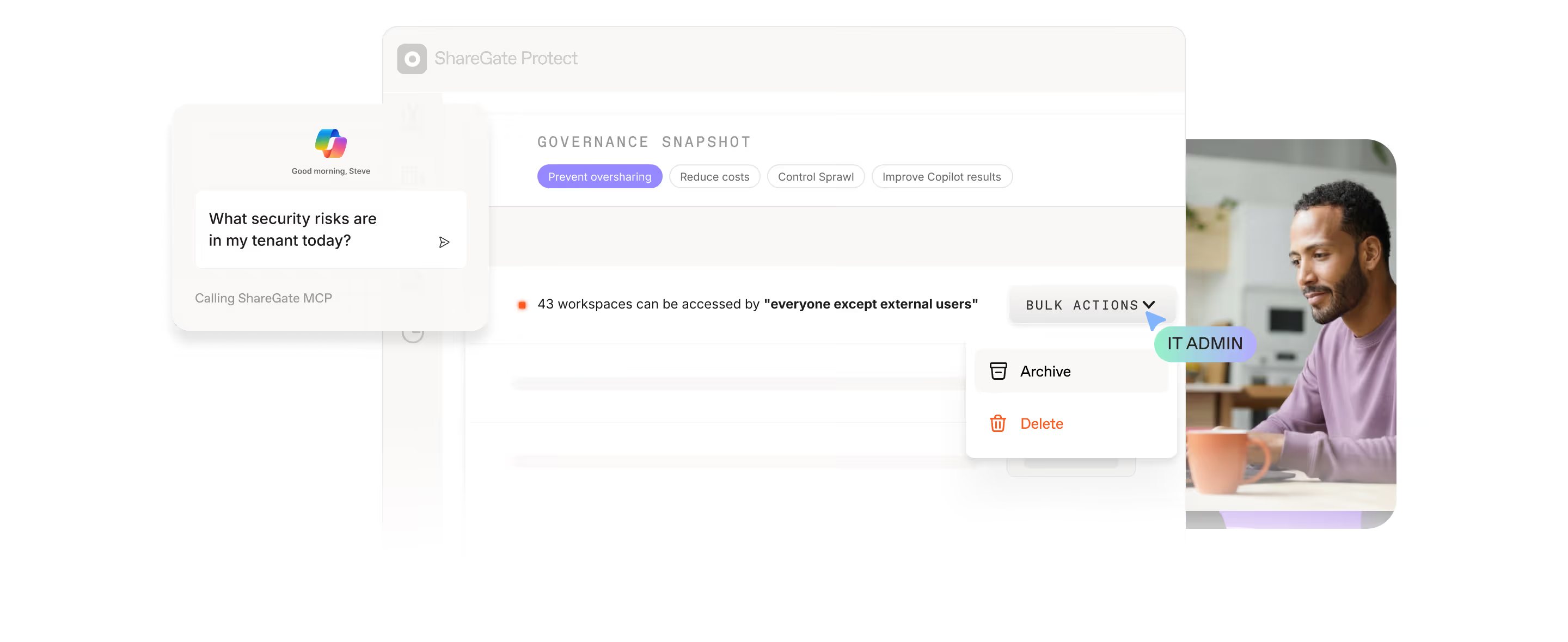
Voir votre exposition aux autorisationsDemandez simplement à ShareGate MCP
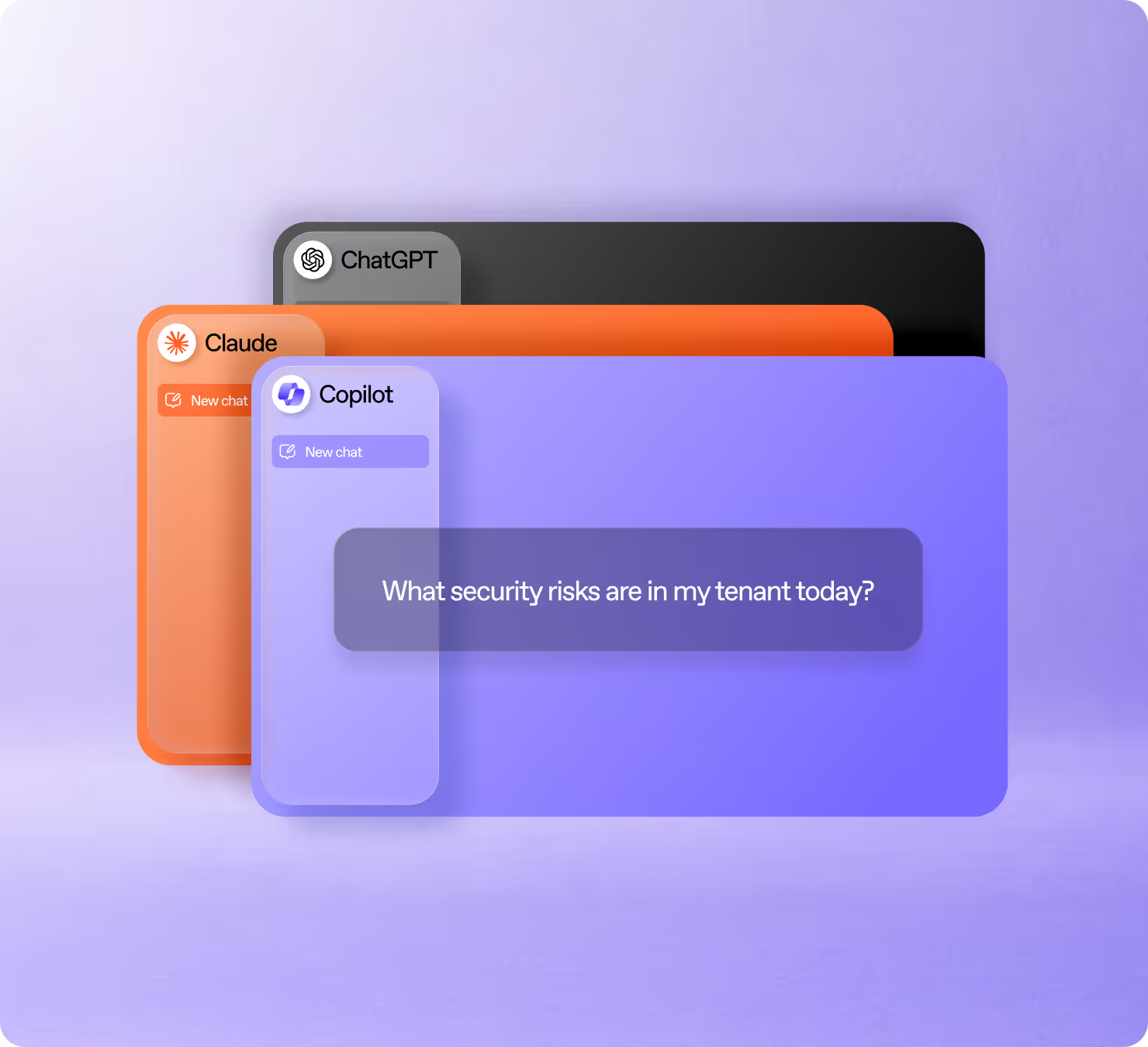
ShareGate MCP connecte les données d'accès de Protect à Claude, ChatGPT et Copilot, afin que vous puissiez poser n'importe quelle question de gouvernance Microsoft 365 sans quitter votre flux de travail.
Réduisez les risques liés à Copilot et à l'IA dans Microsoft 365
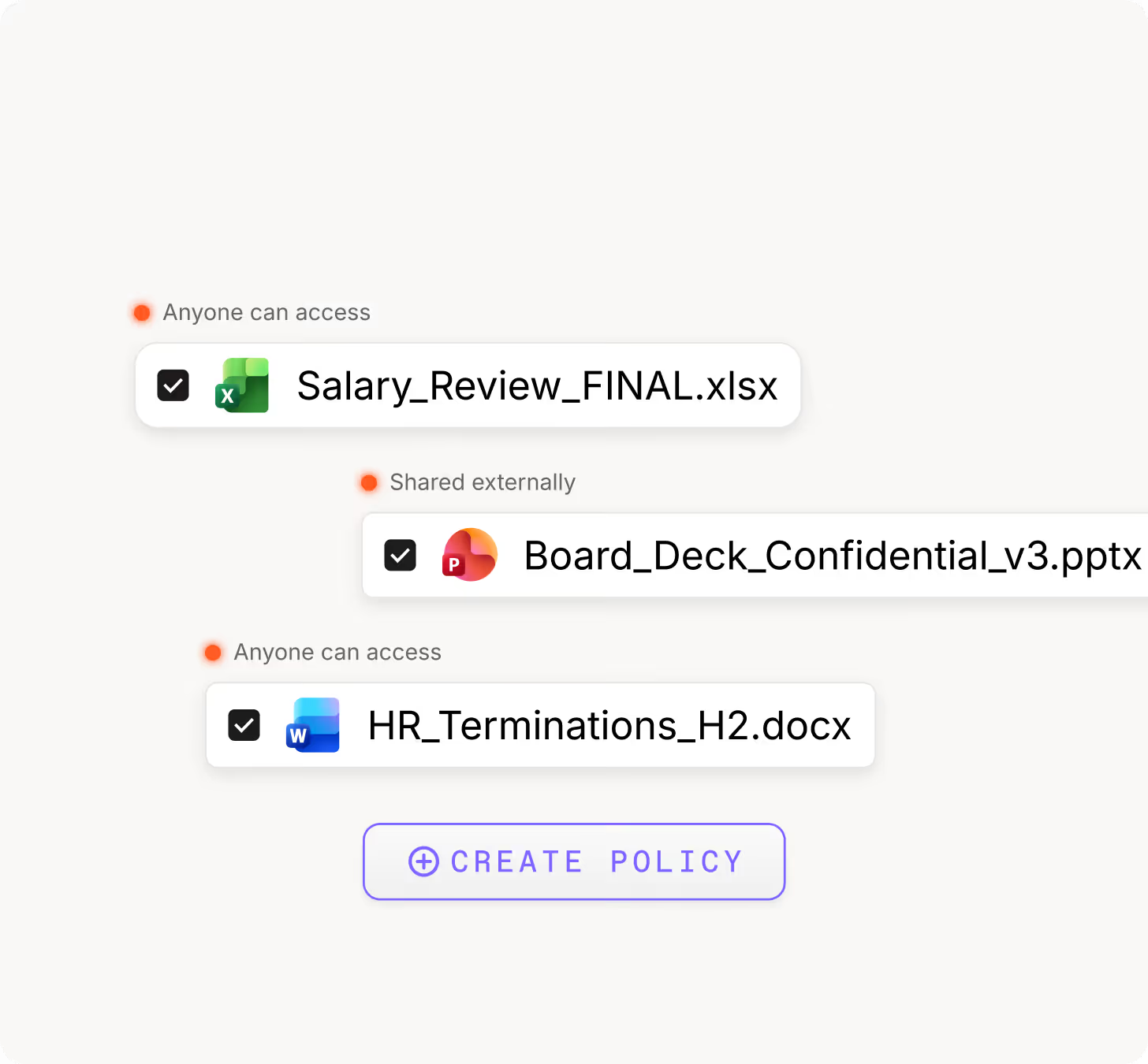
Découvrez ce à quoi Copilot et les autres outils d'IA connectés peuvent accéder, et gérez vos autorisations pour protéger les données sensibles.
Préparez-vous pour l'IA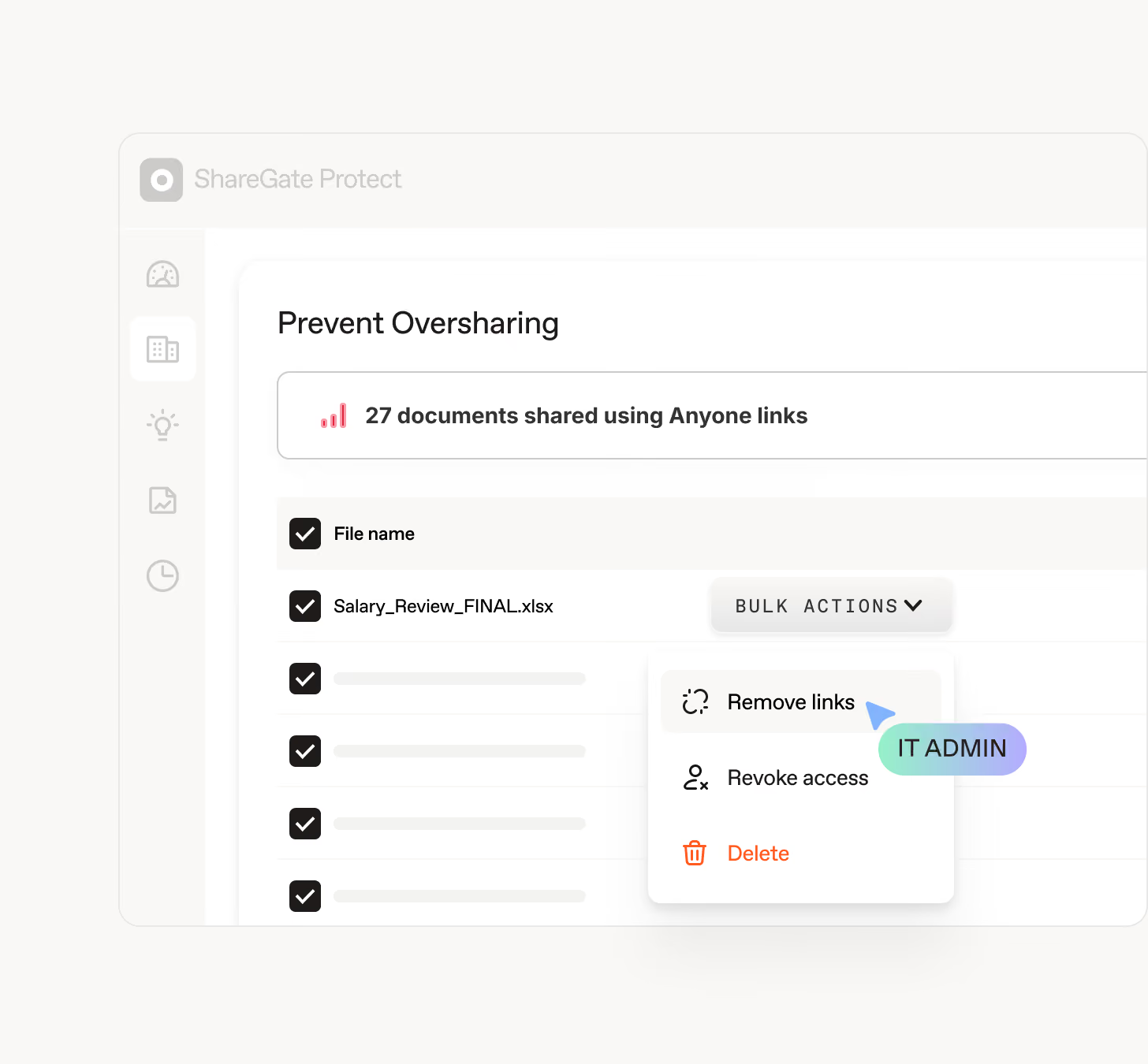
Éliminez les coûts inutiles
Identifiez les licences non attribuées, les espaces de travail inactifs et le stockage gaspillé, puis nettoyez-les en toute sécurité pour réduire les coûts et la charge de gouvernance.
Éliminez les coûts
Gérez Microsoft 365
depuis les outils IA que vous utilisez déjà
ShareGate MCP connecte Protect à Claude, ChatGPT et Copilot. Posez des questions sur votre tenant, générez des rapports et créez des politiques de nettoyage sans quitter votre flux de travail.

Questions fréquemment posées

Vous pouvez être opérationnel et commencer à obtenir des résultats en quelques minutes, et non en plusieurs semaines. Connectez votre tenant et la première évaluation fait remonter vos risques d'accès, vos espaces de travail inactifs et vos dépenses inutiles, classés par niveau de gravité afin que vous sachiez quoi corriger en priorité. Sans PowerShell, sans scripts, sans expert requis.
Protect analyse votre tenant et vous montre exactement où le contenu est exposé : liens de partage, invités externes, liens Tout le monde, et les autorisations qui ont largement dépassé ce que quiconque avait prévu. Vous voyez ce qui est partagé, avec qui, et le niveau de risque associé, dans un seul endroit plutôt que dans cinq centres d'administration.
Si vous utilisez le nouveau serveur MCP de ShareGate, vous pouvez même tout visualiser en posant vos questions directement dans votre outil d'IA. À partir de là, vous passez à l'action : supprimez les liens de partage à risque, renforcez la confidentialité des espaces de travail et corrigez les problèmes, le tout dans Protect ou dans l'outil d'IA de votre choix.
Vous souhaitez que tout reste en ordre ? Configurez une politique automatisée qui supprime les liens correspondant à vos règles de façon récurrente. Ainsi, vous n'avez qu'à la mettre en place, sans avoir à la surveiller constamment.
Protect démarre en lecture seule. Il lit uniquement les métadonnées, pas le contenu de vos fichiers, et est certifié SOC 2 Type II.
Lorsque vous êtes prêt à corriger les problèmes, vous accordez un accès en écriture. Rien ne change dans votre tenant tant que vous ne le décidez pas, et chaque action est prévisualisée avant d'être exécutée, puis consignée dans un journal.
Purview est puissant. Et complexe. ShareGate s'intègre à votre environnement M365 pour rendre la gouvernance actionnable. Là où Purview vous montre les données, ShareGate vous aide à résoudre le problème directement là où vous le détectez. Considérez-le comme la couche qui optimise vos outils existants.
Copilot, ainsi que ChatGPT, Claude, ou d'autres outils d'IA connectés à votre tenant, lisent ce qu'ils sont autorisés à atteindre. Y compris du contenu qui ne devrait probablement pas être accessible.
Protect met en évidence les indicateurs d'exposition aux accès de l'IA et de Copilot, afin que vous puissiez voir exactement quel contenu est accessible avant qu'un outil d'IA n'y parvienne. Vous pouvez ensuite corriger le surpartage dans l'ensemble de votre tenant, de sorte que chaque outil d'IA n'affiche que ce que les utilisateurs sont censés voir.
Vous obtenez des autorisations claires, moins de mauvaises surprises, et une empreinte IA que votre équipe de sécurité approuvera sans hésitation.
Protect s'attaque aux permissions excessives en deux étapes : les visualiser, puis les corriger.
Le rapport Matrice des permissions (disponible dans Protect en juillet 2026) cartographie les accès de chaque utilisateur dans SharePoint et OneDrive. Il met en évidence les héritages rompus et les accès trop étendus qui s'accumulent au fil du temps.
Une fois que vous pouvez les voir, vous pouvez agir. Réduisez les accès, resserrez le partage et progressez vers le principe du moindre privilège directement depuis Protect. Vous souhaitez distribuer la charge de travail ? Déléguez les décisions aux propriétaires d'espaces de travail grâce aux Révisions déléguées (bientôt disponibles).
Ce que Protect ne fera pas : supprimer silencieusement des permissions en arrière-plan. Protect démarre en lecture seule. La remédiation nécessite un accès en écriture, que vous accordez lorsque vous êtes prêt.
ShareGate s'adapte aussi bien aux entreprises de 100 postes qu'aux environnements d'entreprise comptant des dizaines de milliers d'utilisateurs. Si vous gérez Microsoft 365 à n'importe quelle échelle et que la gouvernance vous prend trop de temps, ShareGate a été conçu pour vous.
Oui ! Il vous offre une visibilité sur les audits effectués : qui a accès, ce qui est partagé en externe, où résident les contenus sensibles et quels espaces de travail sont devenus obsolètes. Créez le rapport dont vous avez besoin en le décrivant en langage naturel, puis exportez-le ou enregistrez-le.
Chaque action de remédiation est consignée dans un journal d'activité, ce qui vous permet d'indiquer ce qui a changé, quand et pourquoi. De plus, vous pouvez démontrer que vos efforts en matière de gouvernance portent réellement leurs fruits grâce à des indicateurs d'impact.
ShareGate ne remplace pas votre programme de conformité. C'est la couche qui prouve que votre environnement M365 est sous contrôle, et qui l'atteste lorsque quelqu'un vous le demande.
ShareGate Protect s'en charge. Il détecte les sites, équipes, groupes et OneDrives inactifs ou orphelins dans votre tenant, associe les coûts qu'ils génèrent discrètement, et vous permet de les archiver ou de les supprimer avec Microsoft 365 Archive. Configurez une politique automatisée et il continuera à les nettoyer selon un calendrier défini.
Tout ce qu'il vous faut pour gouverner Microsoft 365

Gouvernez Microsoft 365 en toute confiance
Reprenez le contrôle de votre visibilité. Réduisez les risques, renforcez la confiance et sécurisez la collaboration avec ShareGate Protect.

