.svg)


Unbegrenzte Daten und Workloads.
Ein attraktiver Preis.


Enterprise
Enthaltene Workloads


Enthält:
- 25 Workstations für die gleichzeitige Ausführung von Migrationen für noch schnellere Migrationen im großen Stil
- Premium-Support rund um die Uhr
- Migrationstools für Microsoft und Box
- Validierung der Datei- und Ordnerstruktur
- Migrationstools für Google Workspace
- Migration von Entra ID
- Migrationen von Exchange Online Postfächern
- Migration von Microsoft Purview Vertraulichkeitsbezeichnungen

Pro
Enthaltene Workloads
Beinhaltet:
- 5 Workstations für die gleichzeitige Durchführung von Migrationen zur Steigerung des Durchsatzes
- Migrationstools für Microsoft und Box
- Validierung von Datei- und Ordnerstrukturen
- Migrationstools für Google Workspace
- Migration von Entra ID
- Migration von Exchange Online-Postfächern
- Migration von Microsoft Purview-Vertraulichkeitsbezeichnungen
Essentials
Enthaltene Workloads
Enthält:
- 1 Workstation für die Durchführung von Migrationen
- Validierung der Datei- und Ordnerstruktur






ShareGate Migrate Funktionen vergleichen
ShareGate Migrate Funktionen vergleichen
Maschinenaktivierungen
.svg)
SharePoint-, Teams-, Planner-Migration
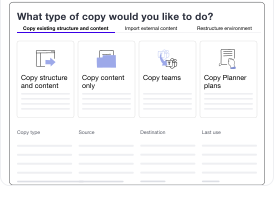
Google Workspace
Microsoft Purview-Vertraulichkeitsbezeichnungs-Migration
Exchange Online-Postfachmigration
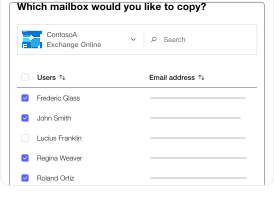
Entra ID-Migration (öffentliche Beta)
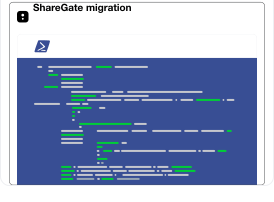
ShareGate PowerShell-Modul
Box-Migration
Dateifreigaben
Nintex-Migration
Inhalte und Struktur kopieren
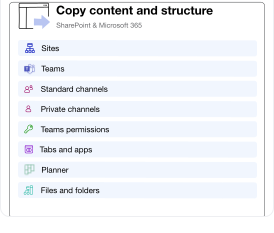
Umstrukturieren und neu organisieren
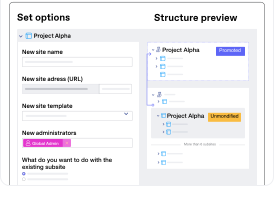
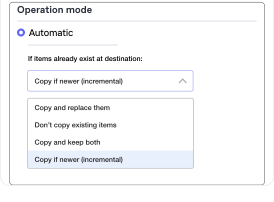
Inkrementelle Migrationen
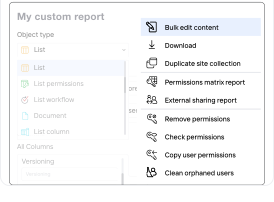
Umfassendes Administrationstoolset
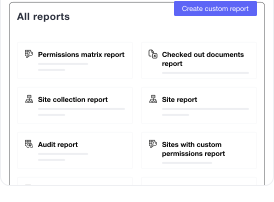
Umfassendes Toolset für die Migrationsplanung
Berechtigungsverwaltung
1


5
25+

Numbers that matter
Trusted to just work
96% CSAT score
That means reliable, human-first support with 3-hour responses, so your projects keep moving forward seamlessly.
mid-market
5 PB
Quantity of data securely and seamlessly migrated every month from startups to global enterprises.
#1
Rated platform by IT professionals who won’t settle for second best.

Talk to an expert before you commit.
Book a 30-minute call with a ShareGate expert. We'll answer the hard technical questions.

Häufig gestellte Fragen

Ja! Sie können ShareGate mit einer voll funktionsfähigen 15-tägigen Testversion ausprobieren. Starten Sie noch heute Ihre kostenlose Testversion.
Wenn Sie Migrate Essentials, Migrate Pro oder Migrate Enterprise kaufen, erhalten Sie einen License Key. Ein License Key kann eine oder mehrere Geräteaktivierungen ermöglichen. Eine Geräteaktivierung steht für eine (1) Nutzung des License Keys durch einen (1) Benutzer, um auf das herunterladbare Migration-Tool auf einer bestimmten Workstation zuzugreifen.
- Migrate Essentials ermöglicht eine Geräteaktivierung
- Migrate Pro ermöglicht bis zu 5 Geräteaktivierungen
- Migrate Enterprise ermöglicht bis zu 25 Geräteaktivierungen
Je nachdem, welchen Plan Sie erwerben und welche Geräteaktivierungen damit verbunden sind, dürfen Sie während der Laufzeit Ihres Abonnements die Anzahl von 1, 5 oder 25 aktiven Benutzern oder Workstations, die ShareGate Migrate verwenden, nicht überschreiten.
Ja! Melden Sie sich bei ShareGate an und besuchen Sie die Abonnement-Seite, um Ihre Geräteaktivierungen zu verwalten. Sie können eine Geräteaktivierung entfernen und auf einen anderen Benutzer oder eine andere Workstation übertragen.
Wenn Sie mehr als eine Workstation benötigen, um Ihr Migration-Projekt zu beschleunigen, laden wir Sie ein, sich die Pläne Migrate Pro und Migrate Enterprise für 5 oder 25 Geräteaktivierungen anzusehen.
Wenn wir von Benutzern sprechen, meinen wir die Administratoren in Ihrem Unternehmen, die aktiv mit ShareGate Migrate oder ShareGate Protect arbeiten. Das sind die Personen, die Ihre Umgebungen migrieren oder verwalten. Endbenutzer sind Ihre regulären Mitarbeiter.
Im Gegensatz zu anderen Tools berechnet ShareGate keine Gebühren basierend auf der Anzahl der Endbenutzer. Dies gilt auch für unsere Endbenutzer-App, die Aufgaben an Endbenutzer verteilt, um Compliance und Provisioning zu erleichtern.
ShareGate Migrate ist ein herunterladbares Migration-Tool mit:
- Keine nutzungsbasierte Lizenzierung für Endbenutzer
- Kein Tenant-Limit
- Aktivierungslimits von 1, 5 oder 25 Geräten je nach Plan, was bedeutet, dass Sie bis zu 1, 5 oder 25 aktive Benutzer oder Workstations haben können
Stellen Sie sicher, dass Sie eine ausreichende Anzahl an Workstations bewerten und aktivieren, um Ihre spezifischen Anforderungen zu erfüllen.
ShareGate Protect ist ein SaaS-Tool für die fortlaufende Governance Ihres Tenants mit:
- Ein Tenant pro Abonnement
- Alle Funktionen inklusive, ohne separate Add-ons
- Unbegrenzte Überwachung der Endbenutzeraktivität
Wenn Sie sich beispielsweise für den Migrate Pro Plan entscheiden, erhalten Sie 5 Maschinenaktivierungen und Zugriff für 5 Admins. Das bedeutet, dass bis zu 5 Admins ShareGate Migrate und/oder ShareGate Protect gleichzeitig aktiv nutzen können, ohne Begrenzung der Anzahl der Endbenutzer oder Mitarbeiter in Ihrem Unternehmen.
Sie können ShareGate Migrate für eine unbegrenzte Anzahl von Farmen/Tenants innerhalb desselben Unternehmens oder dessen Tochtergesellschaften verwenden.
Für die Nutzung von ShareGate Protect ist es erforderlich, dass Sie pro Abonnement nur einen Produktion-Tenant verbinden. Bei Bedarf können Sie diese Funktionen zunächst mit einem Test-Tenant ausprobieren und später zu Ihrem Produktion-Tenant wechseln.
ShareGate funktioniert für die meisten Unternehmen. Für die Nutzung von ShareGate Protect gibt es jedoch einige Einschränkungen bei Organisationen mit einer sehr großen Anzahl an Microsoft 365 Groups und Microsoft National Cloud Deployments. Erfahren Sie mehr über App-Einschränkungen in unserer Dokumentation.
Die für die Nutzung von ShareGate Migrate erforderlichen Permissions hängen von den Funktionen ab, die Sie verwenden möchten. Erfahren Sie mehr über die erforderlichen Admin-Permissions für ShareGate Migrate in unserer Dokumentation.
Um ShareGate Protect nutzen zu können, muss ein Global Admin der App die Zustimmung erteilen, damit sie eine Verbindung zu Ihrem Tenant herstellen kann. Nach der anfänglichen Zustimmung können auch SharePoint- und Groups-Administratoren ShareGate Protect verwenden.
Nein! Unbegrenzter Support und Software-Updates sind in Ihrem Abonnement enthalten.
Mit Migrate Pro und Migrate Enterprise können Sie mehrere parallele Migrationen aktivieren, was den Datendurchsatz beschleunigt und die Orchestrierung von Migrationen optimiert, während gleichzeitig Drosselungen abgemildert werden.
Sie können zusätzliche Workloads migrieren:
- Google Workspace, einschließlich Google Drive, Gmail und Kalender
- Exchange Online
- Microsoft Purview Vertraulichkeitsbezeichnungen
- Entra ID Identitätsmigration (Benutzer, Groups und License Zuweisung)
Gerne! Wenn Sie Unterstützung bei Ihrer Microsoft 365 Migration suchen, sind Sie bei uns genau richtig. ShareGate arbeitet mit einem Netzwerk vertrauenswürdiger Partner zusammen, die Experten in der Planung und Durchführung von Migrationen sind – egal ob es sich um Teams, SharePoint, OneDrive, Google, Postfächer oder das gesamte Paket handelt.
Möchten Sie, dass wir Sie mit einem Partner vernetzen, der zu Ihren Anforderungen passt? Partner finden.

„ShareGate hat mir die Möglichkeit gegeben, Projekte schneller und effizienter umzusetzen als mit anderen Tools."

„ShareGate bewältigt mandantenübergreifende Migrationen mühelos. Egal ob M365-Mandant, lokale Dateifreigabe, Google Drive oder On-Premises-Farm – ShareGate migriert effizient, ohne steile Lernkurve.“
„ShareGate bietet die beste Geschwindigkeit und Agilität bei Migrationen in großem Maßstab."
Nicht nur migrieren, sondern ShareGate.
Keine nutzerbasierte Preisgestaltung. Keine zusätzlichen Tools. Keine Überraschungen.


Halten Sie Ihren Tenant sicher und compliant
- Einfache Preisgestaltung pro Benutzer
- Keine Mindestmengen, keine Nutzungslimits, keine versteckten Gebühren
- Die Preisgestaltung gilt für einen Microsoft 365 Tenant
- Basierend auf lizenzierten Benutzern (Gäste sind nicht inbegriffen)

Alles, was heute enthalten ist

Tenant-weite Transparenz
Behalten Sie alle Sites, Teams, Groups, OneDrive-Konten, Lizenzen und Benutzer Ihres Tenants in einer einzigen Ansicht im Blick – inklusive der anfallenden Kosten.

Governance-Risikobewertung
Erkennen Sie übermäßige Freigaben, externe Links und „Jeder“-Links, EEEU-Zugriffe, unterbrochene Berechtigungsvererbungen sowie inaktive oder herrenlose Arbeitsbereiche, sortiert nach Schweregrad.

Kosten- und Lizenzoptimierung
Vergleichen Sie zugewiesene mit tatsächlich genutzten License-Kontingenten und sehen Sie die konkreten Kosten für inaktive Arbeitsbereiche, ungenutzte Lizenzen und verwaiste OneDrive-Konten.

Copilot- und KI-Bereitschaft
Identifizieren Sie Risiken beim Zugriff auf KI und Copilot, um übermäßige Freigaben vor und während der Einführung zu bereinigen.

Reporting und Nachweise
Erstellen Sie Berichte anhand von Templates oder in natürlicher Sprache, exportieren Sie diese und teilen Sie die Ergebnisse mit der Geschäftsführung, Auditoren und Partnern.

Beheben Sie Probleme direkt dort, wo sie auftreten
Beheben Sie unsichere Links, externen Zugriff, Mitgliedschaften, Eigentumsverhältnisse und fehlerhafte Vererbungen sofort und in großen Mengen, lückenlos dokumentiert durch ein Audit log.

Automatisierte Richtlinien
Legen Sie wiederkehrende Richtlinien fest, die inaktive, ungenutzte oder verwaiste Inhalte automatisch bereinigen, basierend auf Ihren Filtereinstellungen.

Governance innerhalb Ihrer KI-Tools
Verbinden Sie ShareGate MCP, um Ihren Tenant abzufragen, Governance-Prüfungen durchzuführen und Probleme direkt aus den KI-Tools heraus zu beheben, die Sie bereits nutzen – inklusive einer Vorschau in verständlicher Sprache, bevor Änderungen vorgenommen werden.
Kontaktieren Sie unser Vertriebsteam
Wie viel kostet Sie das Microsoft 365 Chaos?
How many licensed Microsoft 365 users are in your tenant?
No need to count guests or external users.
Echte Menschen, richtig schnell.

Häufig gestellte Fragen
Ja. Sie erhalten Zugriff auf alle aktuell verfügbaren Funktionen. Zukünftige Module sind optional.
Wir berechnen die Anzahl Ihrer lizenzierten Microsoft 365 Benutzer. Gäste und externe Benutzer sind nicht enthalten.
Nein. Sie können mit einer beliebigen Anzahl an lizenzierten Benutzern beginnen.
Ja! Für zugelassene Partner sind spezielle Partnerpreise verfügbar. Möchten Sie mehr über die Vorteile einer Partnerschaft mit uns erfahren? Informieren Sie sich über unser Partner Program und erfahren Sie, wie wir gemeinsam Microsoft 365 Migration und Governance vereinfachen.
Nein. Jede Protect-Funktion ist enthalten, von der Tenant-Transparenz und Fehlerbehebung bis hin zu automatisierten Richtlinien und ShareGate MCP. Es gibt keine Funktions-Editionen, die Sie vergleichen müssen, und keine Funktionen, die durch ein Upgrade freigeschaltet werden müssen. Ihr Preis basiert auf der Anzahl der Benutzer, nicht darauf, welche Funktionen Sie aktivieren. Viele Governance-Tools verstecken Funktionen hinter verschiedenen Preisstufen. ShareGate Protect tut das nicht.
„ShareGate vereinfacht das M365-Management: Überwachung externer Freigaben, Behebung von Berechtigungen und reibungslose Migrationen – von On-Premises zur Cloud und zu modernen Websites.“
„ShareGate ist einfach zu bedienen und erledigt zuverlässig seine Aufgabe – ob beim Importieren, Verschieben oder Löschen von Inhalten, inklusive Teams-Management mit klaren Namenskonventionen.“
Start simple. Stay secure. Scale with confidence.
ShareGate Protect gives you clear visibility and fast fixes, now from inside the AI tools you already use. At a price that works for the tenant you manage today.