Skip to Main Content
Products
Products
ShareGate Migrate product showing drag and drop migration from Google Workspace, Teams, and SharePoint to Microsoft 365

Migrate them all 

Discover Migrate
ShareGate Protect product dashboard showing governance insights, AI security, and cost optimization for Microsoft 365

Govern smarter

Discover Protect
sharegate capabilities
Migration planning
Assess & clean up before you move
Accelerated migration
Migrate faster, automatically
Post-migration optimization
Validate, report & govern
Permissions & access reviews
Scan, audit, and fix permissions
AI tool monitoring
Detect data exposed in AI tools
License & cost analytics
Track and flag unused licenses
ShareGate MCP
Coming soon
MCP server for AI governance
Solutions
By use case
Migrate to Microsoft 365
From anywhere to M365
Tenant-to-tenant migration
Consolidate or split tenants
Enterprise
ShareGate Migrate for enterprise
Migration at scale
Migration by workload
Entra ID
Microsoft Exchange Online
Exchange Online
Google Workspace
Google Workspace
Microsoft SharePoint
SharePoint
Microsoft Teams
Teams
Microsoft OneDrive
OneDrive
Cloud governance & security
Oversharing and access
Fix who has access
AI security
Stop data leaks in AI tools
Cost optimization
Reduce your M365 spend
Success story
CDW's Enterprise Microsoft Migrations
Read their story
Partners
ShareGate Partner Program for Microsoft 365 migration and governance services

Scope faster. Grow services.

Become a partner
For Partners
Partner program
Grow your practice
Partner assessments
Run M365 assessments
For IT Teams
Find a partner
Work with an expert
Resources
Get started
Find a partner
Work with an expert
Free trial
All features included
Download Migrate
Get the desktop app
ShareGate docs
Guides and references
See ShareGate in action
Get a 30-minutes demo
Learn
ShareGate Blog
M365 insights
Guides
Step-by-step resources
Webinars
Live and on-demand sessions
User stories
Real-world use cases
Browse by subject
Microsoft 365
Everything M365
Migration
Plan and run migrations
Security
Keep your tenant safe
News
Updates and announcements
Featured resource
Microsoft's raising prices. Your M365 bill doesn't have to.
See action plan
Pricing
Login
Start a free trialRequest a demo
Help center
Log in
EXCHANGE ONLINE MIGRATION

Migrate Exchange Online with confidence. Not crossed fingers.

Movemail boxes between tenants as part of a complete, predictable migration. 
Start with identity, keep mail flowing, and never get surprised by the bill.

Request a demoStart a free trial

Trusted by 100,000+ IT pros

G2 4.7 star rating

4.8★ on g2

Gartner 4.7 star rating

4.7★ on Gartner

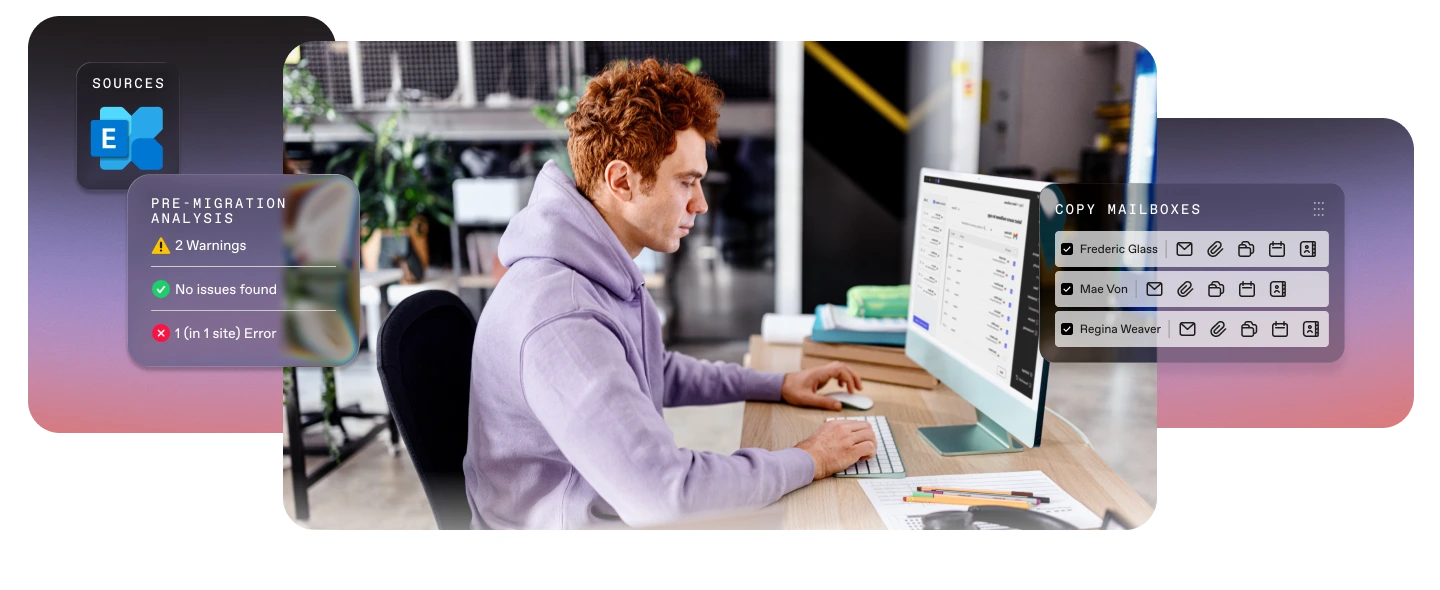
ShareGate Exchange Online migration interface overlaid on a photo of an IT pro at a computer, showing Exchange as the source, a pre-migration analysis with 2 warnings and 1 error, and a copy mailboxes panel with Frederic Glass, Mae Von, and Regina Weaver selected.

How it works

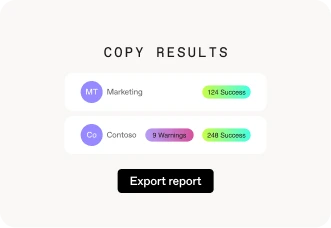
ShareGate copy results screen showing Marketing with 124 successes and Contoso with 9 warnings and 248 successes, with an Export report button.

Step 01

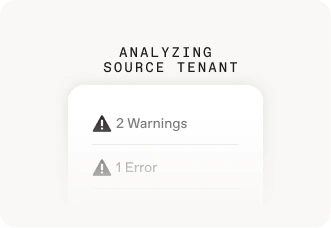
Assess sources

Know exactly what's moving and fix mismatches before execution starts.
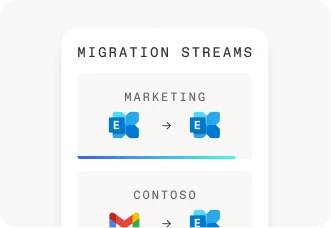
ShareGate migration streams panel showing two parallel migrations: Marketing from Exchange to Exchange, and Contoso from Gmail to Exchange.

Step 02

Automate mailbox migration

Migrate mailboxes, archives, and behaviors in one connected workflow.

Step 03

Smoother migration

Users log into work fully migrated. Less rework, fewer support tickets.

Migrate your mailboxes without the rework

Get a complete migration, whether you're managing 50 mailboxes or 5,000.
No manual cleanup. No post-cutover calls about missing meetings or broken rules.
Request a demo
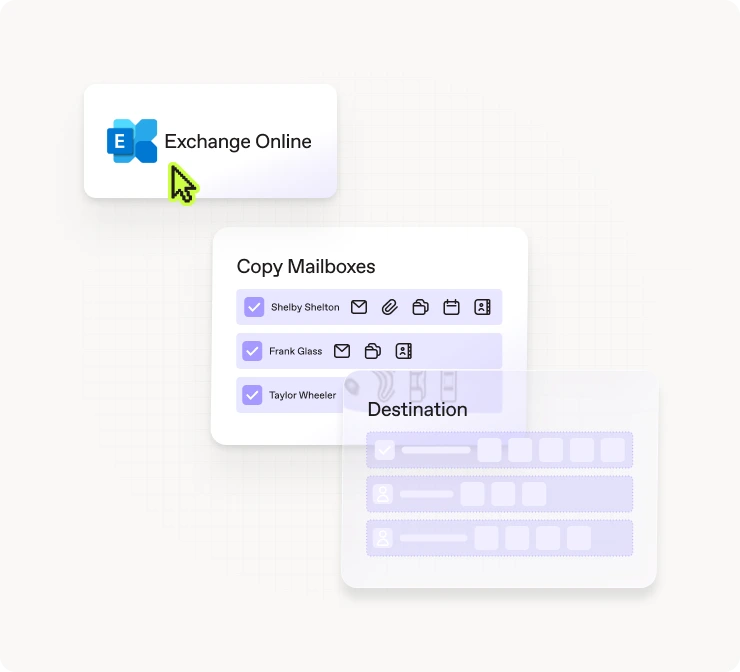
ShareGate Copy Mailboxes interface with Exchange Online selected as the source and Shelby Shelton, Frank Glass, and Taylor Wheeler checked for migration to the destination tenant.

Preserve archives seamlessly

Archive mailboxes move with the primary, so your users never lose access.

Set up your workplace automatically

Conference rooms and shared devices are bookable from day one in the new tenant.

Hit the ground running

Users don’t have to rebuild recurring meetings, they follow Exchange Online rules at the destination.

Stay compliant

Compliance doesn't lapse at cutover because Litigation Hold settings carry over automatically.

Move only what you want, when you want

Incremental migrations move only what's changed between runs, so staged cutovers stay on schedule.

Get total visibility

Get alerted to calendar conflicts and archive size before execution.

Everything you need for a mailbox migration that just works

ShareGate migrates everything that matters, so no one’s calendar or emails get left behind.

Mailbox types

SharePoint groups

User mailboxes

SharePoint groups

In Place Archive mailboxes

SharePoint groups

Shared mailboxes

Microsoft 365 Group mailboxes

Room mailboxes

Equipment mailboxes

Meetings

Recurring meetings that follow Exchange Online rules

New Teams meeting links created at destination

Mailbox content

Emails and attachments

Calendar items

Contacts

Junk mail

Deleted items

Mailbox behavior

Server-side rules

Litigation Hold configuration

Automatic replies

Auto-Expanding archive

Ready to see it in action?

Book a 30-minute call with a ShareGate expert.
Request a demo

Why ShareGate

One tool for all your migrations

No matter the size of your organization, or how many tenants, sources, or waves are involved, you canworkin the same tool from start to finish.
ShareGate fits your project, not the other way around

ShareGate handles the full scope, whether that’s running a staged migration from a large environment, a cutover for a small org, a tenant-to-tenant consolidation after an acquisition, a Google Workspace move, or folding multiple tenants into one.

Built for your scale, whatever that means

Whether you're an IT team of one migrating a few dozen mailboxes or an enterprise pushing hundreds of concurrent mailbox sessions across multiple machines, ShareGate can handle it all.

Moving more than just mailboxes

A complete Microsoft 365 migration means moving more than email. ShareGate handles identity preparation, mailbox and workload migration in one connected workflow. Everything lands in the right place, in the right order, from the start.
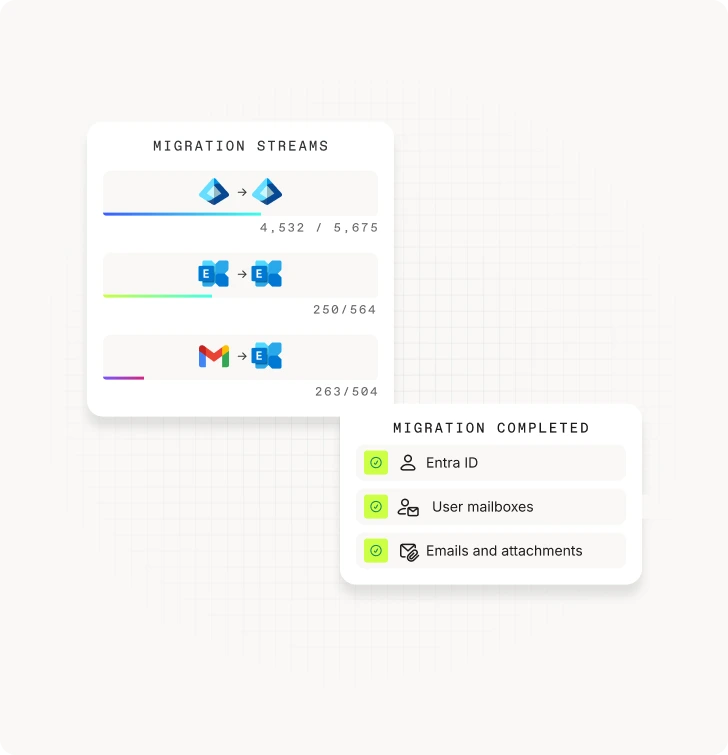
ShareGate migration streams panel showing three in-progress migrations — Entra ID to Entra ID (4,532 of 5,675), Exchange to Exchange (250 of 564), and Gmail to Exchange (263 of 504) — alongside a migration completed card confirming Entra ID, user mailboxes, and emails and attachments all finished.

One flat price beats per-user pricing

One flat price beats per-user pricing

ShareGate Migrate Pro BitTitan MigrationWiz Mailbox license Quest ODM Exchange Standalone license
Supported source mailbox environments
  • Exchange Online
  • Gmail

Purpose-built for cloud-to-cloud M&A, restructuring, and tenant consolidation between Microsoft 365 tenants.

  • Exchange Online
  • Exchange 2003+ and Hosted Exchange
  • IMAP/POP
  • Zimbra

Better fit for hybrid environments and on-premises modernization scenarios.

  • Exchange Online

Purpose-built for cloud-to-cloud migrations. On-prem Exchange requires a separate license.

Pricing model

Flat annual fee of $9,995/yr. Unlimited users, unlimited data, unlimited migration passes.

Mailbox and content migration included.

Per mailbox license at ~$14/user. 50GB data cap and only 10 passes included per license.

Mailboxes over 50GB or projects that include archives require upgrading to the User Migration Bundle at $17.50/user.

Per user account. No data cap. Re-migrations of the same mailbox don't consume additional licenses. Adding new users requires new licenses.

Pricing isn't published, you have to contact sales to get a quote.

Mailbox objects migrated

User, shared, Microsoft 365 Group, room, equipment, and archive mailboxes.

User, shared, and resource mailboxes.

Archive mailboxes require the User Migration Bundle.

User, shared, room, equipment, and archive mailboxes.

Public folders also supported.

Data limits

Unlimited data. Unlimited reruns. Unlimited users. All for the same flat annual price.

50 GB/mailbox cap on standard license. For larger GB/mailbox caps, you need to purchase the User Migration Bundle.

10 passes included per mailbox license. Beyond 10 passes, a new license must be purchased.

No data cap per mailbox. Re-migrations of the same user do not consume additional licenses. Adding new users requires new licenses.

Pre-migration conflict detection

Archive presence, mailbox size, and mapping conflicts surfaced before execution starts.

Review and resolve issues before anything moves.

No conflict detection before execution.

Mailbox size and folder count assessment available.

No conflict detection before execution.

Pre-migration statistics collection and mailbox assessment reports available.

Archive handling

Archive mailboxes migrate alongside primary mailboxes as part of the same flow. Archive inclusion is explicit, not assumed.

Archive migration not included in the Mailbox license. Requires upgrading to the User Migration Bundle.

Archive migration included at no additional cost.

Not handled in a single combined pass with primary mailboxes. It requires running a separate migration task.

Tool sprawl
  • Exchange Online
  • Entra ID
  • SharePoint
  • Teams
  • OneDrive
  • Google Workspace including Gmail
  • Microsoft Purview sensitivity labels
  • Exchange Online

Other workloads require separate licenses.

  • Exchange Online

Other workloads require separate licenses.

Feature and pricing information verified from bittitan.com and quest.com as of June 2026. The migration market moves quickly, so confirm current details directly with each vendor.

Migrate your entire tenant with one tool

ShareGate Migrate is the simplest, most reliable, and most trusted solution to migrate your users, mailboxes, and data to Microsoft 365.

Discover tenant-to-tenant migration
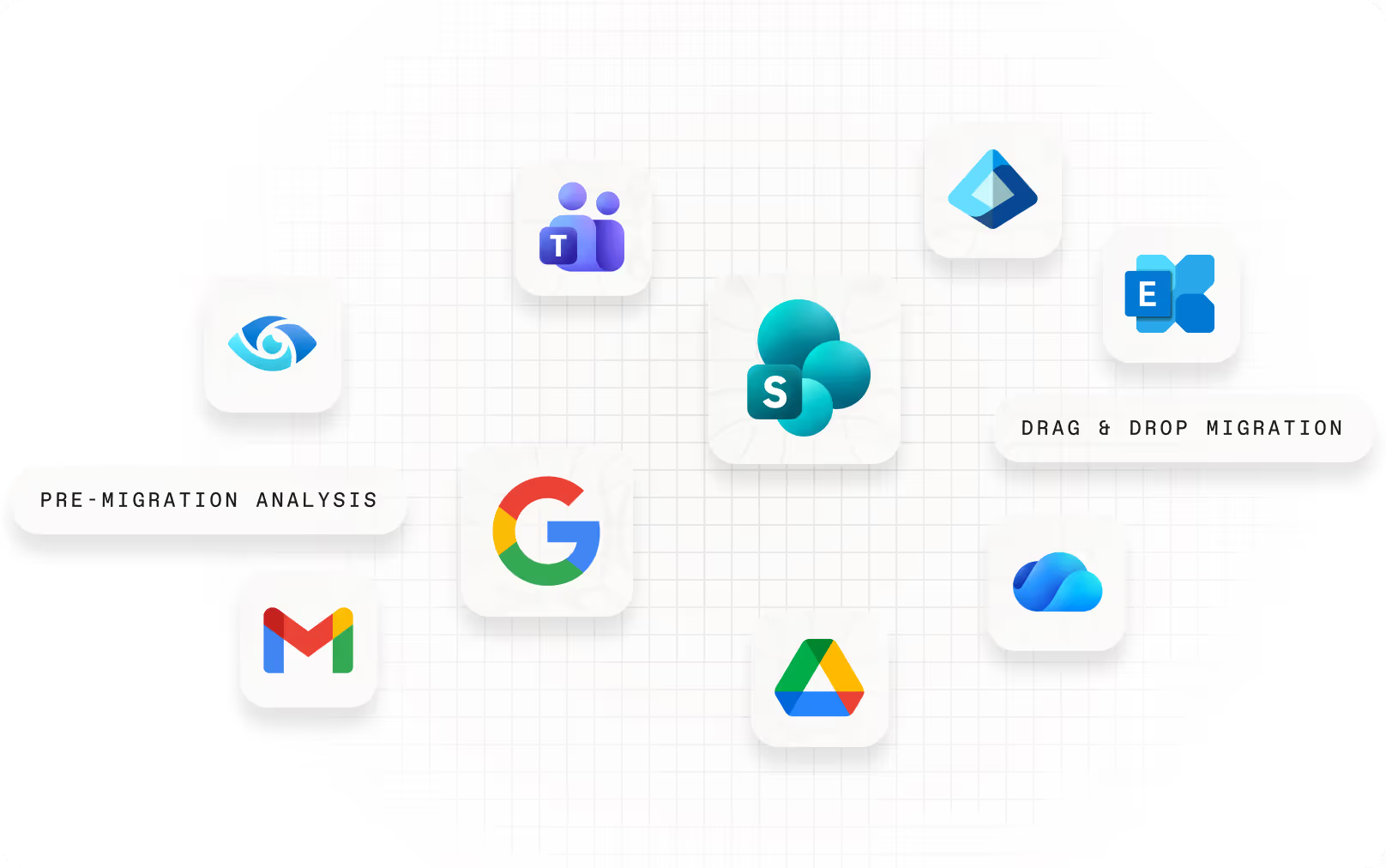
Floating app icons representing supported migration sources and destinations, including Microsoft Teams, SharePoint, Exchange, OneDrive, Google Search, Gmail, and Google Drive, with labels for pre-migration analysis and drag-and-drop migration.

Migration preparation

Map and migrate users to the destination tenant in the same tool. Scan your source tenant, surface issues like archive size and mailbox complexity, and go into execution knowing what you’re dealing with.

Accelerated migration

Run multiple machines simultaneously to move more mailboxes faster. The more machines you have, the more ground you cover. So large projects finish on schedule, not whenever throughput allows.

Post-migration optimization

Cutover isn't the finish line. Keep permissions clean, access controlled, and your new environment running the way it should without bouncing between admin centers or writing PowerShell scripts from scratch.

Frequently asked questions

Can ShareGate migrate Exchange Online mailboxes between tenants?

Yes, ShareGate supports tenant-to-tenant Exchange Online mailbox migrations. You can migrate mailboxes for users, Microsoft 365 Groups, rooms, equipment, and archives.

Do I need multiple tools to migrate mailboxes, users, and Microsoft 365 content?

No, ShareGate Migrate Pro and Enterprise cover the full tenant-to-tenant migration in one platform: Entra ID, Exchange Online mailboxes, SharePoint, OneDrive, and Teams. All in one tool.

Does ShareGate migrate archive mailboxes?

Yes, when in-place archive mailboxes are present in the source tenant, ShareGate detects them during planning and migrates archive content alongside primary mailboxes as part of the same migration flow. Auto-expanding archives are supported as well.

What mailbox components does ShareGate migrate?

ShareGate migrates the mailbox content and behaviors users rely on every day—messages, calendars, contacts, junk mail, and deleted items.

Mailbox types include user, shared, Microsoft 365 Group, room, and equipment mailboxes, with in-place and auto-expanding archive mailboxes migrating alongside primary mailboxes as part of the same flow.

Behaviors including server-side rules, automatic replies, and Litigation Hold configuration migrate with the mailbox so enforcement doesn't lapse at cutover.

Recurring meetings follow Exchange Online rules at the destination, and new Teams meeting links are created automatically.

What happens to special cases—recurring meetings, delegates, shared mailboxes, and resource calendars—during migration?

Recurring meetings follow Microsoft-defined Exchange Online behavior after migration. ShareGate aligns mailbox data to those rules so post-cutover behavior is consistent with how Exchange Online handles recurring events.

Delegate relationships depend on both the delegator and delegate mailboxes being migrated. ShareGate's planning visibility surfaces these dependencies before execution so nothing gets missed.

Shared mailboxes migrate as part of the same workflow as user mailboxes, with no separate licensing or configuration required.

Room and equipment mailboxes migrate with their booking policy settings intact, so conference rooms are bookable from day one in the destination tenant.

Can I migrate incrementally?

Yes, you can run an initial migration and follow up with delta migrations to sync only what has changed between runs, which helps support staged and multi-wave cutovers. It’s included in the same annual price for your ShareGate subscription.

What's the difference between a cutover and staged mailbox migration?

A cutover migration moves all mailboxes at once in a single window. It’s typically used for smaller organizations where everyone switches to the destination at the same time.

A staged migration moves users, mailboxes, and content in waves, with two tenants running in parallel the entire time. Mail routing, free/busy, delegated access, and meeting continuity all need to work across both tenants during that period.

ShareGate fully supports cutover migrations today. ShareGate also supports migrating in waves with our incremental migrations, which allow you to move only what's changed since your previous run. Full coexistence is coming soon!

How do we avoid breaking mail flow, MX, DNS, and Autodiscover during cutover?

ShareGate handles the mailbox migration itself—moving content, preserving behaviors, and running delta passes to catch anything that changed between waves. The MX, DNS, and Autodiscover cutover is a Microsoft 365 administration step that happens at the end of the migration, not inside ShareGate.

ShareGate's pre-migration planning surfaces mailbox issues, archive presence, and mapping conflicts before you reach that point, so when you're ready to cut over DNS, the mailbox side is already clean.

Will our tooling work with Modern Auth and MFA?

Yes, ShareGate connects to Exchange Online using modern authentication and is compatible with MFA-enabled accounts. ShareGate uses delegated permissions via Microsoft 365 consent, so it works within your existing authentication policies without requiring legacy auth to be re-enabled or special exceptions carved out. If your tenant has Conditional Access policies applied to third-party apps, those should be reviewed before migration to ensure ShareGate's connection isn't blocked during execution.

Related ressources
Deep dives, pro tips, and playbooks, straight from the mailbox migration trenches.

How to migrate Microsoft 365 mailboxes: Everything you need to know for tenant-to-tenant moves

Migrate Microsoft 365 mailboxes from tenant to tenant with ShareGate

Microsoft 365 mailbox migration guide: Ensuring a smooth transition

Master tenant-to-tenant migrations with this playbook

Your go-to checklist for M&A migrations and user adoption

G2 Grid Leader badge, enterprise, Summer 2026
File Migration Enterprise

“ShareGate has been a reliable tool for our mailbox migrations. It’s especially valuable for tenant-to-tenant moves during acquisitions, and it’s become our go-to solution as we continue to scale.”

Mike Danilovich
|
Sr. Infrastructure Engineer at Tarkett
|
Enterprise
|
5
★ on g2

Ready to run a mailbox migration that goes according to plan?

Request a demoStart a free trial

Start a free trial

Try ShareGate for free. No credit card required.

Get started

Request a demo

Get a live one-on-one with an expert to see how ShareGate can help.

Request demo

Speak with a sales rep

Get information on pricing, promotions, and discounts.

Contact sales

Newsletter

Insights on how technology is changing the way you work, delivered right to your inbox.

Welcome to the ShareGate community! 🥳 Your submission has been received.
Oops! Something went wrong while submitting the form.

Follow us

ShareGate logo

Get started

PricingFree trialLog inDownloadContact salesRequest a demo

Support

ShareGate docsContact support

Products

ShareGate MigrateShareGate Protect

ShareGate capabilities

Pre-migration planningAccelerated migrationPost-migration optimizationPermissions & access reviewsAI tool monitoringLicense & cost analytics

Solutions

Migrate to Microsoft 365Tenant-to-tenant migrationsEntra ID migrationMailbox migrationGoogle workspace migrationSharePoint migrationTeams migrationOneDrive migrationOversharing and accessAI SecurityCost optimization

Resource Center

BlogeBooks, guides & moreWebinars & morePartnersFind a partner

Company

About usProduct roadmapFree for MVPsCareerContact us
© ShareGate 2025
TermsSub-ProcessorsData Privacy AddendumModern Slavery StatementPrivacy
English
English
Français
German