
How CDW delivers petabyte-scale, regulation-ready Microsoft 365 migrations with ShareGate
- Managing migrations for clients with legacy SharePoint versions
- Meeting tight migration deadlines
- Training engineers efficiently while maintaining quality
- Identifying potential migration issues upfront
- Managing permissions and governance with less effort
- Easing post-migration management
- Quickly training clients and engineers
- 62% reduction in project delivery timelines
- 67% reduction in engineer training time
- Cost savings for clients
- Winning big migration projects

The Challenge
The Solution
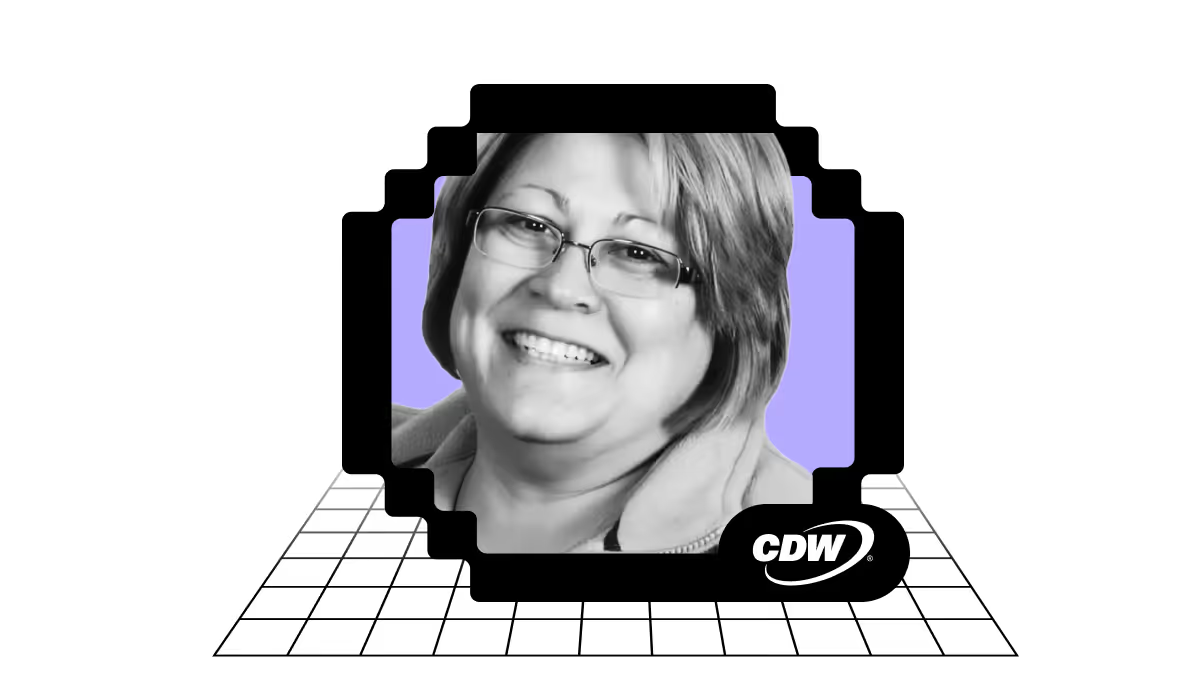
ShareGate gives Maggi a structured, flexible way to run end-to-end migrations without the usual friction. For the past 14 years, she’s used the solution to perform more than 600 migrations. She’s become a ShareGate expert and evangelist, recommending it to every CDW client.
From there, Maggi’s teams follow a simple, repeatable playbook that provides structure while still leaving room for engineering judgment: assess → migrate → verify.
Comprehensive Microsoft 365 assessment reports that get client buy-in
Seeing is believing. When clients get rapid, comprehensive visibility, they align on the facts faster—so decisions come sooner and the migration plan is cleaner and lower risk. ShareGate helps with that.
“ShareGate is known as a migration tool, but I also like to think of it as an assessment tool,” Maggi explains.
ShareGate lets partners assess their clients’ tenants in just a few minutes. You get all the information you need around file and folder inventory, SharePoint, OneDrive, or Google Drive structure, permissions, users, and potential migration blockers and risk indicators.
The result is stakeholder‑ready: a clear view of what’s there, what has to change, and what can be left behind.

This kind of data, in a client-friendly summary, can make a huge difference in a client’s understanding of what goes into a migration.
“One of the most helpful things ShareGate does is help me show the client how ugly their tenant might be. I can pull up a report and say, ‘These are all your orphan users, and just this one is touching all these other data points.’ And when they see that, it’s like a light bulb turns on and then they say, ‘Okay, yeah, let’s move forward.’”
That clarity also reveals cleanup opportunities that you can’t always see in a GUI. In one project, Maggi dug into logs after she was told ‘PowerShell wouldn’t open.’ Using ShareGate, she found 3,000+ SharePoint errors—the kind of blocker you deal with before you move.
Maggi empathizes with her clients, especially since so many of them are handed these legacy-heavy environments: “I have this client who has over 400 workflows and 250 InfoPaths, and there is no migrating those to Microsoft 365. I need to understand what their workflow does and diagram it because they don’t even know. They were handed this set of tools and they inherited the whole entire problem.”
With the assessment done, Maggi works with her clients to agree on rules before the move. No two tenants’ security stacks are exactly alike, so M&As often expose discrepancies. With ShareGate, it’s easy to give security teams the documentation they need when changes are made.
Secure and accurate Microsoft 365 migrations
Maggi works with tenants that have petabytes worth of data across different countries and regions. These types of migrations don’t happen over a weekend. So, the ability to migrate in stages is critical.
“Very few people can do delta migrations for SharePoint, OneDrive, Teams, and Exchange Online correctly, but ShareGate does.”
Instead of re‑copying everything, ShareGate stamps what moved, checks what changed, and migrates only what’s new. That keeps work going while the target takes shape.
Practical guardrails matter here. Version limits help reduce what moves. Throughput guidance helps teams choose the right batch sizes and pace. And PowerShell helps tailor steps without breaking the playbook.
When the CDW team needs custom migration solutions, ShareGate's embedded PowerShell makes it easy for Maggi to write automation scripts.
"If you're doing tenant-to-tenant migrations, you might deal with PowerShell and other applications. I've written PowerShell scripts inside ShareGate to handle those migrations for us."
ShareGate's Permissions matrix report also simplifies tenant-to-tenant migrations by providing Maggi with reports on permission rules across different tenants.
"If I have tenant A and I'm moving tenants B and C into tenant A, I need to know what rules these people have. ShareGate lets me do an assessment and pull out that data set," Maggi says.
ShareGate is also useful when working with government clients who need additional security. “Because ShareGate is trusted by the government here in the US, we use it to migrate government data sets,” says Maggi.
Post-migration verification
Once migration projects are finished, ShareGate's reporting engine gives Maggi the detailed reports her team needs to know exactly what was moved, from where, to where, and who has access to it.
As part of migration wrap-up, Maggi and her team also teach their clients how to use ShareGate to bulk edit metadata, labels, and permissions in Microsoft 365, so they can be sure their environment is set up for success from the start.
Training and team development
CDW engineers juggle 13–15 projects at a time each, so the approach has to be repeatable and teachable. For partners, that repeatable playbook is a force multiplier—more projects in flight without ballooning headcount or delivery risk.
“We train engineers to use ShareGate as a migration tool in our Associate Consultant Engineer (ACE) program. We’ve cut down our training from two years to eight months.” Maggi explained.
“Everything is dedicated to ShareGate all the way through. ShareGate is a good tool for our new engineers to learn because it has PowerShell. It also has beautiful screens and dashboards that teach them how to be consultative."
Excellent support and partner program
When complex issues come up, Maggi relies on ShareGate’s fast, human support to keep projects moving.
“I like the way ShareGate’s support engineers respond to stressful scenarios. It’s a talent because it’s hard to find engineers with consultant capabilities,” Maggi says.
ShareGate hosts live Q&A webinars every Tuesday and Thursday where engineers and admins can get expert advice.
“One of the most wonderful things that ShareGate has done is creating the Ask the Expert calls. I asked all my engineers to join the calls. It doesn’t matter how novice or experienced you are, they have the patience to respond and really help,” Maggi says.
The Results
ShareGate simplifies complex migrations, helping Maggi’s team increase accuracy and cut project timelines by 60%.
“ShareGate helped us cut two-year migration projects down to nine months for clients with complex environments and petabytes of data,” Maggi says.
.avif)
With ShareGate’s assessments, Maggi can scope timelines accurately from day one. The detailed reports also help her find significant cost-saving opportunities for clients post-migration.
ShareGate’s simple, all-in pricing means Maggi’s clients save money from day one.
“I always say ShareGate is different from everyone else because they don’t charge by the pound to move your data,” Maggi says.
On the training front, Maggi added that ShareGate has reduced the time it takes to train new engineers at CDW by 67%.
“We’ve cut down training from two years to eight months. Everything is dedicated to ShareGate—how to migrate sites, handle problem scenarios, everything.”
The speed, accuracy and efficiency gains add up. CDW is now winning major migration projects both locally and internationally. CDW has moved from very small migration projects to those worth $15 million. They even handle projects for international clients requiring multiple languages and complex regulatory compliance.
Maggi’s team succeeds because they have a consistent, reliable end-to-end migration tool with a supportive team behind it—making ShareGate the ideal companion for any migration project.
“ShareGate has considerably reduced the stress of migrating from point A to point B. It provides solutions for three stages: assessment, migration, and ongoing support. It handles everything from 2010 versions through 2019 and tenant-to-tenant in the cloud. The consistency of the application is amazing—it works the same way every time, and that builds trust.”
Watch Maggi dive deeper into her experience with ShareGate:
Ready to scale your Microsoft 365 services? Join the ShareGate Partner Program and deliver petabyte-scale migrations with confidence.
Similar customer stories



ShareGate is considered a Leader in the File Migration and Cloud Migration market.
Book a live 1-on-1 demo with our experts
- Hear free advice and insights for your unique use case
- Get a personalized walkthrough of our main features
- Receive a follow-up email with additional resources specific to your needs
"ShareGate has provided me with the ability to deliver projects faster, more efficiently than using other toolsets. ShareGate's diligence with product updates and community involvement makes them a perfect partner."
Don’t just migrate it, ShareGate it.
Your source is never touched — ShareGate only copies.
Re-running is safe, included, and free.

