The simplest way to migrate, assess, and govern Microsoft 365
ShareGate is the out-of-box tool trusted globally for simple, secure, and seamless
Microsoft 365 migrations.
Trusted by 100,000+ IT pros

4.8★ on g2

4.7★ on Gartner
How it works
Step 01
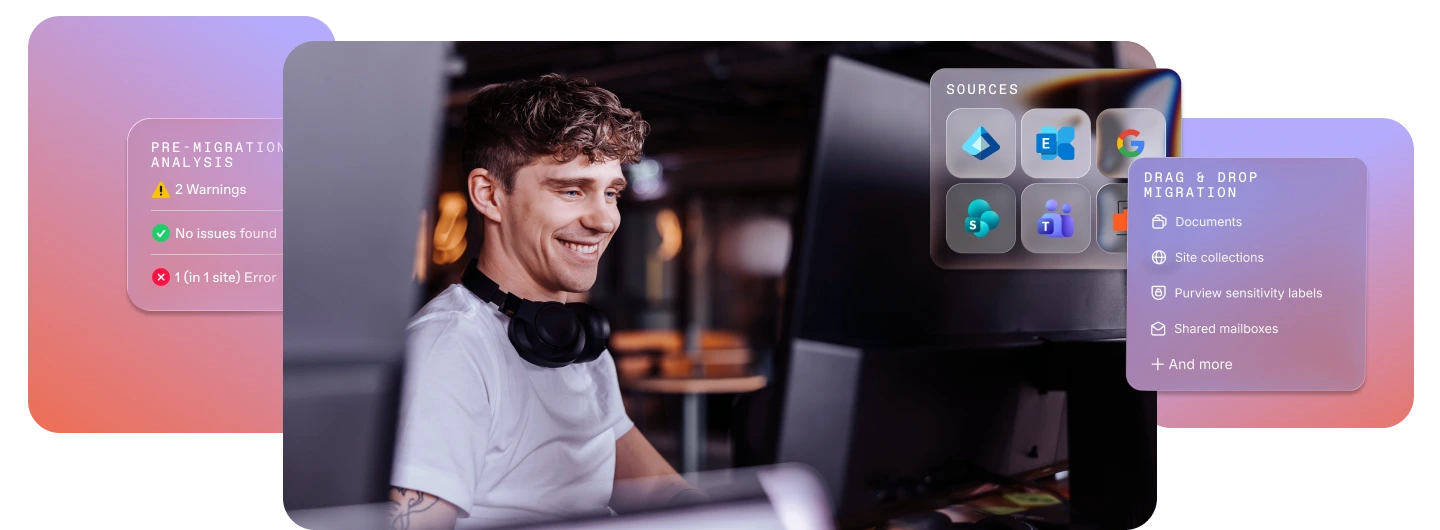
Assess, inventory, and migrate strategically
Step 02
Leverage smart filters and flexible options
Step 03
Future-proof your workplace
Simplify your Microsoft 365 migration
Simplify your Microsoft 365 migration and benefit from tools and services designed to encourage productivity and support employees, wherever they are.
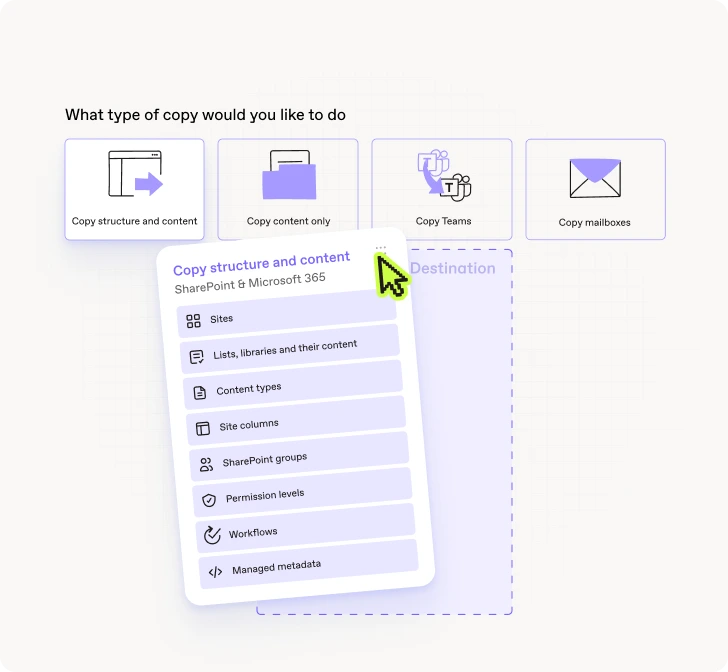
- Migrate files, lists, libraries, sites, and workflows
- Migrate at insane speeds with unlimited data
- Keep a clear view with detailed reports and insights
Everything you need for your migration to Microsoft 365
or a file share, we've got you covered.
Entra ID

Users
Security groups
Microsoft 365 groups

Group memberships

License assignments
Mailboxes

User mailboxes

Shared mailboxes
Microsoft 365 Group mailboxes

Room mailboxes

Equipment mailboxes
In-place archive mailboxes

Auto-expanding archive mailboxes
Mailbox content

Outlook emails

Attachments

Categories

Server-side rules

Outlook calendars

Attendees

Recurrences
Contacts

Junk mail

Deleted items

Automatic replies

Litigation Hold configuration

New Teams meeting links (recreated at destination)
Gmail

Gmail emails

Attachments

Contacts

Labels
Threads
Google Calendars
Events
Attendees
Recurrences
Google Drive

Shared drives
Personal drives

Documents

Security

Sets
Version history

Files and folders

Metadata

Content types

Site settings
SharePoint

SharePoint sites

Site collections
Sites

Subsites
Libraries and lists

List items

List views and forms
Documents
Security
Sets
Version history
Metadata

Permissions and permission levels
SharePoint groups
Group membership
Users
Site columns

Site navigation
Site settings

SharePoint workflows (standard and SharePoint Designer)

Nintex workflows and forms

Web parts

User alerts
Microsoft Teams

Standard and private Teams channels
Team permissions
Teams apps

Teams tabs
Associated SharePoint site

Planner plans
Files and folders
Microsoft Purview

Sensitivity labels

Encryption keys
Access rules
OneDrive
Files and folders
Shared drives
Permissions
Assess & plan your Microsoft 365 migration (without the chaos)
ShareGate is the out-of-box tool trusted globally for simple, secure, and seamless migrations from on-prem to the cloud, so you can make the move to Microsoft’s modern workplace.
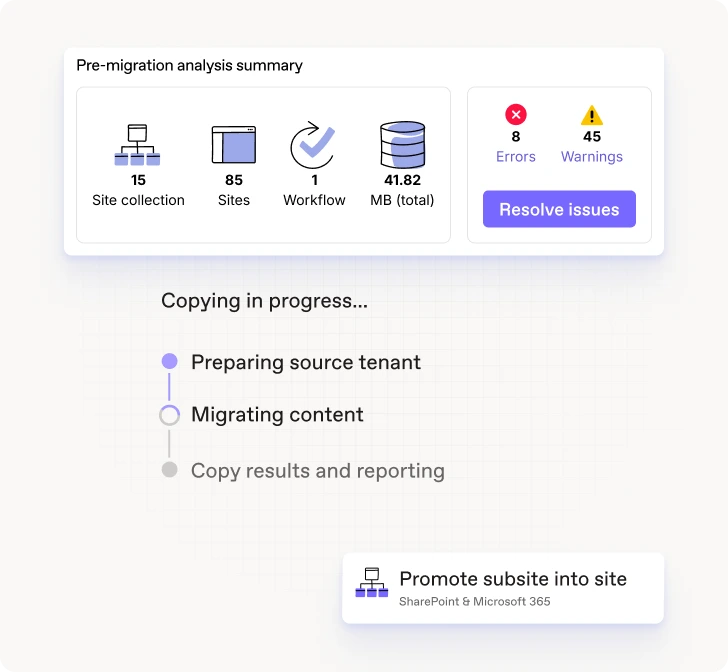
- Inventory your SharePoint environment
- Identify and fix potential issues ahead of time
- Modernize your SharePoint








One tool to migrate them all
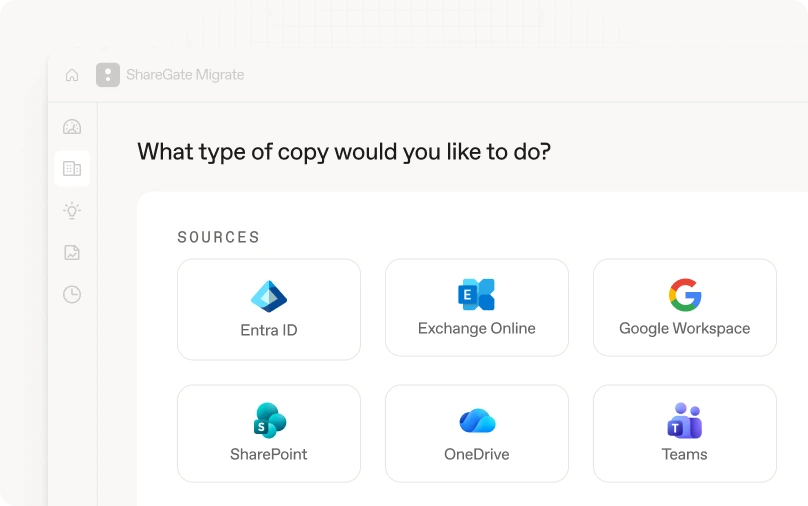
ShareGate Migrate is the simplest, most reliable, and most trusted solution to migrate your data to Microsoft 365.

Frequently asked questions

Yes, ShareGate supports tenant-to-tenant Exchange Online mailbox migrations for primary mailboxes, Microsoft 365 Group mailboxes, and in-place archive mailboxes.
No, ShareGate Migrate Pro and Enterprise include Exchange Online mailbox migration as part of the same platform used to migrate Entra ID, SharePoint, OneDrive, and Teams, so you can manage mailbox and content migrations in one place.
Yes, when in-place archive mailboxes are present in the source tenant, ShareGate detects them during planning and migrates archive content alongside primary mailboxes as part of the same migration flow.
ShareGate migrates the mailbox content and behaviors users rely on every day—messages, calendars, contacts, junk mail, and deleted items.
Mailbox types include user, shared, Microsoft 365 Group, room, and equipment mailboxes, with in-place and auto-expanding archive mailboxes migrating alongside primary mailboxes as part of the same flow.
Behaviors including server-side rules, automatic replies, and Litigation Hold configuration migrate with the mailbox so enforcement doesn't lapse at cutover.
Recurring meetings follow Exchange Online rules at the destination, and new Teams meeting links are created automatically.
Recurring meetings follow Microsoft-defined Exchange Online behavior after migration. ShareGate aligns mailbox data to those rules so post-cutover behavior is consistent with how Exchange Online handles recurring events.
Delegate relationships depend on both the delegator and delegate mailboxes being migrated. ShareGate's planning visibility surfaces these dependencies before execution so nothing gets missed.
Shared mailboxes migrate as part of the same workflow as user mailboxes, with no separate licensing or configuration required.
Room and equipment mailboxes migrate with their booking policy settings intact, so conference rooms are bookable from day one in the destination tenant.
Microsoft 365 migration resources for IT admins
The Microsoft 365 migration checklist to start off on the right foot

Integrate Microsoft Teams with SharePoint: How to add Teams to an existing [...]
Before, during, and after: Conquer the biggest Microsoft 365 migration [...]
Comparing Microsoft 365 tenant-to-tenant migration tools
Microsoft 365 permission sets required for ShareGate

"Using ShareGate to migrate our legacy file shares into Microsoft 365 has been an outstanding experience from start to finish."
Don’t just migrate it, ShareGate it.