


Microsoft Purview’s new DSPM experience: Practical insights for sensitive data security

.svg)

%20(1).avif)
Master Hacks: Migrate like a pro
Check out our video series to help you turn migration projects into masterpieces!
Table of contents
Microsoft announced their plan to roll out an enhanced experience in Microsoft Purview Data Security Posture Management (DSPM) at Microsoft Ignite. If you're responsible for data security in your organization, you'll want to pay attention to this one.
Here's what's changing: DSPM is evolving into a more unified experience, built to help organizations strengthen data security and feel more confident as AI becomes part of everyday work.
The goal here is simple. Instead of having separate views for “traditional” data risks and AI-related risks, Microsoft is bringing everything together into one streamlined DSPM experience. This version is focused on guided, outcome-based workflows that help teams go from insight to action faster. That way, you can prioritize the biggest risks and remediate them without getting stuck in analysis mode.
A few of the big additions include:
- AI observability, so you can actually see what’s happening across AI apps and agents
- Stronger posture reporting across both classic and AI-driven environments
- Security Copilot agents, which are designed to automate tasks like triage and policy management
In this article, I’ll walk through what has changed and how IT teams should approach the new experience.
Evolution of DSPM in Microsoft Purview
Before this unified experience, Microsoft introduced two separate DSPM solutions inside Purview:
- DSPM (Classic)
- DSPM for AI (Classic)
Both gave valuable insights and recommendations, but they lived in separate portals. The new DSPM experience is Microsoft’s way of bringing these together into one streamlined solution.
DSPM (Classic)
DSPM enables organizations to monitor cross-cloud data and user risk through dynamic reports and trend analysis.
The portal provides recommendations and reports based on analysis of your Microsoft 365 environment:
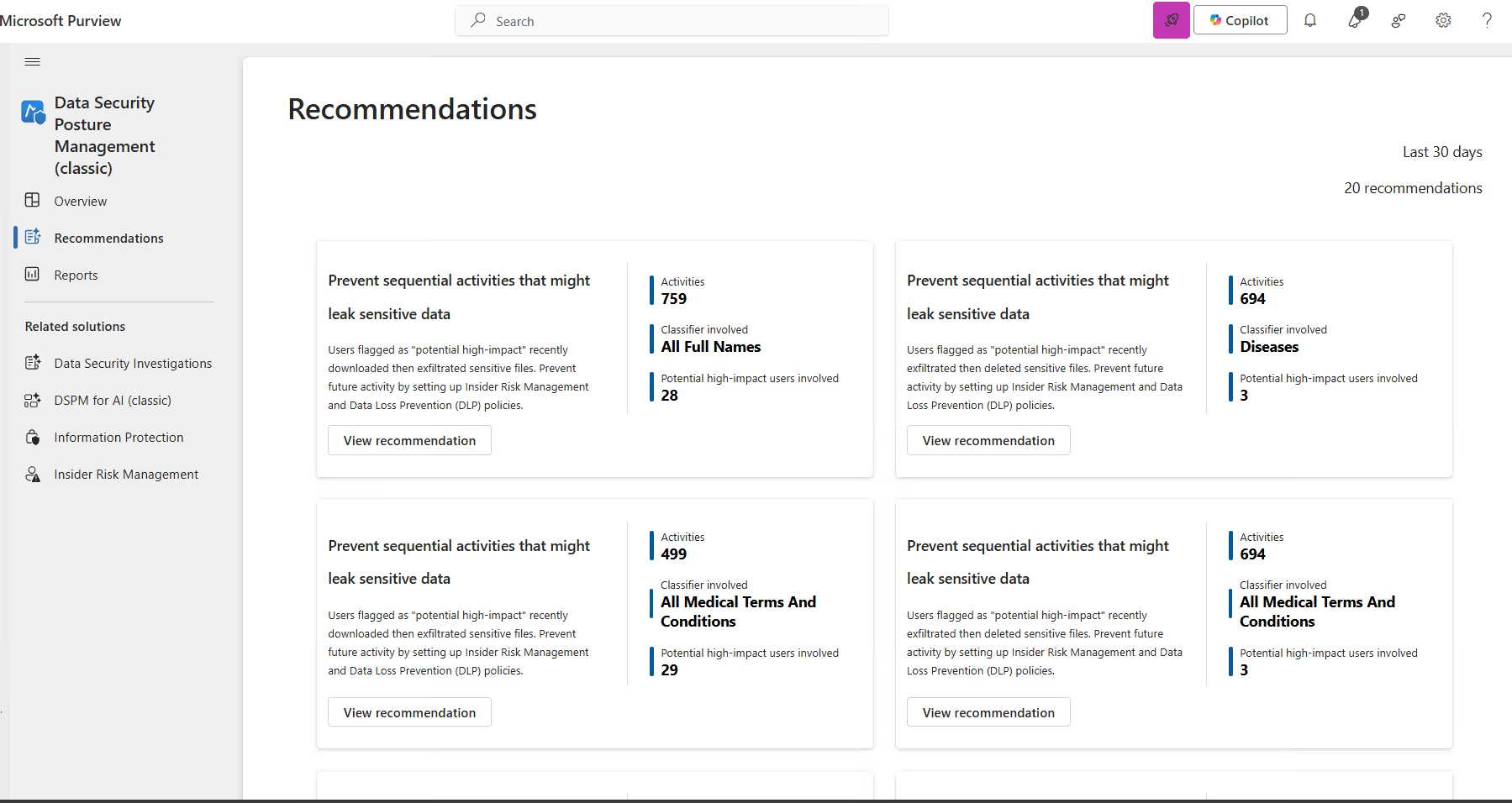
These recommendations connect to Insider Risk Management (IRM) or Data Loss Prevention (DLP):
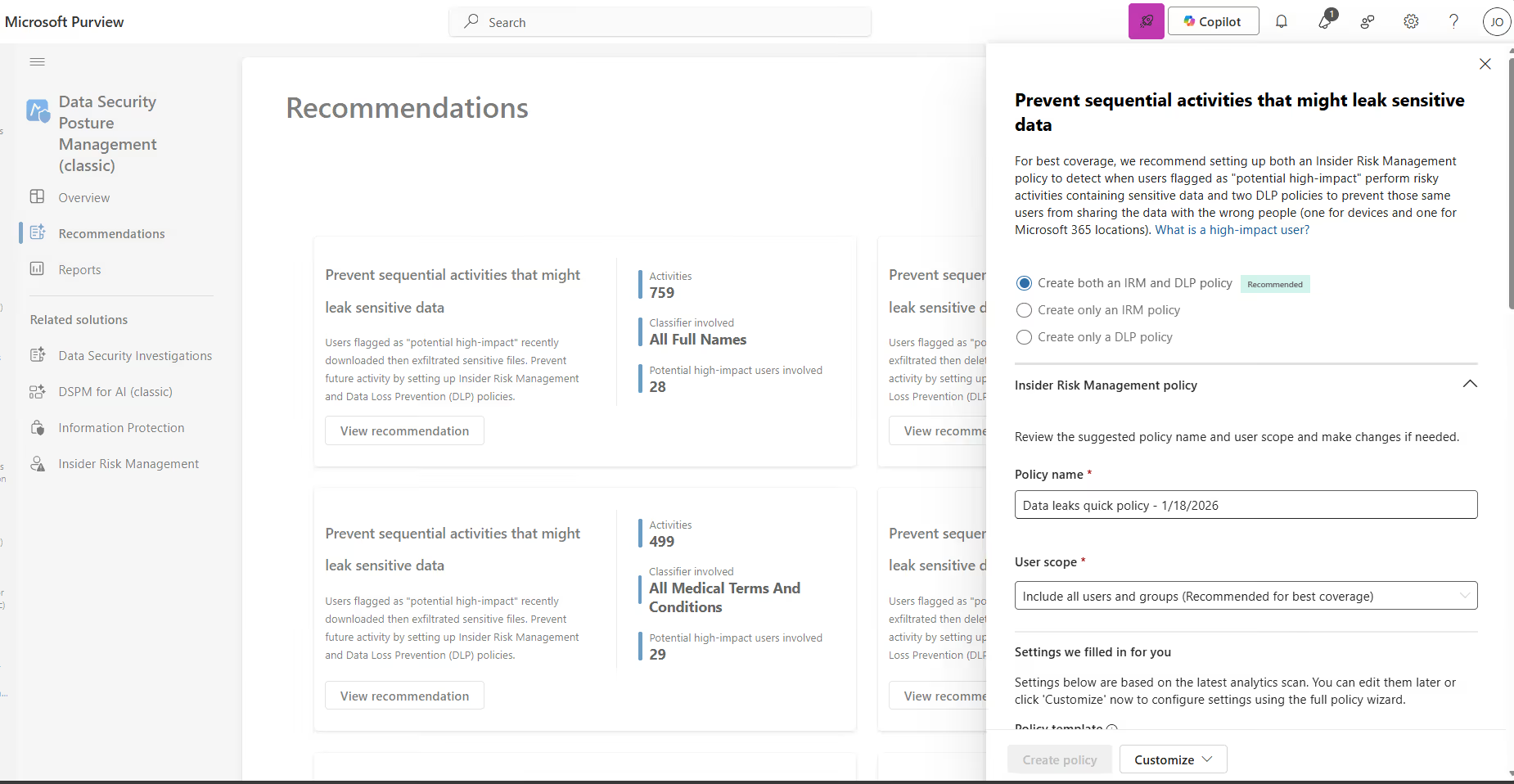
This makes it easy to quickly set up a policy. But one important reminder here: never start by enabling restrictions enforced by these policies.
Always begin with a pilot group first, test the impact thoroughly, and then expand from there once you know what the policy will actually do in practice.
The Reports section also provided valuable insights into interactions happening inside and outside Microsoft 365:
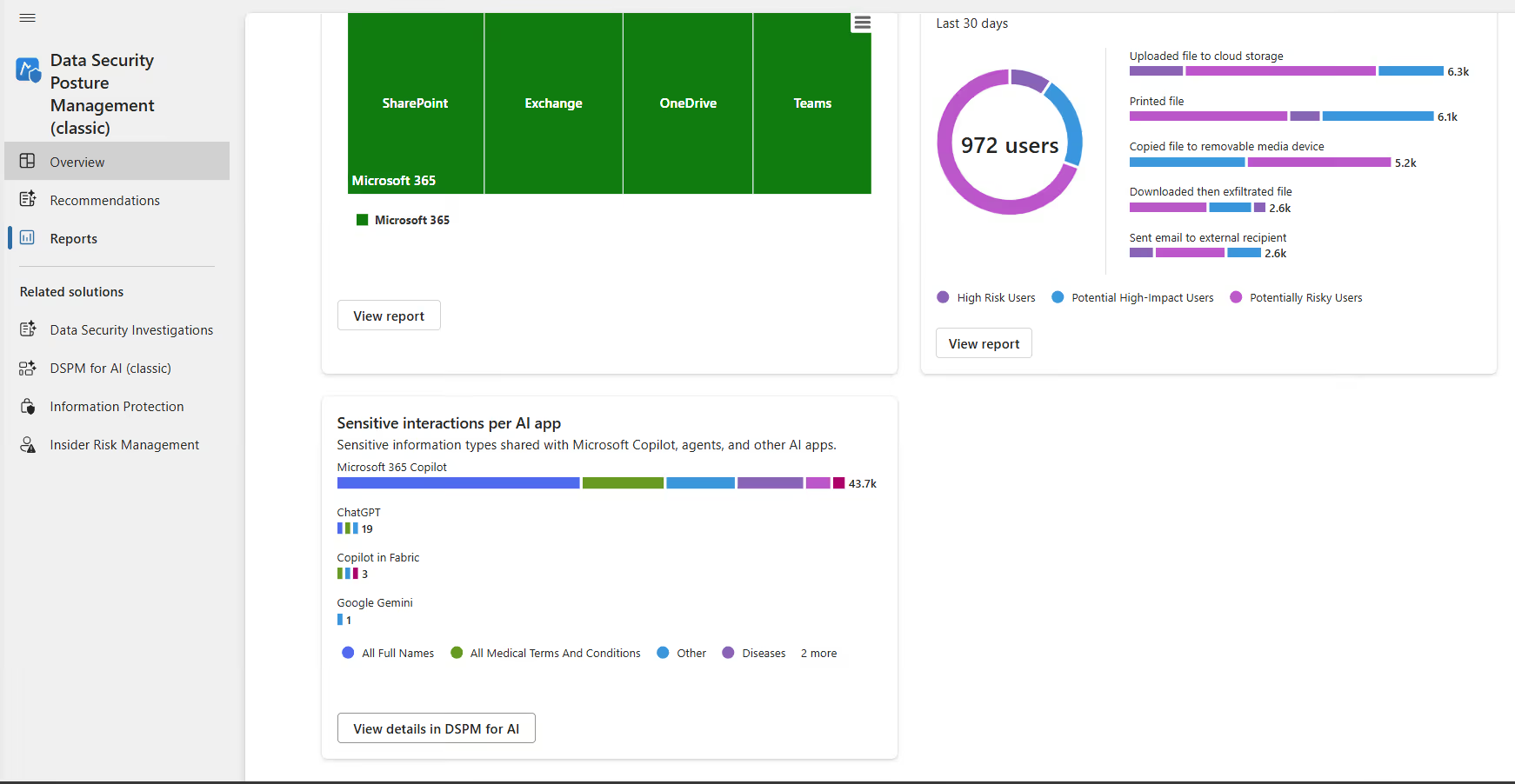
The last report, Sensitive interactions per AI app, brings us straight into DSPM for AI.
DSPM for AI (Classic)
DSPM for AI provides a central management location to help you secure data for AI apps and proactively monitor AI use.
This includes Copilots, agents, and other AI apps that rely on third-party large language models (LLMs). The portal experience is comparable to DSPM Classic.
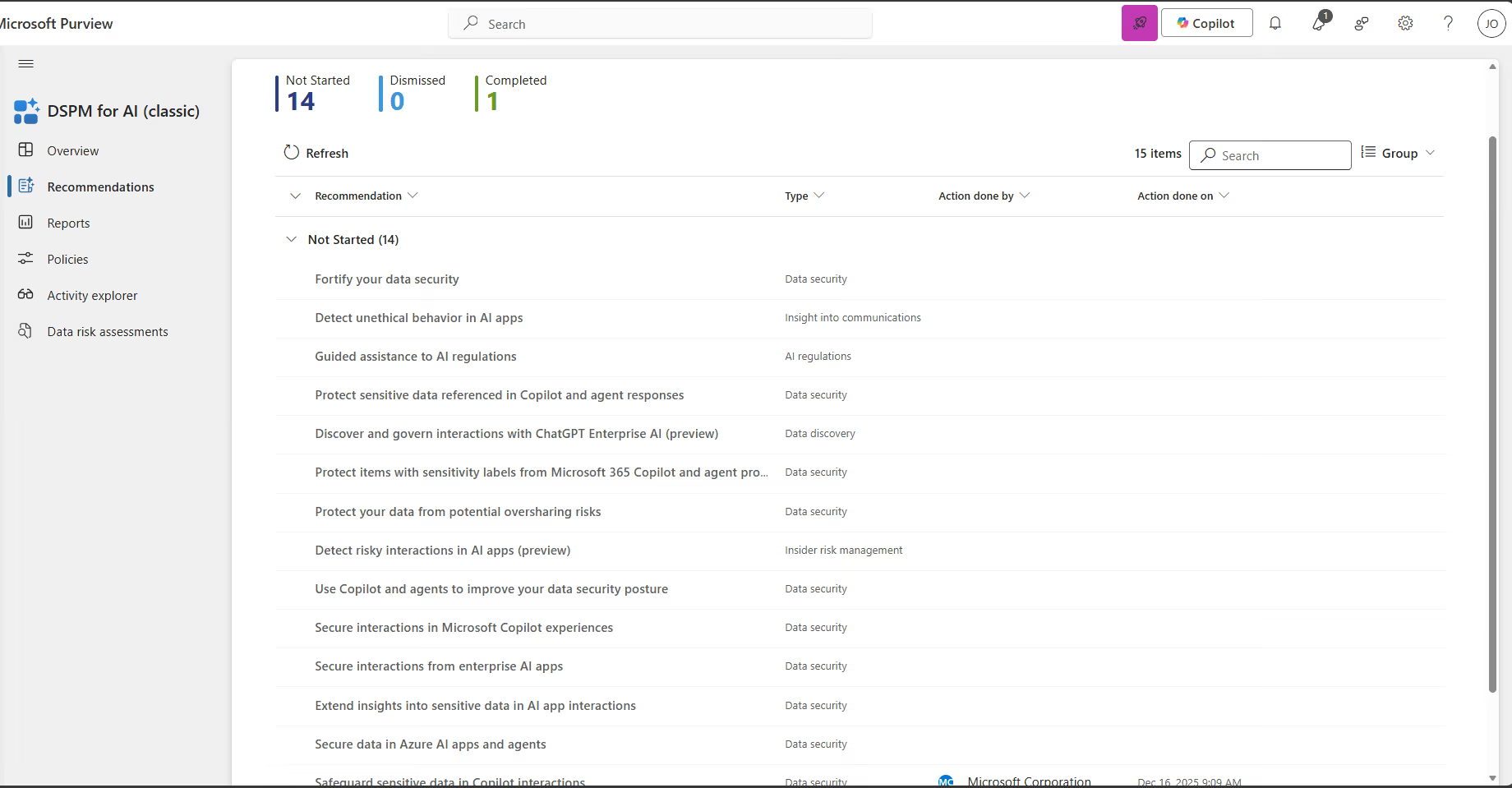
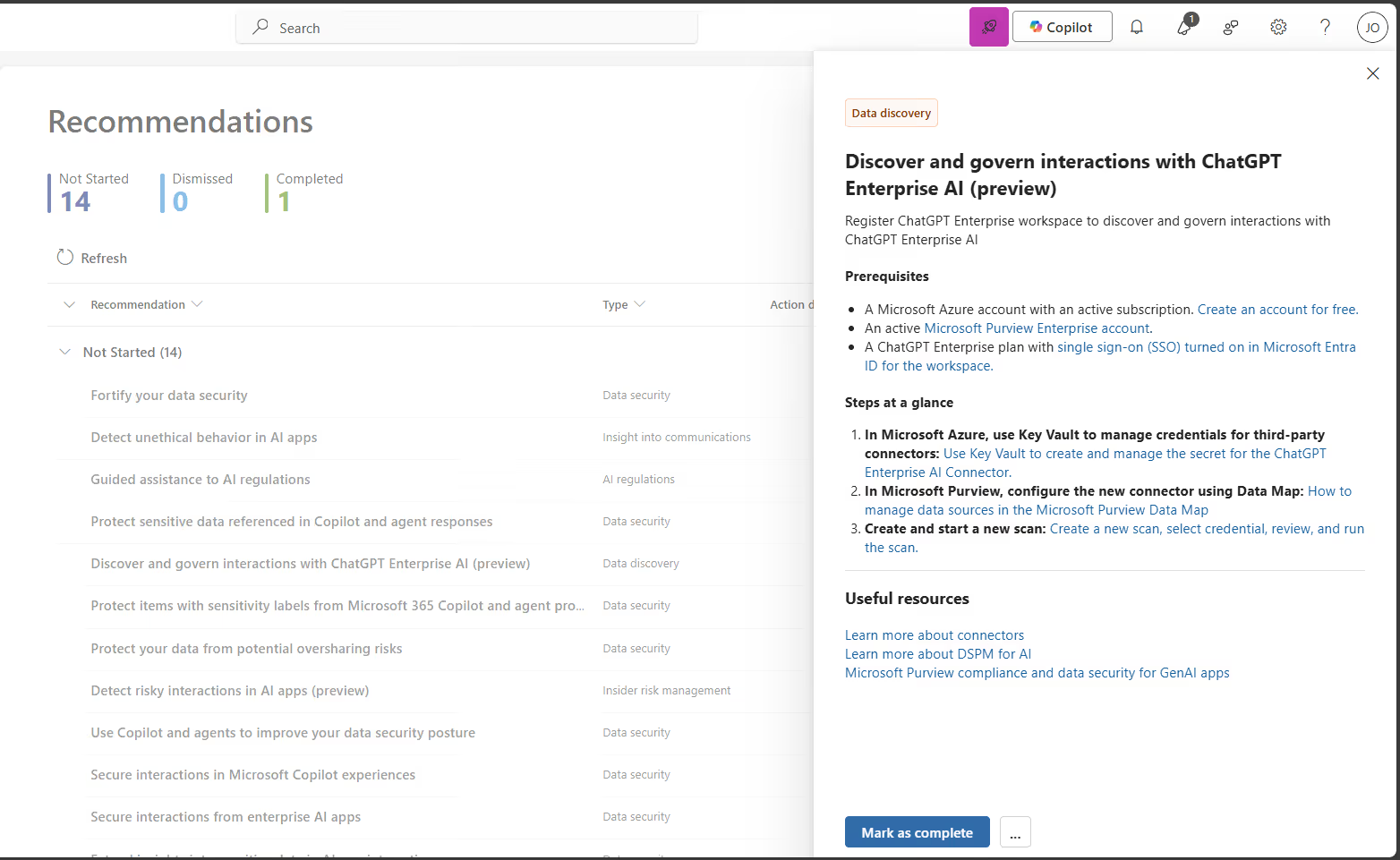
Each recommendation includes additional information, often pointing back to specific Purview solutions.
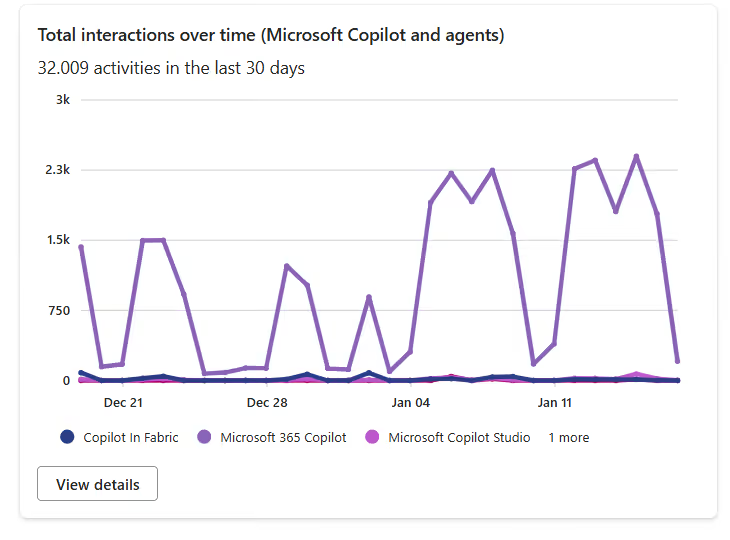
DSPM for AI also delivers valuable insights through the Reports section.
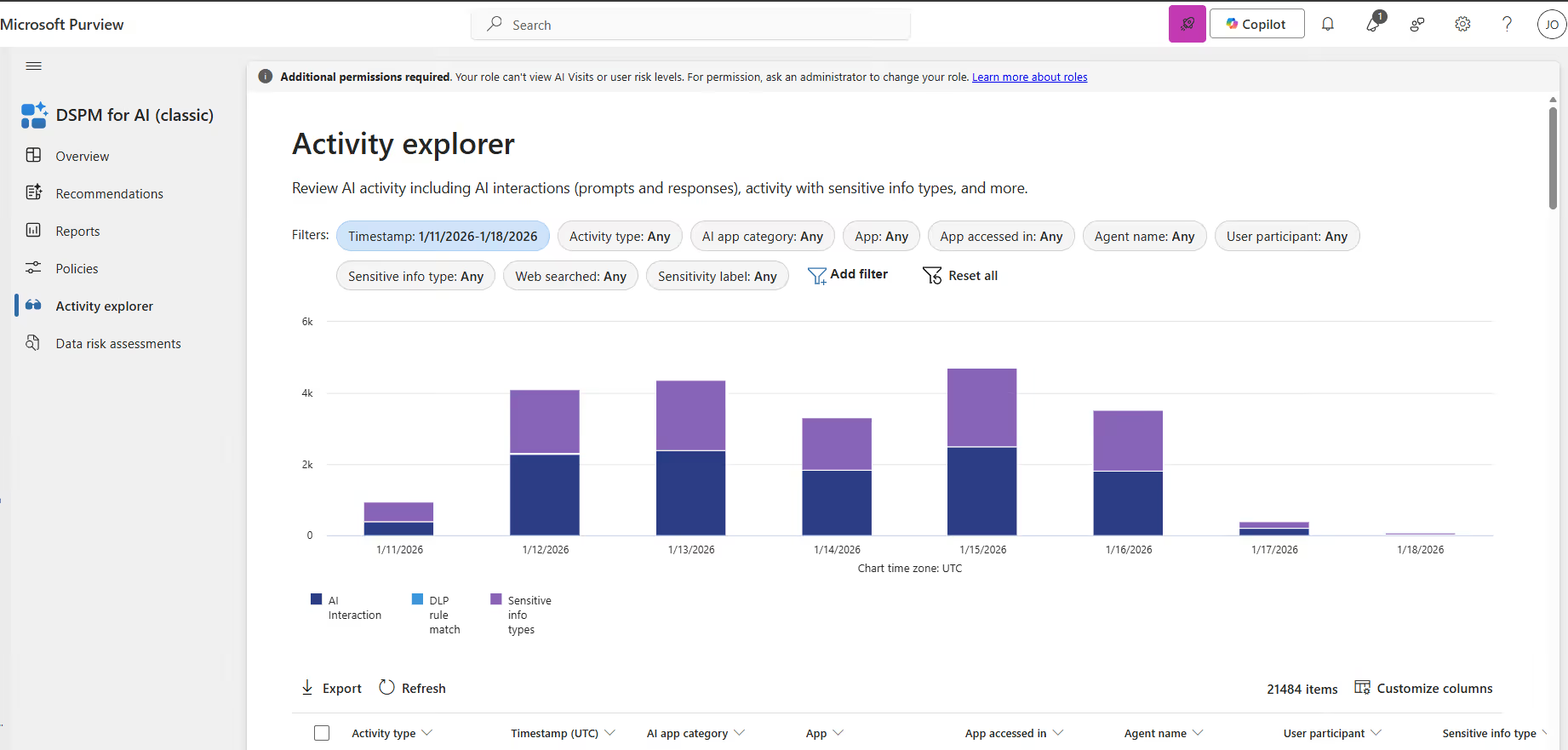
With quick paths into Activity Explorer:
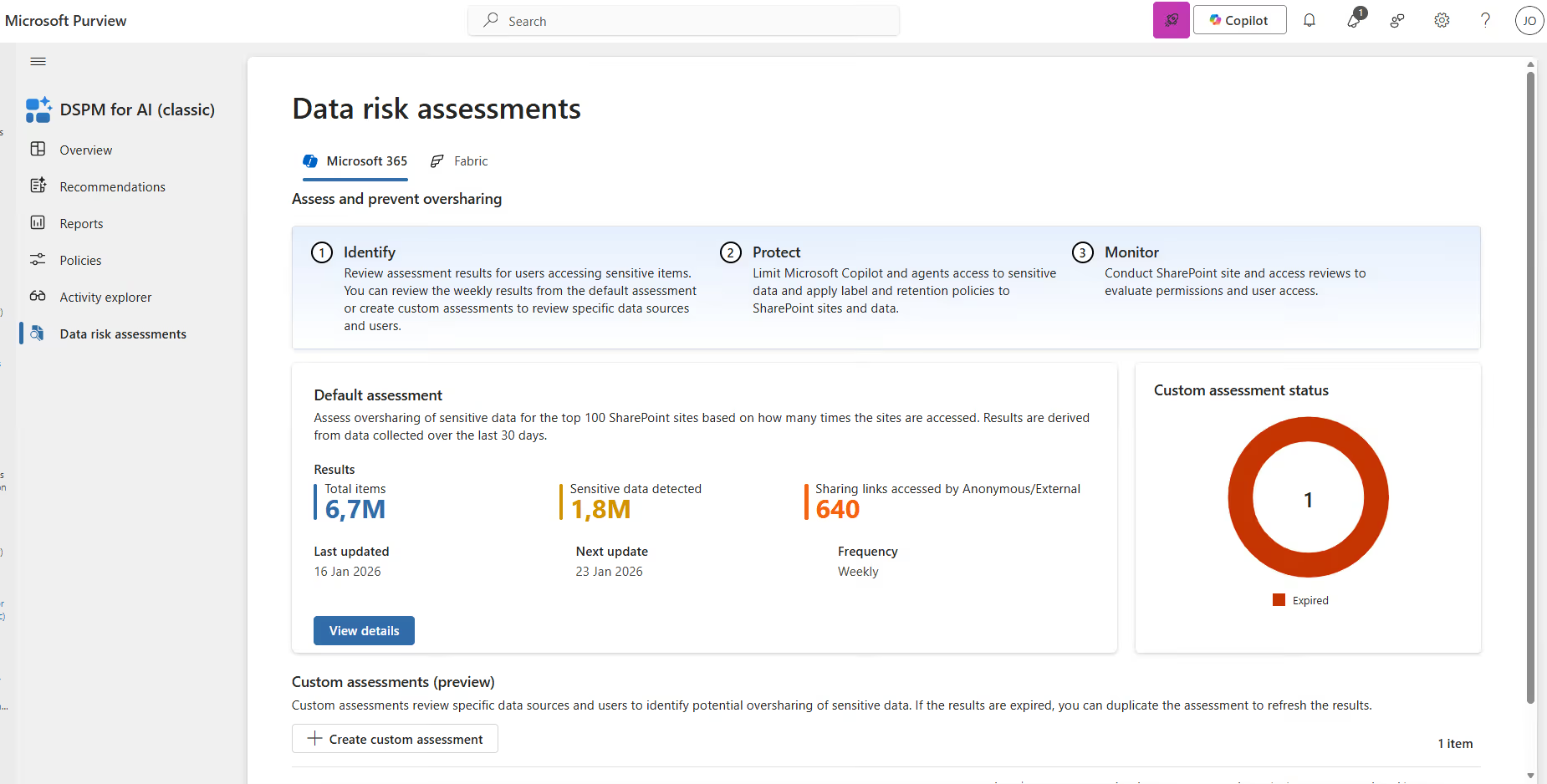
And finally, Data Risk Assessments provide an overview of oversharing of sensitive data across the top 100 SharePoint sites, based on how often those sites are accessed.
Both DSPM solutions made a real impact for orgs, helping expose risk, provide guidance, and offer clear remediation steps.
But Microsoft’s direction is obvious. Instead of maintaining two separate experiences, DSPM is now evolving into one unified platform.
What’s new in the DSPM experience?
The new Data Security Posture Management (DSPM) experience lets organizations discover and secure sensitive data across Microsoft 365 and non-Microsoft 365 sources, including connected partner solutions and sensitive data accessed through AI apps and agents.
Here's the rollout timeline you should know about:
- The public preview for worldwide customers begins in early December 2025 and completes by early April 2026.
- General availability worldwide kicks off in early April 2026 and wraps up by early May 2026.
So depending on when you're reading this, you might already have access or it might be coming soon.
Now, here's what’s good to know if you're already using DSPM:
- You'll continue to have access to the current DSPM (classic) and DSPM for AI (classic) experiences. Microsoft isn't pulling the rug out from under you.
- Your existing policies and configurations won't change.
- The new DSPM experience and its features will be available in addition to what you're already using. There are no default policy changes and the onboarding steps from the classic experiences carry over.
The new and improved DSPM includes the following sections:
- Posture
- Objectives
- AI Observability
- Discover
- Tasks and actions
- Reports
Let’s walk through each of them.
Posture
The Posture page provides key posture metrics around data discovery, protection, and investigation, along with posture trends over time.
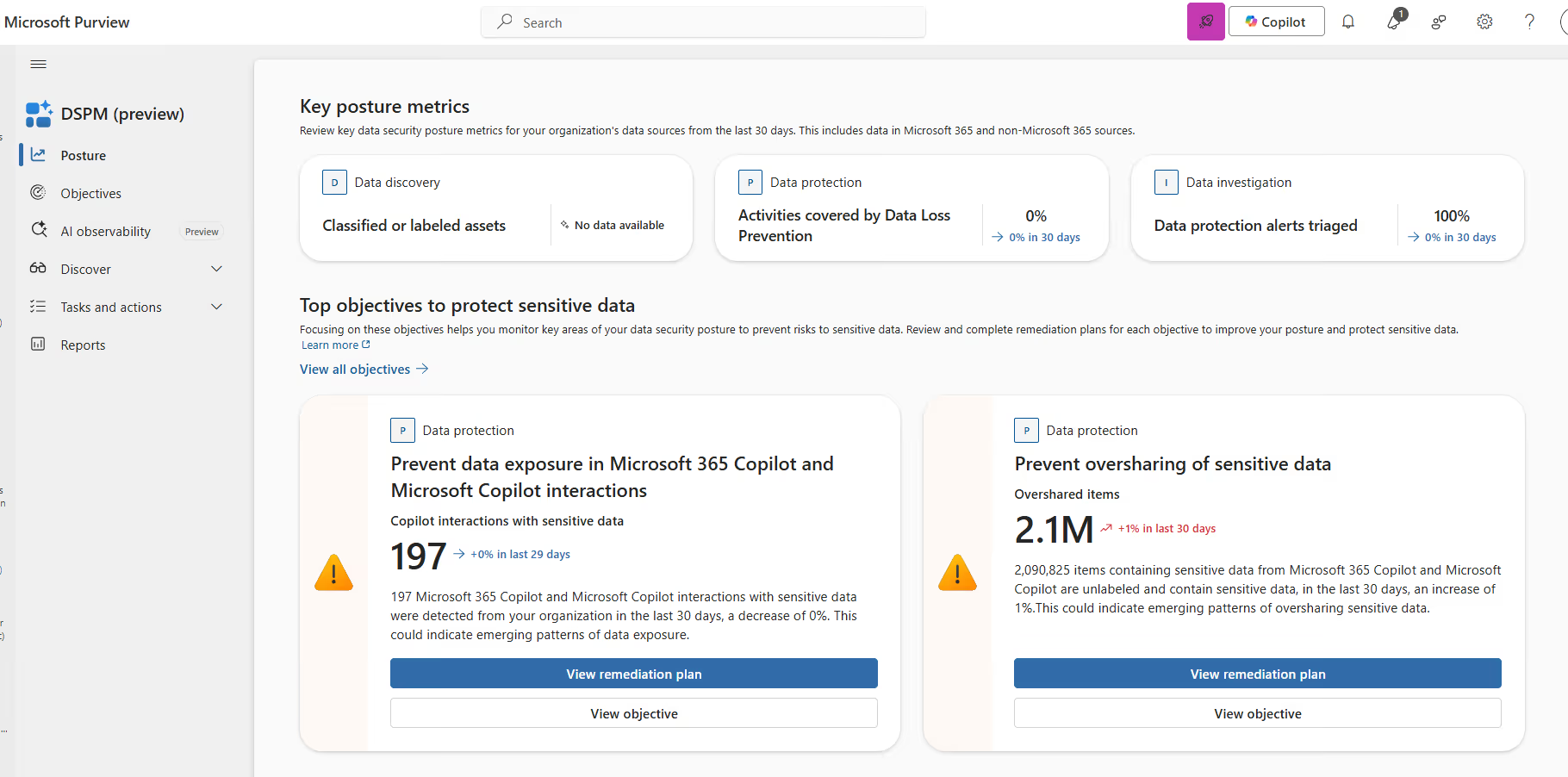
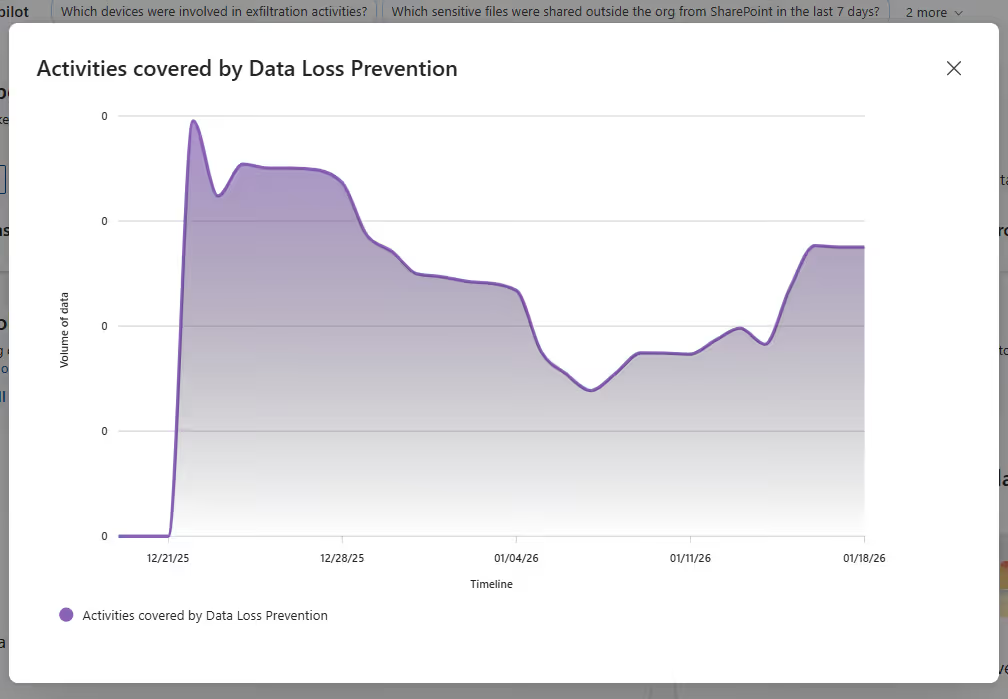
Each metric includes visual statistics when data is available.
A good place to start here is the top objectives for protecting sensitive data, which takes you into the next section.
Objectives
The Objectives section is built around outcome-based guided workflows.
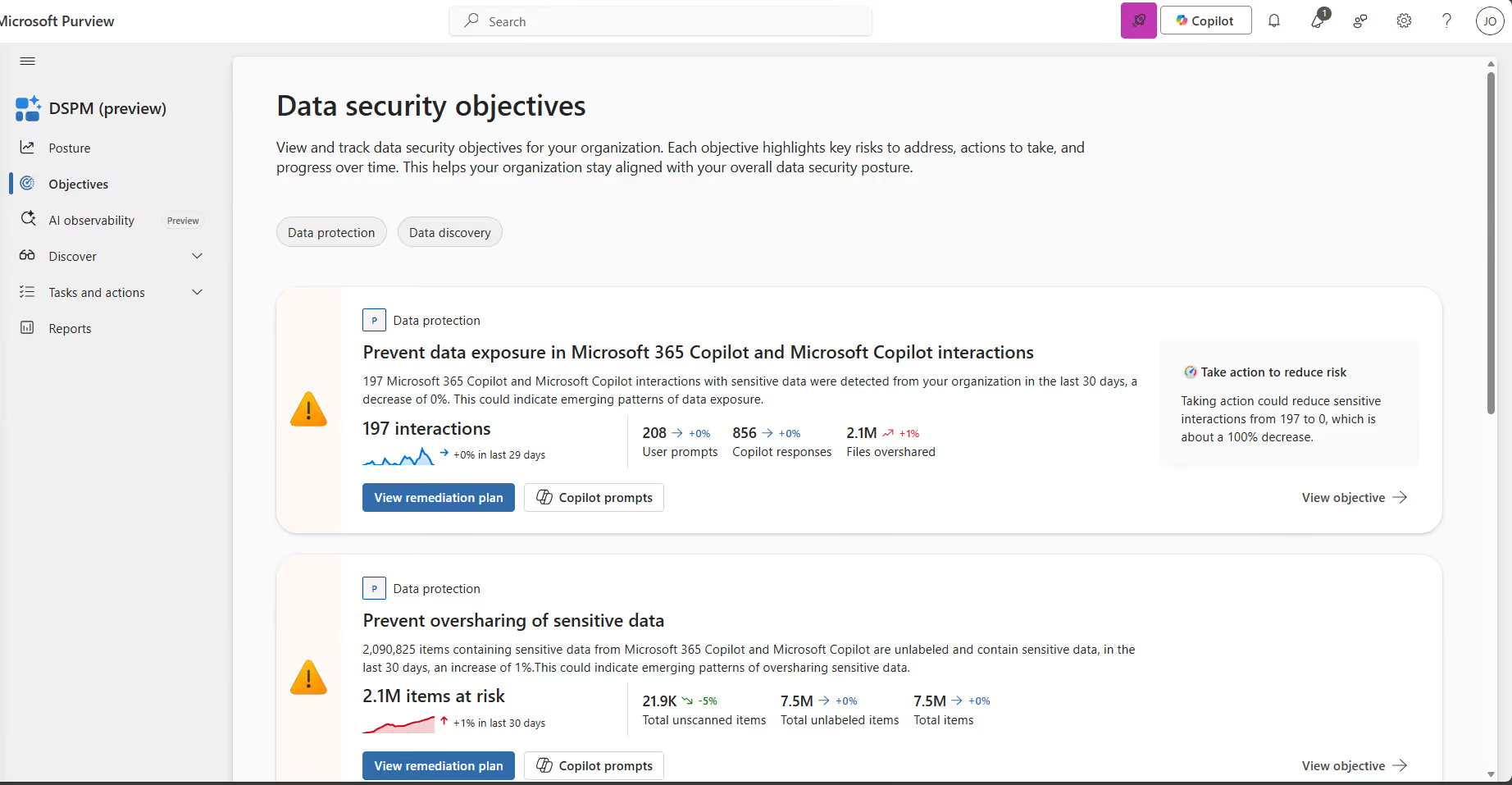
Instead of simply listing recommendations, each objective comes with a structured plan, detailed guidance, and references back to Purview policies.
DSPM also provides the ability to create new DLP policies directly from here.
Like I mentioned before, always pilot new policies first (ideally in simulation mode) so you can understand the impact before enforcing them broadly.
AI Observability
AI Observability gives you a centralized view of agent activity across your organization. I’d compare it to the new Agent 365 solution.
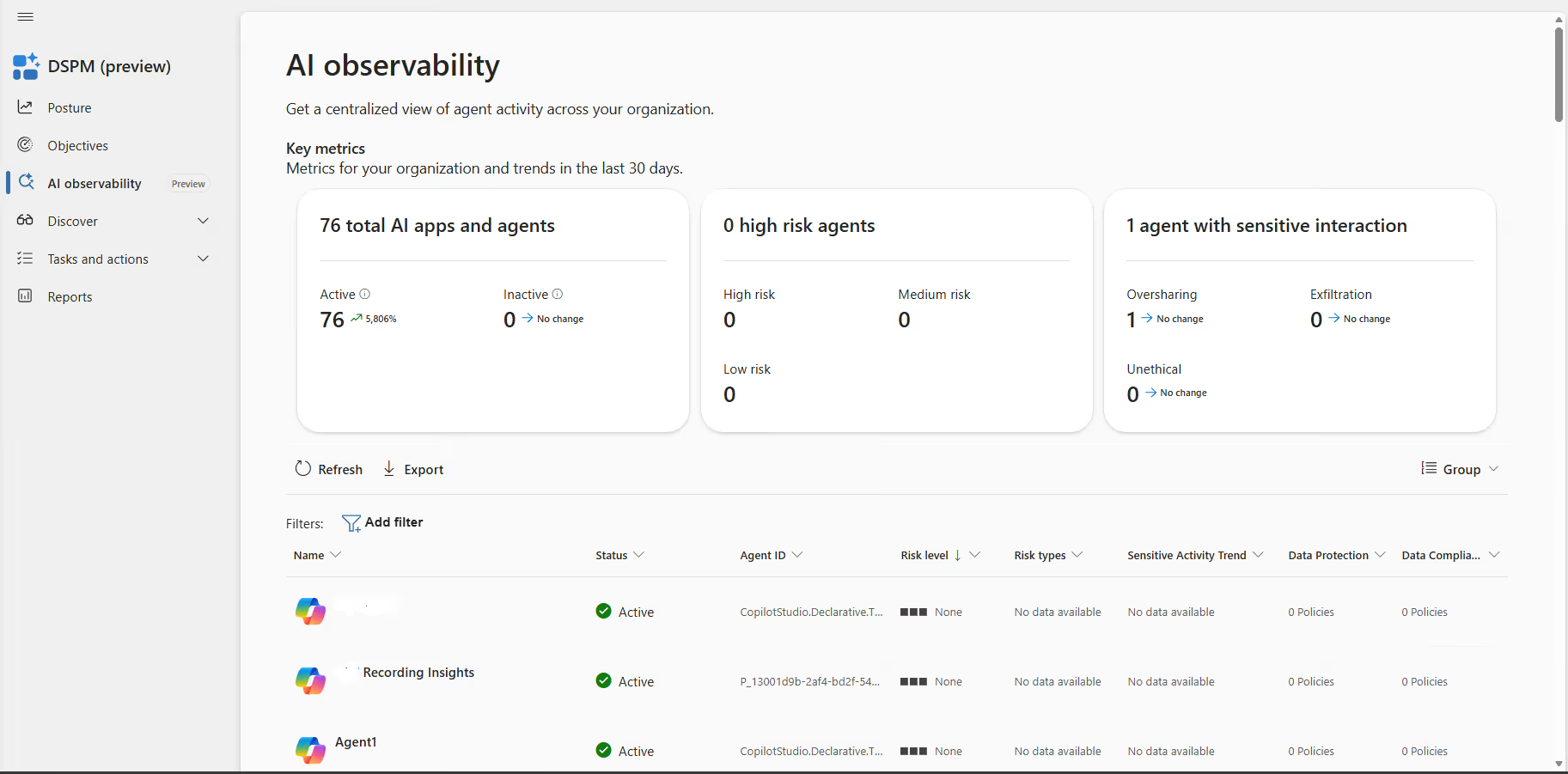
Each agent includes its own detailed view with recent activities, risks, and recommendations.
This is incredibly powerful because it doesn’t only offer insights but also practical steps to take action! Protecting your sensitive data within Agents.
Discover
The Discover page contains two pre-existing solutions:
- Apps (Copilot Studio, Microsoft 365 Copilot, Security Copilot, ChatGPT Enterprise, etc.)
- Agents (the separate view focused specifically on agent activity)
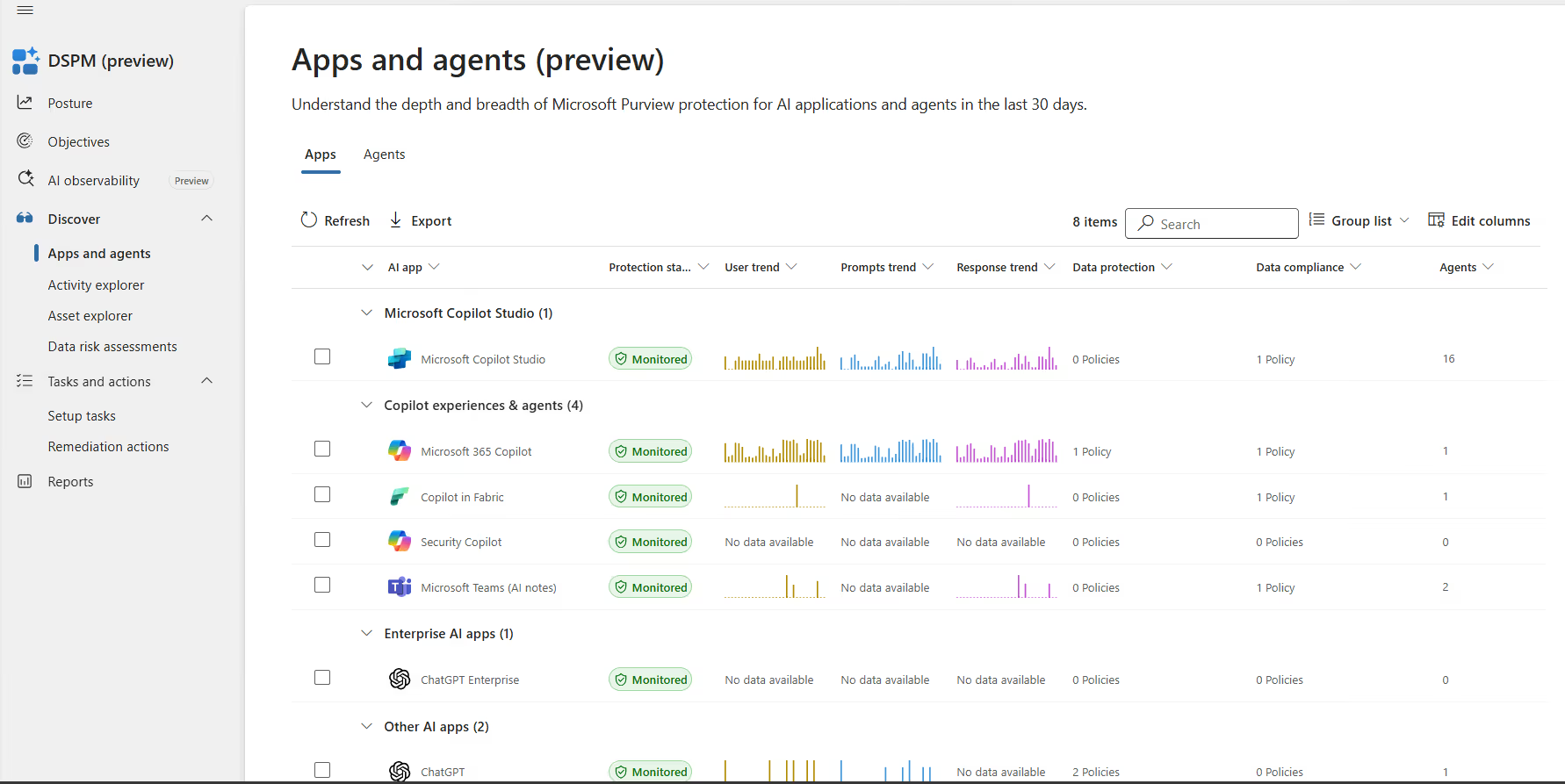
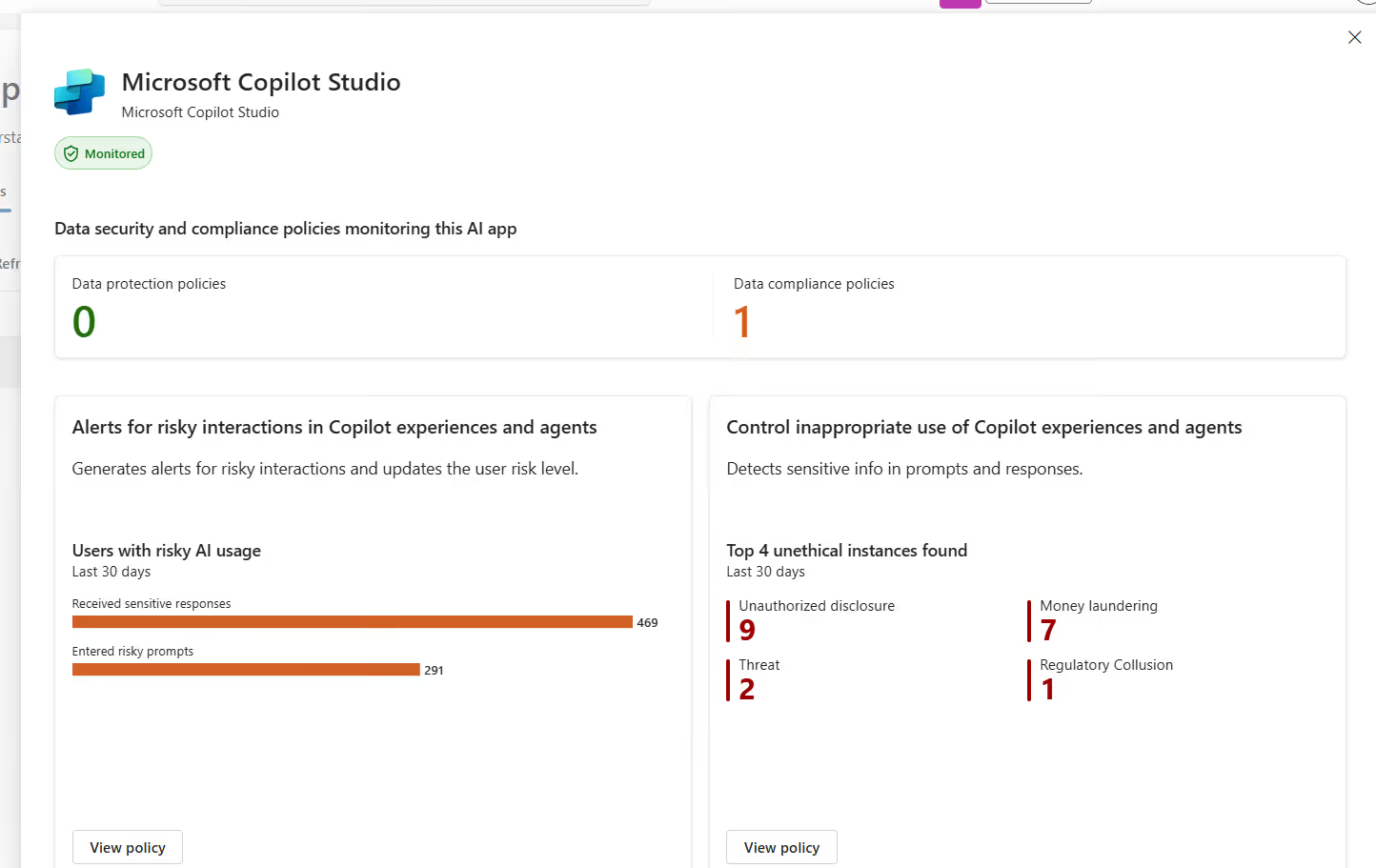
Each app contains a dedicated menu with additional details:
The other options, within Discover, are the Activity Explorer, Asset Explorer, and Data Risk Assessments.
Tasks and actions
For DSPM to actually work and be genuinely helpful, you need to complete a few setup tasks first.
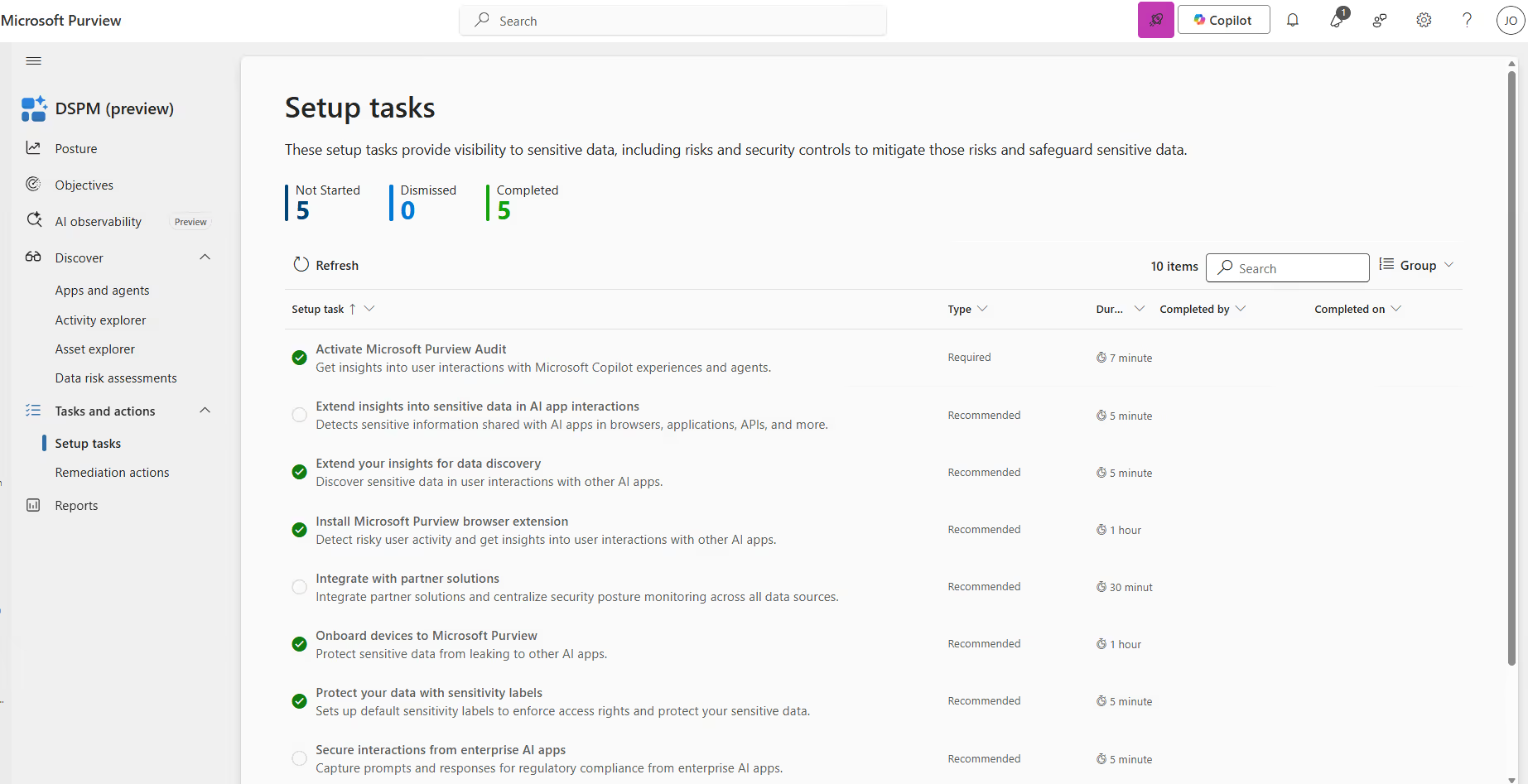
This section is essentially your starting checklist. These tasks enable the visibility DSPM needs to surface risks, recommendations, and the right security controls across your environment. For example, in the screenshot above, Microsoft highlights a set of setup tasks, such as “Activate Microsoft Purview Audit” and so on.
Reports
The last part of the new DSPM experience is Reports. This section has received a lot more reports, giving a unified view of insights across your data sources, users, devices, and activities.
These reports help your organization track sensitive data usage, policy coverage, user behavior, and AI-related risks. This enables faster investigations and better security posture decisions.
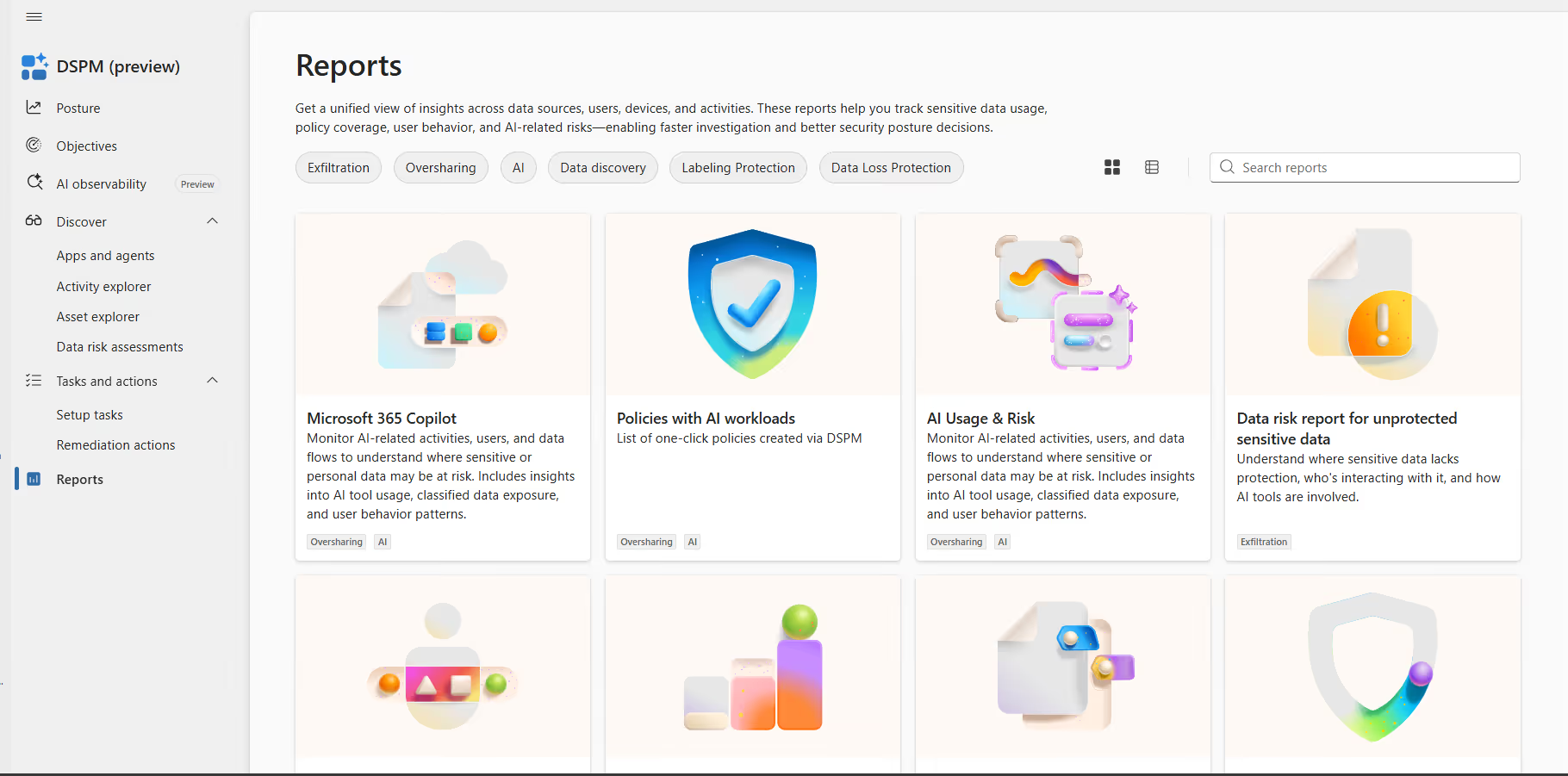
Each report also opens additional valuable insights.
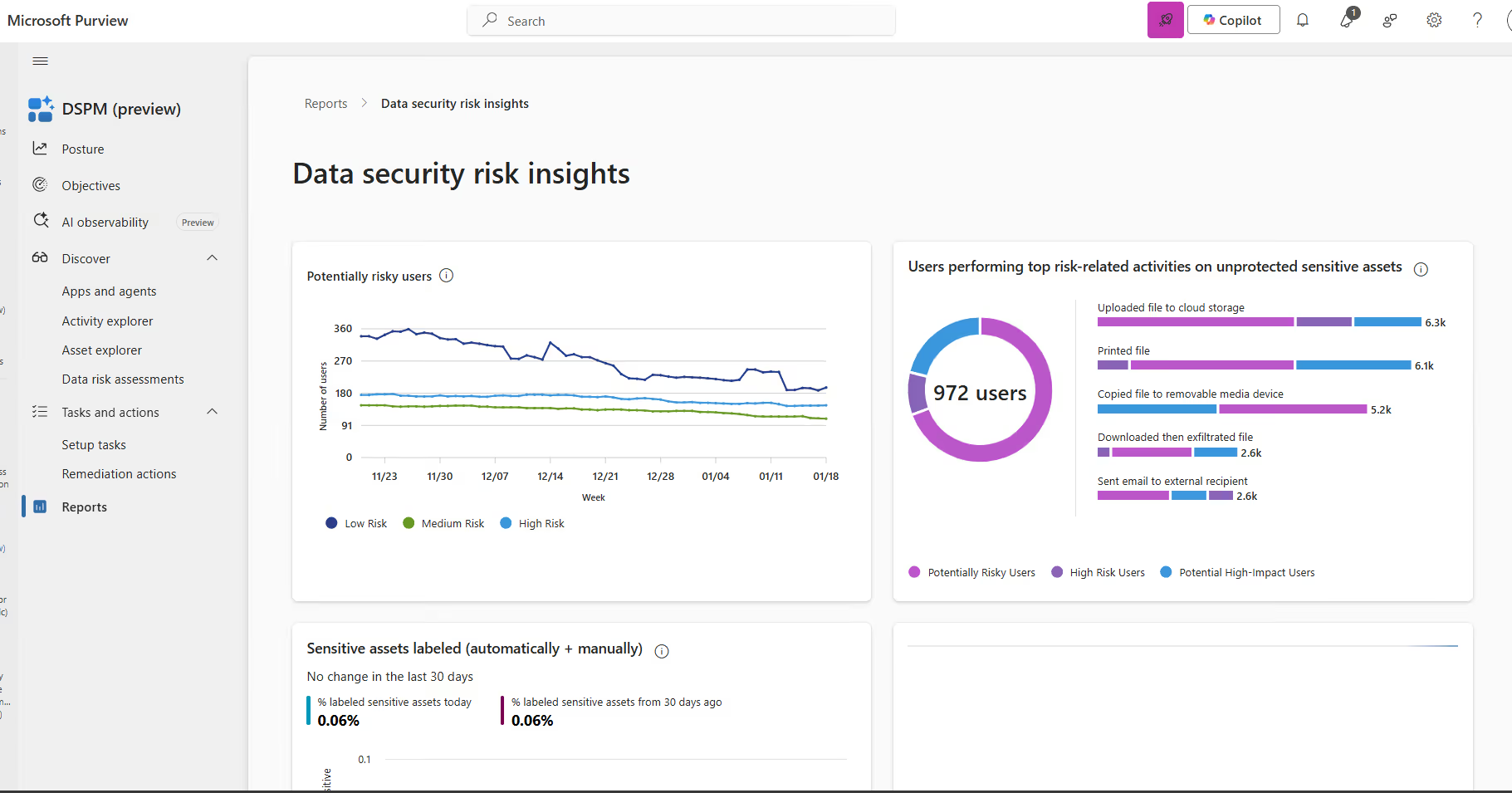
At the moment of writing, there are 12 reports available. Expect these to be extended and to receive continuous updates from Microsoft.
Getting started: How IT Teams should approach DSPM
Have you used DSPM for AI and DSPM before? You can start using the new features with DSPM right away. If you're new to DSPM, you need to execute the following primary tasks:
- Activate Microsoft Purview Audit
- Install the Microsoft Purview browser extension
- Onboard devices to Microsoft Purview
After you've completed these tasks, you can start creating specific DLP policies around AI (if these aren't already available). These are available within the setup tasks menu or within the designated Purview Solutions.
The main advantage for IT teams is using the reports for building a business case around strong data security for AI and Agents.
Let’s be honest. Most organizations have postponed their Purview implementations but are now facing an even larger danger for data leaks and breaches: the use of generative AI and agents by employees. DSPM is a good solution to get started with Microsoft Purview.
Considerations and limitations
Keep a few things in mind as you get started.
- This is still a preview solution, which means you can see some changes in the final version. In a worst-case scenario, Microsoft might remove it until blocking issues are fixed. In my experience, this barely happens, but it's good to remember.
- Policy activity in non-Microsoft 365 Copilot, agents, and enterprise AI apps has switched to pay-as-you-go billing. To create policies, you need to first link an Azure subscription for billing.
- There's sensitive and privacy information available within Purview. Talk with your HR and Compliance departments before rolling out. The advantage of Microsoft Purview is the multiple roles and groups with specific permissions within Purview, allowing least privilege roles and preventing potential data leaks or privacy breaches.
My take on the new DSPM experience
I'm truly impressed by the new and improved DSPM features in Purview.
Bringing DSPM and DSPM for AI together into one unified solution means organizations can stop jumping between different tools and focus their efforts in a single place.
There are honestly too many new features to list here, but the discovery capabilities are what really caught my attention. The fact that they span everything from Microsoft 365 to AI and Agents to devices means you have a service within Purview to assess your environment, AI services, devices, and your sensitive data. That’s exactly what security teams have been asking for.








.png)










Don’t just migrate it, ShareGate it.
Your source is never touched — ShareGate only copies.
Re-running is safe, included, and free.

