.svg)

%20(1).avif)
Master Hacks: Migrate like a pro
Check out our video series to help you turn migration projects into masterpieces!
Table of contents
TL;DR: Oversharing in Microsoft 365 is accumulated debt. It piles up quietly for years through default permissions, stale sharing links, and lingering guest access. It stays invisible until something forces a look, usually a security review or the rollout of an AI tool like Copilot, Claude, or ChatGPT. Here's how the debt builds, why it hides, and where to start your SharePoint permissions audit: EEEU groups, "Anyone" links, and inactive guest access.
Nobody sets out to overshare a tenant. It happens one default permission, one forgotten link, one departed contractor at a time. Then someone connects an AI tool, or an auditor asks a simple question, and suddenly you're staring at years of accumulated access you never signed off on.
That's the moment most IT teams start their first real SharePoint permissions audit. Not because the sharing was fine yesterday and broke today. It was always like this. You just couldn't see it.
Microsoft 365 oversharing works exactly like technical debt. Every shortcut, every default left untouched, every "I'll clean it up later" adds a little interest. The bill comes due when you least expect it. And it's always bigger than you thought.
How oversharing actually accumulates
Oversharing accumulates through three quiet mechanisms: permissive defaults, company-wide access groups, and sharing links that never expire. None of them feel risky in the moment. Together, they compound.
Start with the defaults. By default, SharePoint sets sharing settings to the most permissive option, according to Microsoft's own guidance. So every new site leans open unless someone tightens it. Most people never do. Why would they? It works.
Then there's EEEU. That's "Everyone except external users," and it does exactly what it sounds like. It grants access to your entire organization. Microsoft's EEEU report flags the top 100 sites where content was shared org-wide in the past 28 days, per SharePoint Advanced Management. One click adds a group. Nobody remembers doing it.
Finally, the links. Someone shares a file with an "Anyone" link to unblock a deadline. The deadline passes. The link doesn't. Multiply that by every rushed Tuesday for three years and you've got a sharing surface nobody mapped.
Why Microsoft 365 oversharing stays invisible
Oversharing hides because Microsoft 365 gives you no single place to see who has access to what across the whole tenant. No visibility means no accountability. And you can't fix what you can't find.
The teams we talk to describe it the same way, over and over. They have no clear view of who a site is shared with. They can't check access org-wide at the granular level without stitching together scripts and admin centers. So they don't.
IT teams tell us the pattern usually goes like this. Everything looks fine until a security incident forces someone to actually look. Then the real access picture shows up, and it's nothing like the mental model they'd been running on.
That's the trap. The debt earns interest silently precisely because the platform makes it hard to audit. Out of sight, out of budget, out of anyone's job description. Until it isn't.
The AI forcing function
An AI forcing function is any tool that instantly surfaces content a user technically already had access to. That's the whole story. AI doesn't create your oversharing. It just reads everything you forgot you'd shared, in seconds, and puts it in front of the user.
Copilot is the trigger customers describe most often. It respects existing permissions, which sounds reassuring right up until you realize your existing permissions are a mess. If a user can reach a file, Copilot can summarize it, quote it, and surface it in a chat answer.
Claude and ChatGPT do the same thing the moment you wire them in through a connector or an MCP integration. Same tenant. Same permissions. Same exposure. The AI vendor doesn't matter. Your access hygiene does. For more on this, see our read on managing Copilot's oversharing risk.
Microsoft agrees on the risk list. Its Copilot deployment guidance calls out broken permission inheritance and company-wide sharing links, including EEEU, as oversharing risks to remediate before you roll out, per Microsoft's secure data foundation docs. Translation: clean up first, or Copilot will do your discovery for you. In front of everyone.
What to check first in your SharePoint permissions audit
Start your SharePoint permissions audit with the three biggest sources of accumulated debt: EEEU sites, stale "Anyone" links, and inactive guest accounts. In that order. They're the fastest path from "we have no idea" to "we've handled the worst of it."
First, EEEU access. Find every site where content is shared with the whole organization. Microsoft's EEEU report gives you the top 100 offenders. Work down from the most sensitive sites: HR, finance, legal. If it holds salaries and it's shared org-wide, that's your first fire.
Second, sharing links. Microsoft's data access governance reports identify the sites with the most "Anyone" links, "People in the organization" links, and "Specific people" links, per SharePoint Advanced Management. "Anyone" links are the loudest. Anyone with the URL gets in, no sign-in required. Hunt those down first.
Third, guest access. Every contractor, vendor, and partner you invited and never removed still counts. Inactive guests are pure liability. They add nothing and they can still open doors. Our guide to managing guest access walks through how to keep it tight.
Here's where native tools run out of road. SharePoint Advanced Management is included with Microsoft 365 Copilot licenses, per Microsoft, and it's genuinely useful. But you're still hopping between reports and admin centers to assemble one picture.
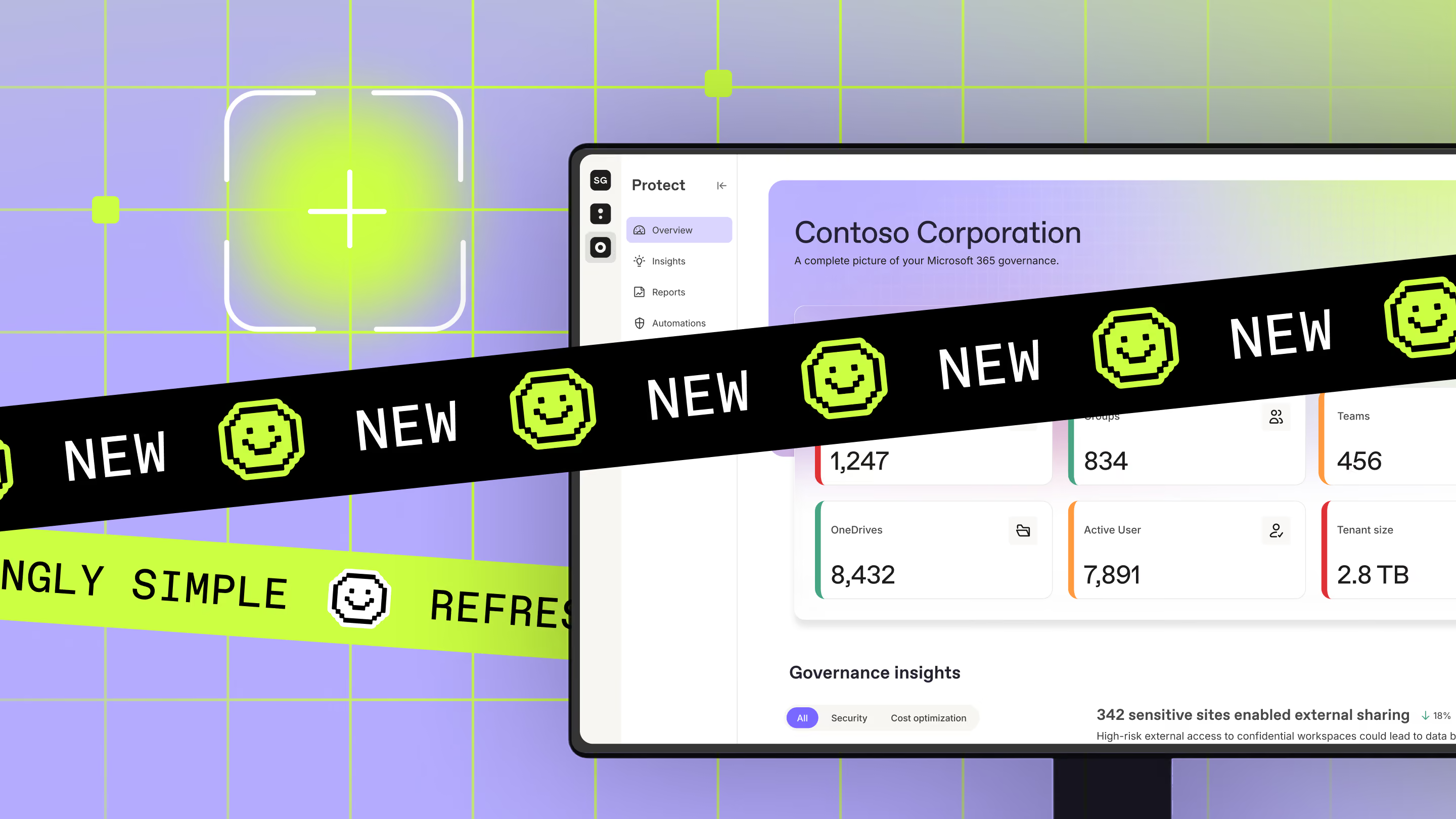
This is the gap ShareGate Protect fills. Protect is the operational governance layer for Microsoft 365. You get one structured, tenant-wide view of access and workspace health: oversharing, EEEU access, sharing links, broken inheritance, and inactive workspaces. Every finding comes with severity and trend signals, so you know what to fix first. No scripts. No admin-center hopping.

Making the audit repeatable, not a one-time fire drill
A one-time cleanup is a snapshot, not a fix. Oversharing re-accumulates the second people go back to sharing files, which is immediately. So skip the heroic weekend cleanup. What you want is a review you can run again next month without dreading it.
That means fixing at scale and checking on a schedule. Protect lets you remediate right where you find the issue, no scripting, no admin-center detour. Bulk actions clear common risks across many items at once, so a backlog that used to take days closes in an afternoon. And every change lands in a full action log you can hand to an auditor or client. That's your proof it actually happened.
Then you make it stick. You can set recurring policies that clean up risky sharing links automatically, on a schedule you control with filters. You decide exactly what each policy touches, so the cleanup you did by hand keeps happening without you babysitting it. And Protect's automated policies are expanding to cover more of your tenant, like inactive and orphaned workspaces across sites, groups, and OneDrives. Want to go deeper on recurring oversight? Our on-demand webinar on controlling Microsoft 365 permissions shows you how.
You also get to prove it worked. Protect quantifies your remediation impact over time and shows whether your posture is improving, worsening, or holding steady. Action logs and reports go straight to leadership or an auditor when someone asks, "did we actually fix it?" That's your evidence the review is doing its job.
Be honest about what this is and isn't. Protect refreshes its data roughly every 24 hours, so treat it as a recurring health check, not live monitoring. It's not a DLP replacement either. It won't classify content or block a leak in flight. It shows you access risk and helps you close it fast. That's the job it does well.
Run the review on a cadence and the debt stops compounding. Skip it, and you're back here next quarter with a bigger mess and a shorter runway. Not sure where you stand? Our free Sprawl Risk Radar scores your tenant in about five minutes, no connection or sign-in required. This quick self-assessment shows where oversharing and access risk are worst and puts a dollar figure on your exposure. You even get shareable results to hand your director or security team. When you're ready to see the real picture, See what's overshared in your tenant right now.
Where does your tenant actually stand?
Here's an honest gut check. Right now, could you name the five most overshared sites in your tenant? Could you tell your CISO how many inactive guests still have access, or how many "Anyone" links are floating around from 2023?
If the answer is "I'd have to dig," that's the debt talking. And it's collecting interest whether you look or not.
The good news: this debt is payable. You don't have to boil the ocean. Find the EEEU groups, kill the stale links, cut the dead guests, and put a recurring review on the calendar. Do it before an AI tool or an auditor does it for you. Your future self, mid security review, will thank you.


Frequently asked questions

Start with Microsoft's data access governance reports, which surface the sites with the most "Anyone" and org-wide sharing links. They're a solid first pass but leave you piecing together multiple reports. For one tenant-wide view of external sharing and guest access, ShareGate Protect pulls it together so you can find and fix the risky links faster. Follow our best practices for secure external file sharing to keep it under control.













Don’t just migrate it, ShareGate it.
Your source is never touched — ShareGate only copies.
Re-running is safe, included, and free.