


.svg)


ROI calculator
See how much you can save by using ShareGate Protect to govern and secure your tenant
Calculate your savings%20(1).avif)
Master Hacks: Migrate like a pro
Check out our video series to help you turn migration projects into masterpieces!
Table of contents
This month in ShareGate: Smarter spending and some big news for Migrate
March was a big month. Six updates to Protect, three to Migrate, including one that customers have been asking us to add to our stack for years.
On the Protect side, the theme is visibility that can help you save significant costs before Microsoft increases their license and storage costs this year. Other Protect updates make governance work faster, more accessible, and easier to build repeatable habits around.
On the Migrate side, modern authentication expanded to cover Teams, Planner, and more ahead of a May 1 deadline and Group mailbox migrations are now complete. And what we’re most excited about: Entra ID migration just launched in beta. You read that right! If you’re a Migrate Pro or Enterprise customer, you can now migrate users from one tenant to another.
Let's get into it.
ShareGate Protect updates
Protect's March updates are built around two core concepts: spending smarter and doing less manual work. New license usage and archived workspace reporting give you the visibility you need to right-size before Microsoft's July price increases hit. And we’ve released our first (but definitely not our last!) automated policy. Other updates make governance work faster, more accessible, and easier to report on.
License usage reporting: See what your M365 licenses are actually costing you
Microsoft is raising license prices. Before those increases hit, it's worth knowing exactly what you're paying for. And what's going to waste.
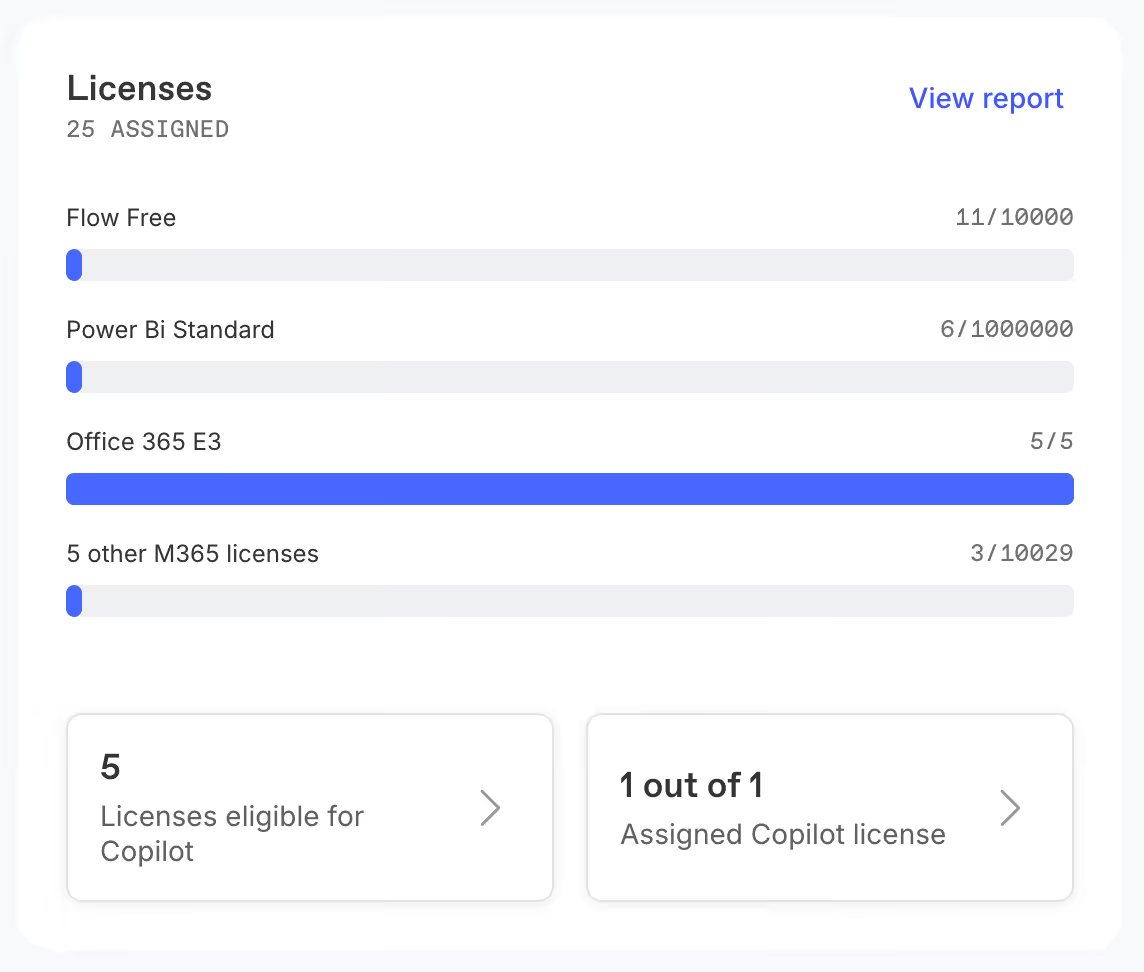
Protect now gives you clear reporting on license usage across your tenant. You can see how many licenses aren't assigned to any active user, how many OneDrives belong to unlicensed or inactive users, and what licenses each user has allocated to them. No stitching together reports from multiple admin centers. No guesswork.
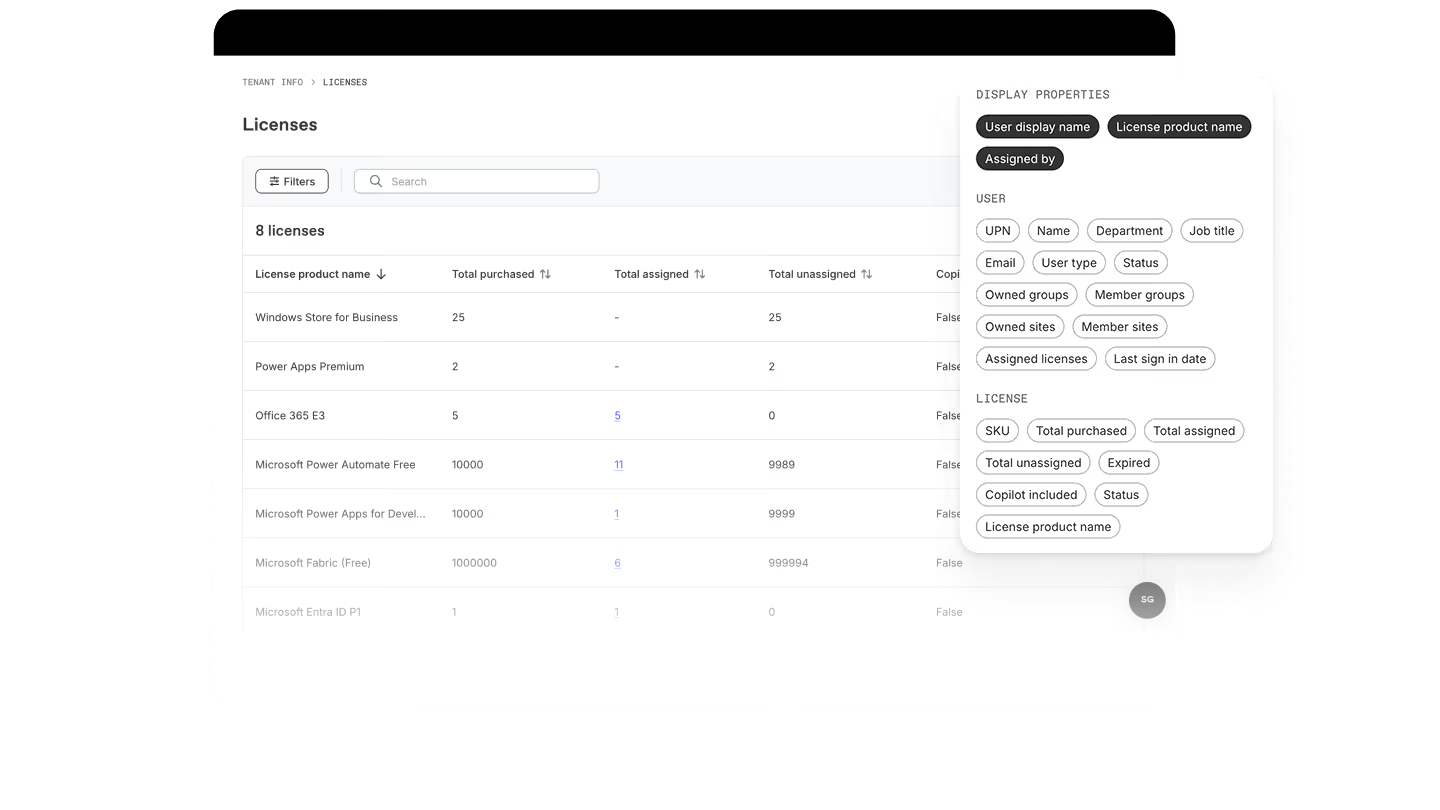
Protect shows you where to look and gives you the evidence to act. This is especially important with Microsoft's price increases coming in July.
Archived workspace reporting: Track what you've cleaned up
In February, we shipped workspace-level archiving inside Protect. This month, we closed the loop on it.
You can now see the lifecycle state of workspaces—Active, Archived, Being Archived, Being Restored—directly in your Protect reports. Archived workspaces are filtered out of your active views by default so your reports stay focused. And when you want to audit what's been dealt with, it's right there.
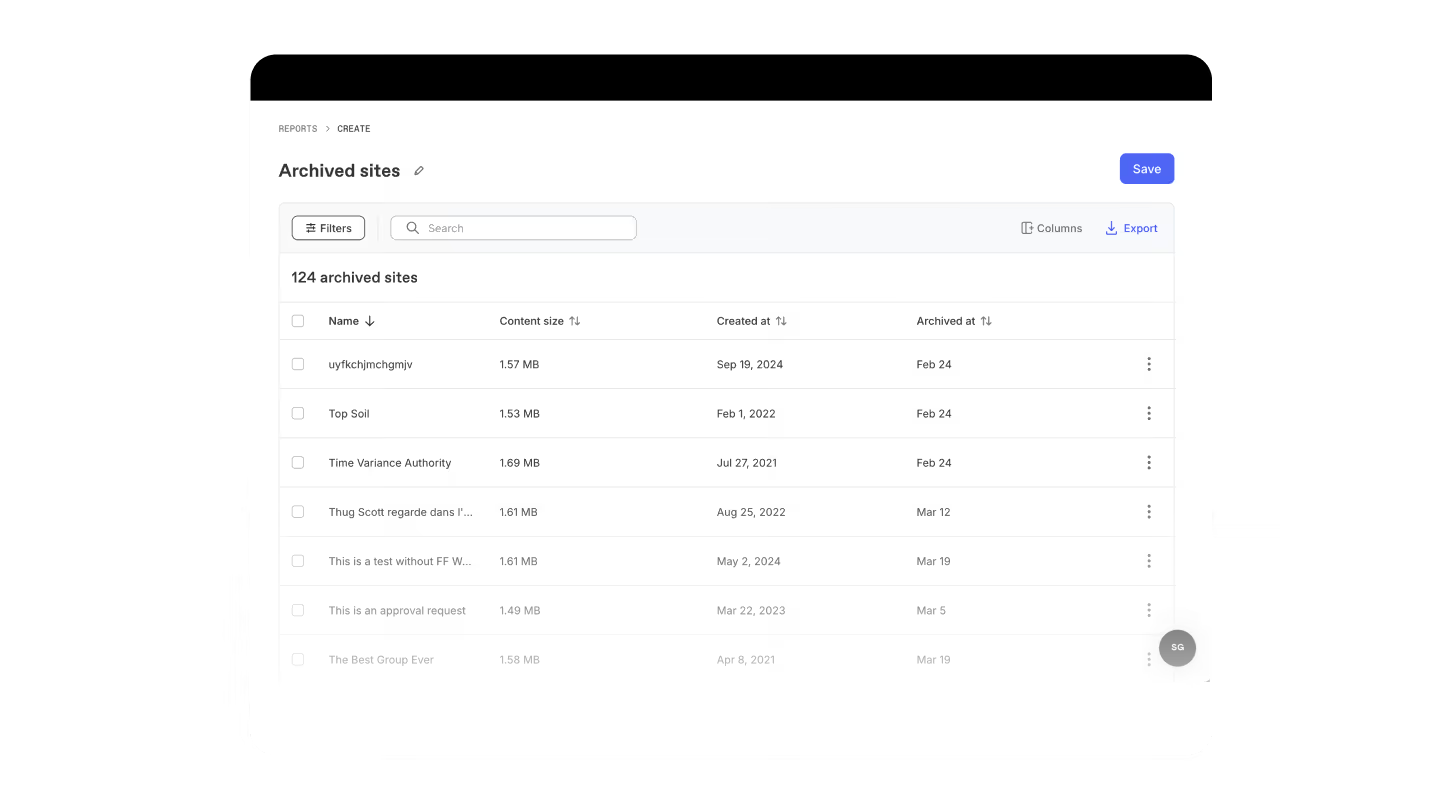
Inactive workspaces inflate storage, add noise to every governance review, and create unnecessary content for Copilot to surface. Archiving cleans that up. This update means you can actually track the progress and build a clear picture of what your cleanup work has accomplished over time.
Microsoft 365 storage isn't free beyond what's included in your plan. And as Microsoft's July 2026 pricing update raises baseline costs across most suites, carrying inactive workspaces you don’t actually need becomes a more expensive habit. Knowing what's been archived—and what hasn't—gives you a concrete place to act.
Automated sharing link policies: Set it up once. Let Protect take care of sharing links on repeat
Sharing links are one of the most consistent drivers of oversharing risk in Microsoft 365. They get created for a reason, and then they stick around long after that reason is gone. Expired links, links to inactive sites, links shared externally that nobody remembers, they accumulate quietly. And cleaning them up manually doesn't scale.
Protect’s automated policies changes that. You can now create rules in Protect that automatically remove sharing links on a recurring basis, running roughly every 24 hours, based on the exact conditions you define.
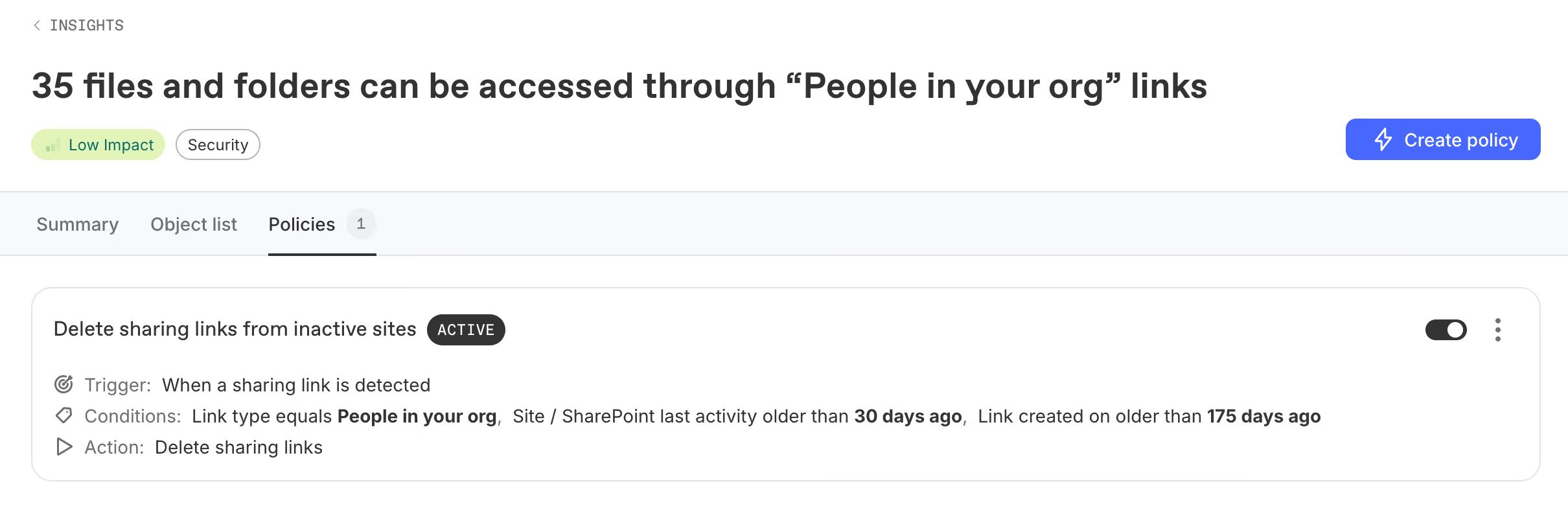
Target links by age, by who created them, by who they were shared with, or by the activity level of the associated site. Stack conditions to get as specific as you need. Before you launch, Protect shows you exactly how many links your rules will match. You can always click through to a full report to sanity-check the list before anything gets deleted.
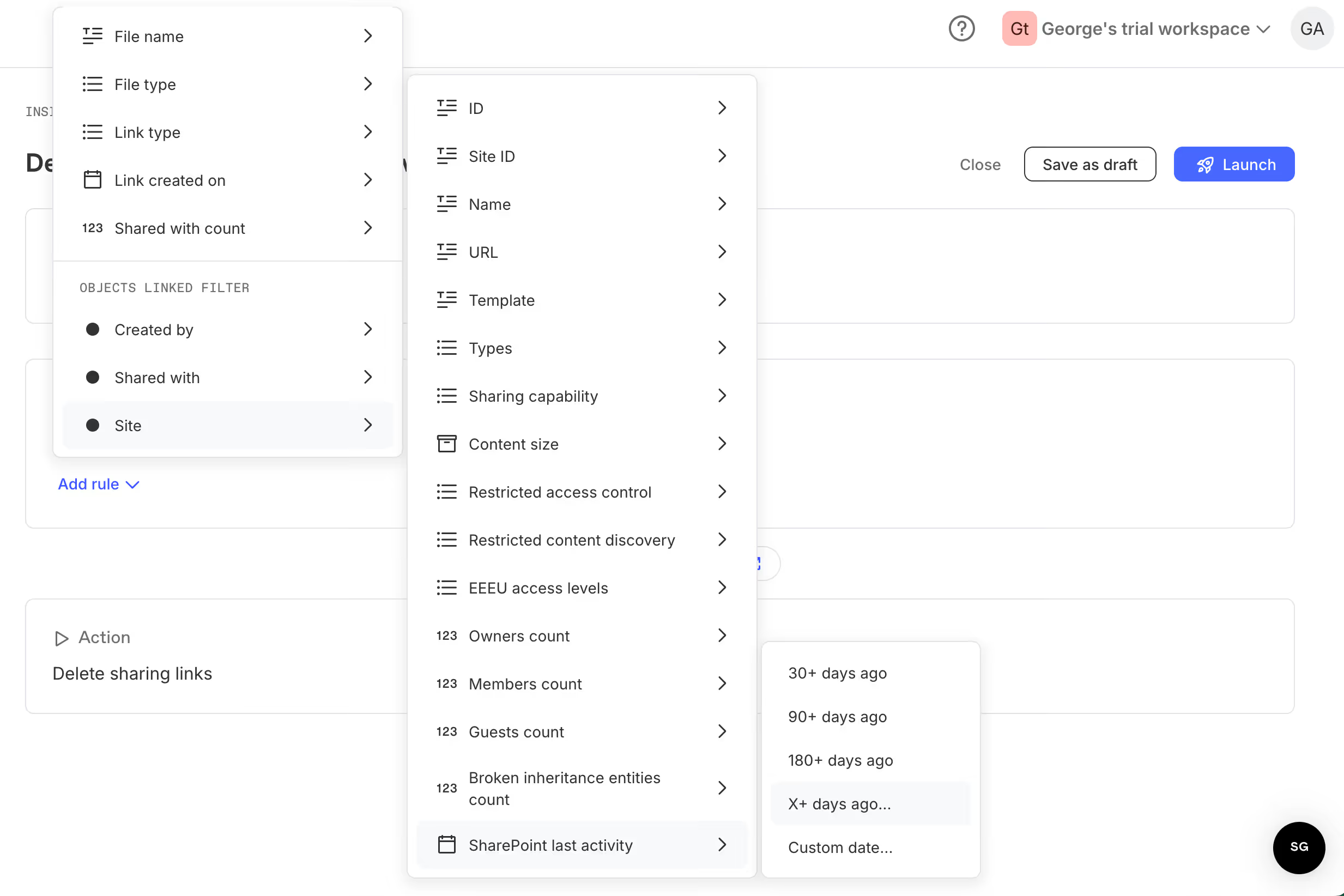
Everything the policy does is tracked in the Activity Log, filterable by policy name, so you always have a clear record of what ran and what it removed.
This is the first chapter of automated governance in Protect. Sharing link cleanup is where it starts. More policy types are on the way. And honestly, we’re just as excited as you are.
Remediation visibility: See the difference your governance work is making
The hardest part of governance isn't doing the work. It's explaining what the work accomplished. You identify the issues, you do the cleanup, and then... you move on to the next thing. There's rarely a clear moment where you can point to what changed and say: we did that! That makes it hard to justify the time and resources needed for continuous governance.
Remediation impact closes that loop. When you take action in Protect—removing sharing links, cleaning up org-wide access, archiving inactive workspaces—you can now see how those actions have moved the needle over time.
For IT pros, that's ammunition for leadership conversations. For partners, it's the "here's what we fixed" narrative that makes the case for a recurring service.
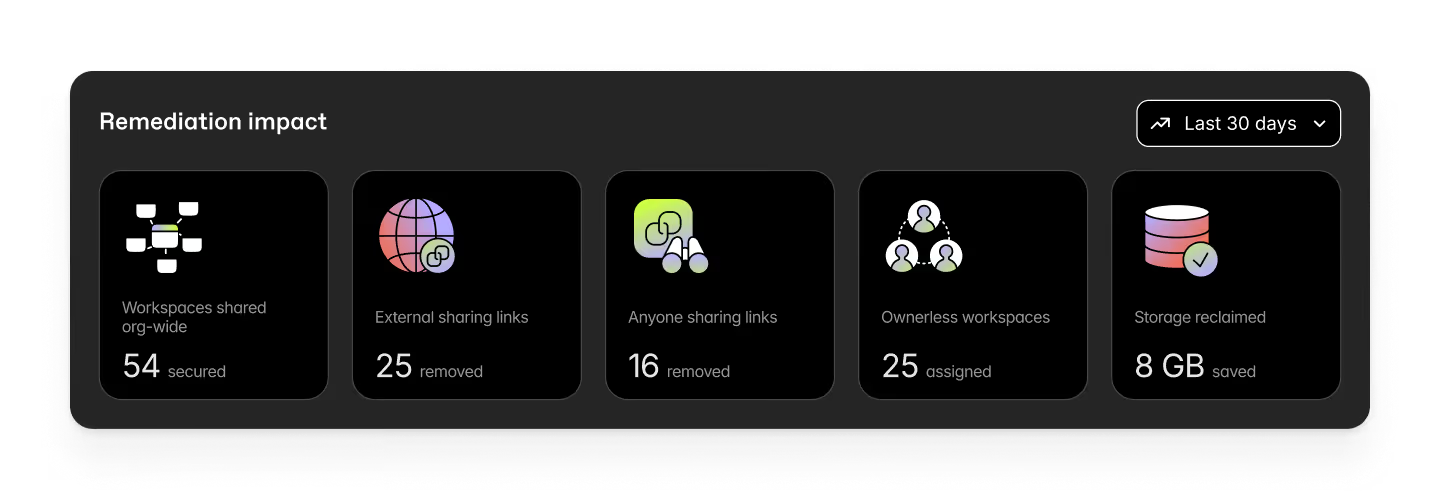
A few things to note: Remediation impact shows observable change, not a risk score or compliance guarantee. It doesn't tell you whether you're done. That judgment stays with you. But it does make the work visible, which is often hard to do.
Natural language reporting: Build Protect reports by just describing what you need
Custom reports in Protect just got even easier to create.
Instead of manually configuring filters, columns, and parameters from scratch, you can now describe what you're looking for in plain language. Protect will convert your prompt into structured report logic, show you the filters it's applying, and let you preview results before saving or running the report.
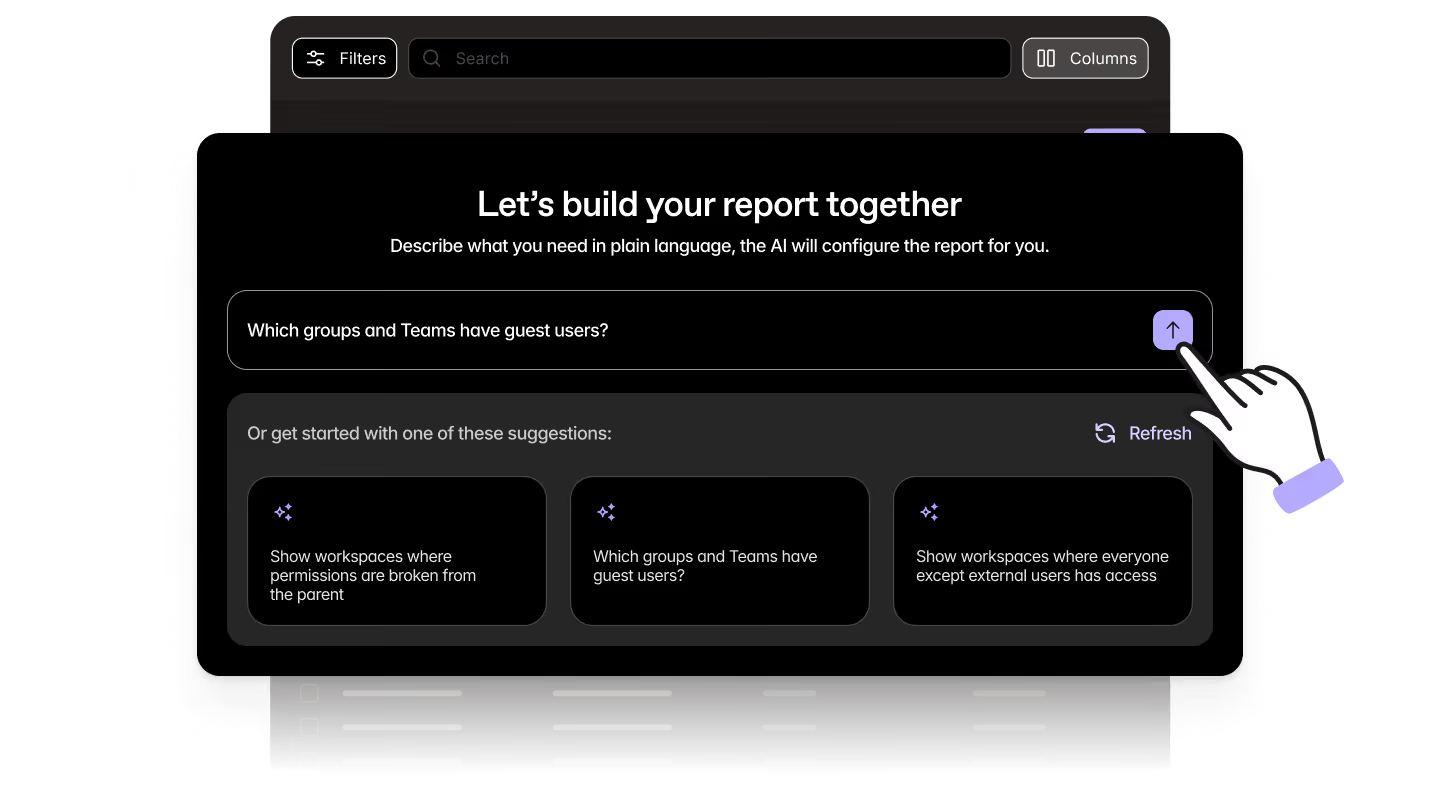
It's a usability improvement, not an AI governance engine. It doesn't create new insights or make decisions. It makes report creation faster and more accessible, especially if you're not familiar with every field name in the product.
Describe what you need. Protect builds it. You review and confirm. Easy breezy.
Security groups report: Get a clean inventory of your security groups
When did you last think about your security groups? Exactly.
People tend to set and forget security groups, which means they tend to quietly multiply. Configurations tend to drift. So, answering the most basic question—what security groups do we actually have?—usually means needing to jump between multiple admin tools.
Protect now gives you a centralized, structured inventory of all M365 security groups in your tenant: display name, whether the group is mail-enabled, whether membership is dynamic or assigned, and a unique group ID. Filter it down. Export it out. Show your future self you had it under control.
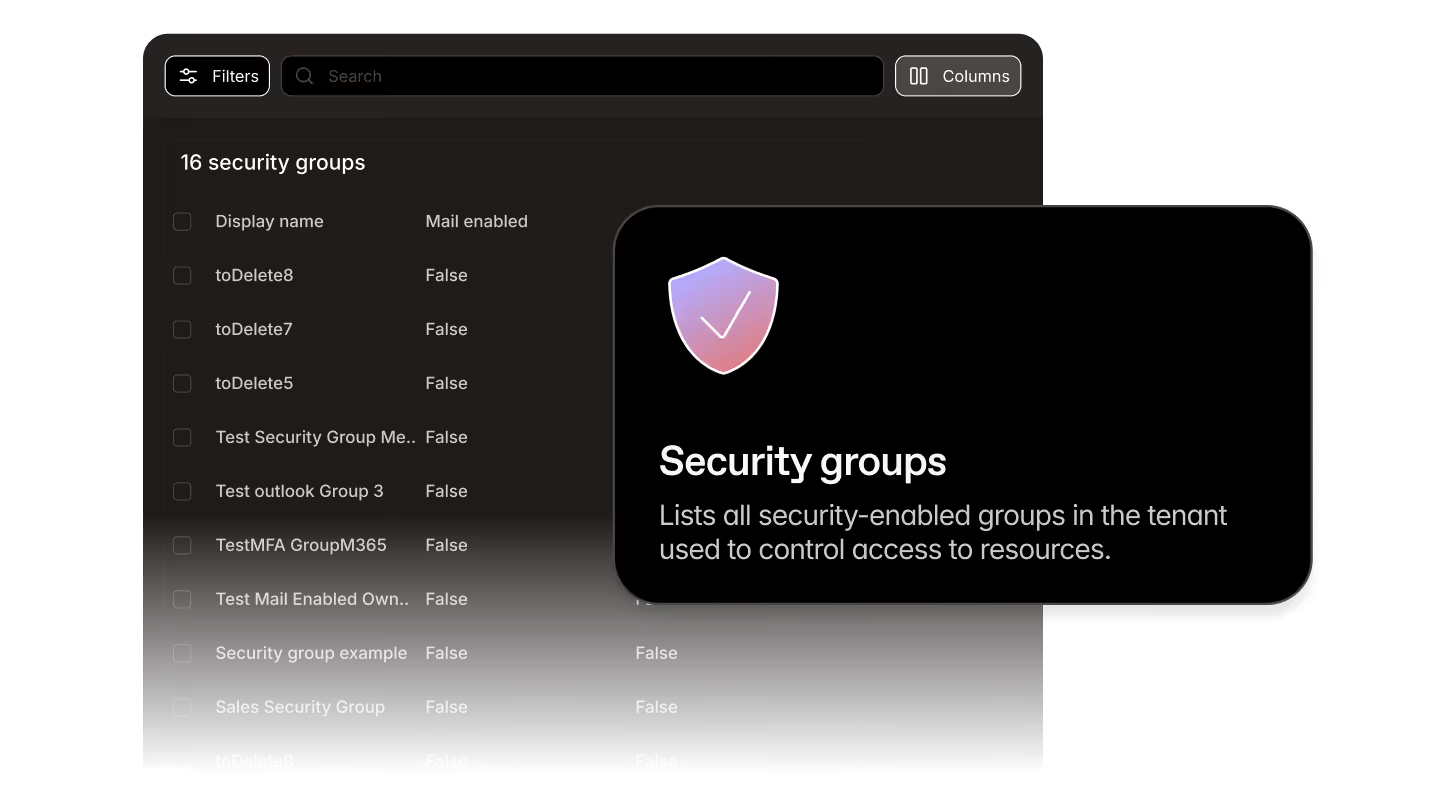
At this stage, it’s a baseline. It doesn't show membership details or nested group expansion yet. But it establishes a clean, reviewable starting point for access governance, audit prep, and AI readiness reviews. More depth is coming. For now, you can finally answer the basic question quickly.
ShareGate Migrate updates
This month's Migrate updates are about completeness—filling gaps that have made tenant-to-tenant migrations harder than they should be. Modern auth updates that keep your connections alive past May 1. And Group calendar migration finishes what February started.
Entra ID migration is in beta: Copy user identities between tenants with ShareGate
This one's been a long time coming.
One of the most consistent requests we've heard from customers running tenant-to-tenant migrations is the ability to handle identity migration inside ShareGate. Not as a separate process with external tools or manual scripts for identities before switching to ShareGate for mailboxes, SharePoint, and everything else. Starting this month, that's possible.
Entra ID Migration is now in beta, available to all current Migrate Pro and Enterprise customers.
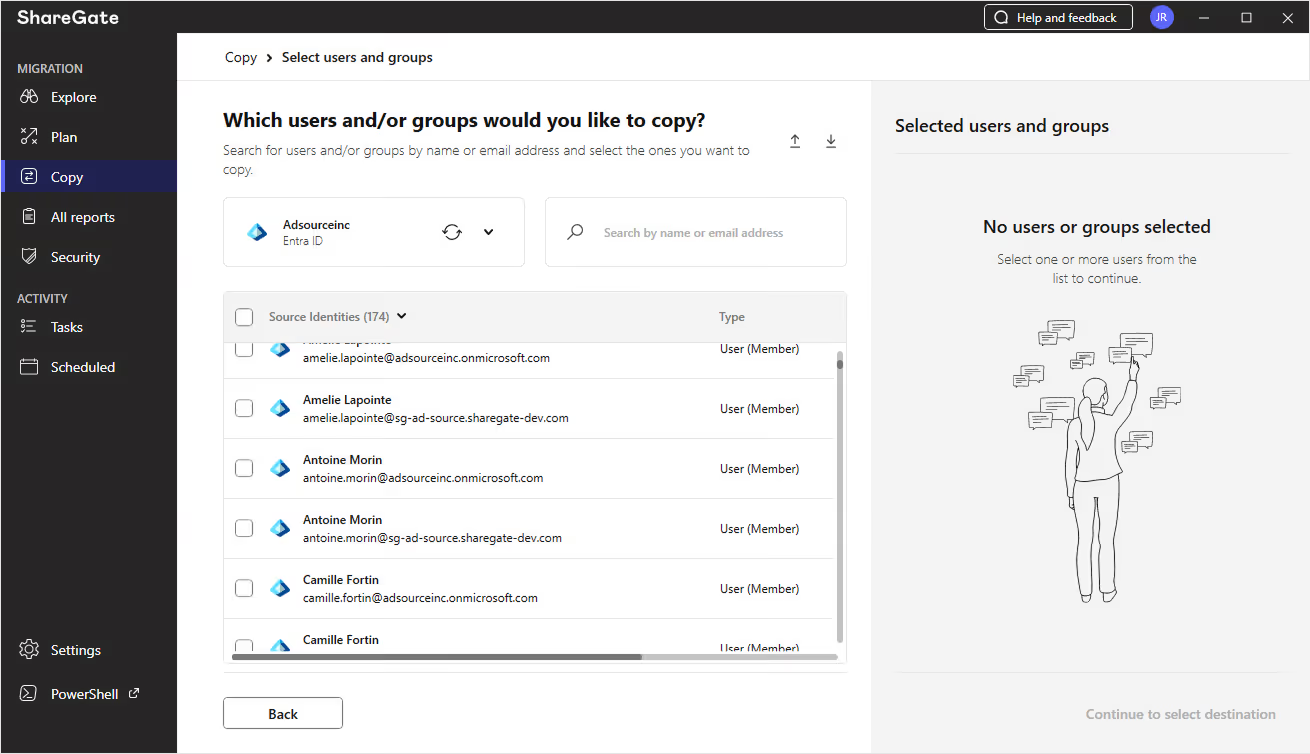
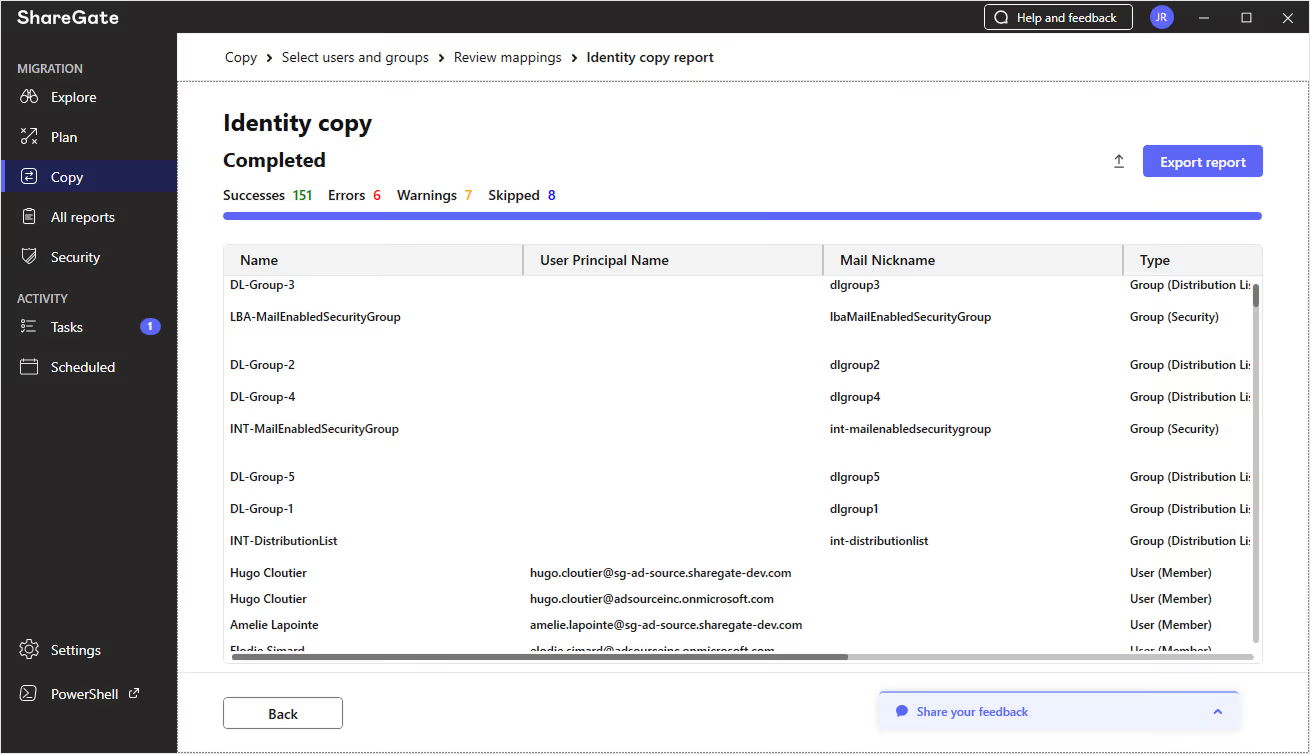
In this beta, customers can copy user identities from a source tenant to a destination tenant directly inside ShareGate. You review the identity data before anything executes, create users in the destination tenant, assign licenses, and set auto-generated passwords. The same ShareGate with a new superpower.
Getting identity right first means fewer downstream failures, fewer surprises at cutover, and more predictable outcomes across the rest of the migration. It's especially valuable before mailbox migrations, where identity mismatches are one of the most common sources of errors. But the same logic applies to any workload you're moving.
This is Phase 1, so the focus is on the core identity migration workflow. But we’ll be shipping updates every 2–3 weeks based on what we learn during the beta. So try it out and tell us how we can improve.
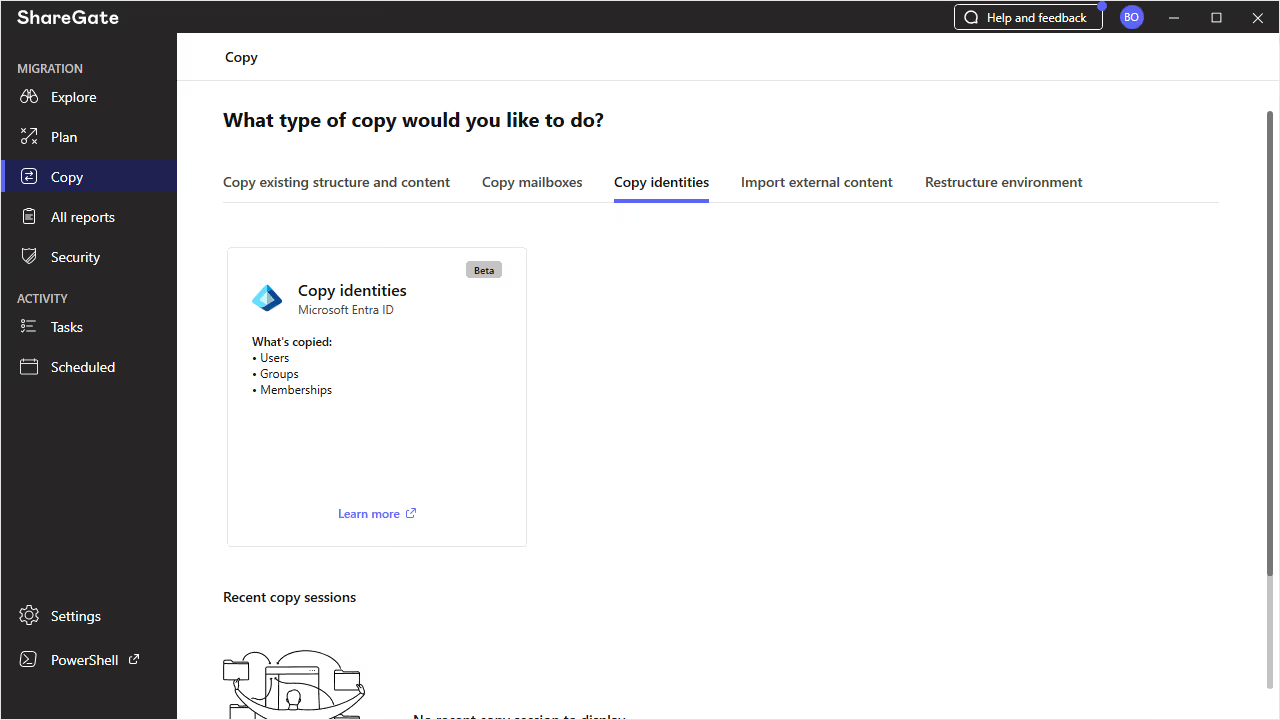
If you’re already a Pro or Enterprise customer, open up ShareGate Migrate, navigate to Copy, then choose the Copy identities tab.
And this is just the beginning—beyond users, ShareGate is expanding to support Microsoft 365 Groups, enabling you to automatically provision connected SharePoint sites as part of the migration—no pre-staging or scripting required.
If you’re not a Pro or Enterprise customer yet, general availability will be coming soon and then you can test it out for yourself.
Modern authentication: Keep your ShareGate migrations running past Microsoft's May 1 retirement deadline
This one needs your attention if you're using legacy authentication in ShareGate.
Microsoft is permanently retiring IDCRL on May 1, 2026. If you're currently connecting to Microsoft 365 within ShareGate using the "Other user" option—renamed to "Manual (on-premise only)" earlier this year—that connection method will stop working on that date. No more grace period.
The fix is straightforward. ShareGate now supports modern authentication across Teams and Planner migrations, as well as the Explore, Plan, All Reports, and Security tabs. This expands on the modern auth support we added for SharePoint and OneDrive in January. In the product, it's a new "Modern" option in the authentication dropdown wherever you make a connection in ShareGate.
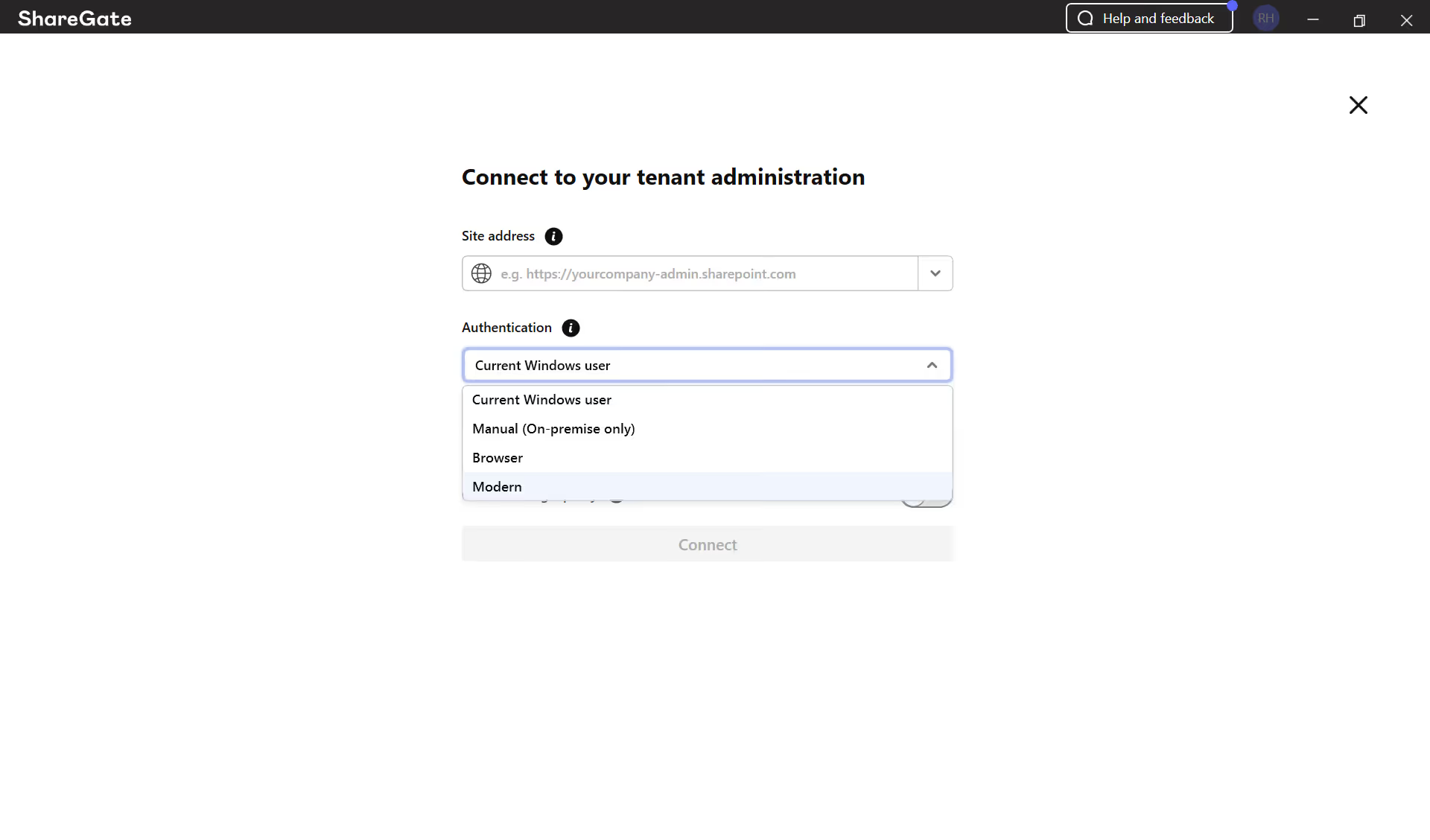
Switching before May 1 means your migrations keep running without interruption. Modern auth also supports MFA and issues tokens that last up to 90 days, so you're not just staying ahead of the deprecation, you're moving to a more secure and stable foundation.
If you're not sure whether this affects your setup, this Microsoft developer’s blog explains exactly what IDCRL calls look like, including the specific libraries and endpoints to check, so you can identify whether your scripts and tools are using legacy auth before May 1.
Keep your eye out for expanded modern auth coverage across more of ShareGate in the coming months.
Group calendar migration: Group mailbox migrations are now complete
In February, we added support for Microsoft 365 Group mailbox email migration. This month, we finished the job.
ShareGate Migrate now supports migration of Microsoft 365 Group default calendars and calendar events as part of your existing mailbox migration workflow. No new UI, no separate process. If you're already migrating Group mailbox content, calendar is included.
M365 Groups are woven into how most organizations work with shared scheduling, team coordination, and project planning. Migrating the email without the calendar left a gap that required manual remediation or workaround handling after the fact. That gap is gone.
That's a wrap on March 2026
Nine updates across Protect and Migrate. Six that give you sharper visibility into your Microsoft 365 environment, and three that make sure your migrations stay complete and uninterrupted.
With Microsoft's price increases on the horizon, a lot of our customers have been surprised by what they find when they get a clear view of license usage and inactive workspaces. If you don't have ShareGate Protect yet, use our ROI calculator to see how much money—and how many hours of manual labour—it can save you.
Already a Migrate customer on Pro or Enterprise? You can try Entra ID Migration yourself right now!
Until next month, we hope your tenants are cost-effective and your T2T migrations are easy!
















Don’t just migrate it, ShareGate it.
Your source is never touched — ShareGate only copies.
Re-running is safe, included, and free.

