


Microsoft 365 governance made simple
Fix what matters, faster, without complex rules or tool switching!
Free trial
Master Hacks: Migrate like a pro
Check out our video series to help you turn migration projects into masterpieces!
Table of contents
Microsoft 365 keeps evolving. And so do the risks that come with it. Between oversharing, clutter, and mounting Copilot security requirements, governance is now a full-time job.
With Copilot now part of everyday workflows, governance isn’t just about security anymore. It’s about making sure your AI is drawing from clean, well-governed information instead of outdated or overshared content. IT pros are under pressure to keep environments secure, compliant, and clutter-free. But you can’t secure what you can’t see.
That’s where ShareGate comes in.
ShareGate brings instant clarity to Microsoft 365 governance. It shows you who has access to what, where risks live, and how to fix them—without manual scripts, complex tools, or endless spreadsheets.
Whether you’re keeping your tenant clean for Copilot, managing external sharing, or cleaning up sprawl, ShareGate helps you move from reaction mode to confident control.
See it: Get full visibility into your Microsoft 365 tenant
If you can’t see your risks, you can’t manage them.
Most IT pros who use native tools or manual scripting to manage their tenant qualify as honorary detectives. Minus the trench coat and the cool theme music.
ShareGate starts with that complete picture, putting the most important governance insights front and center.
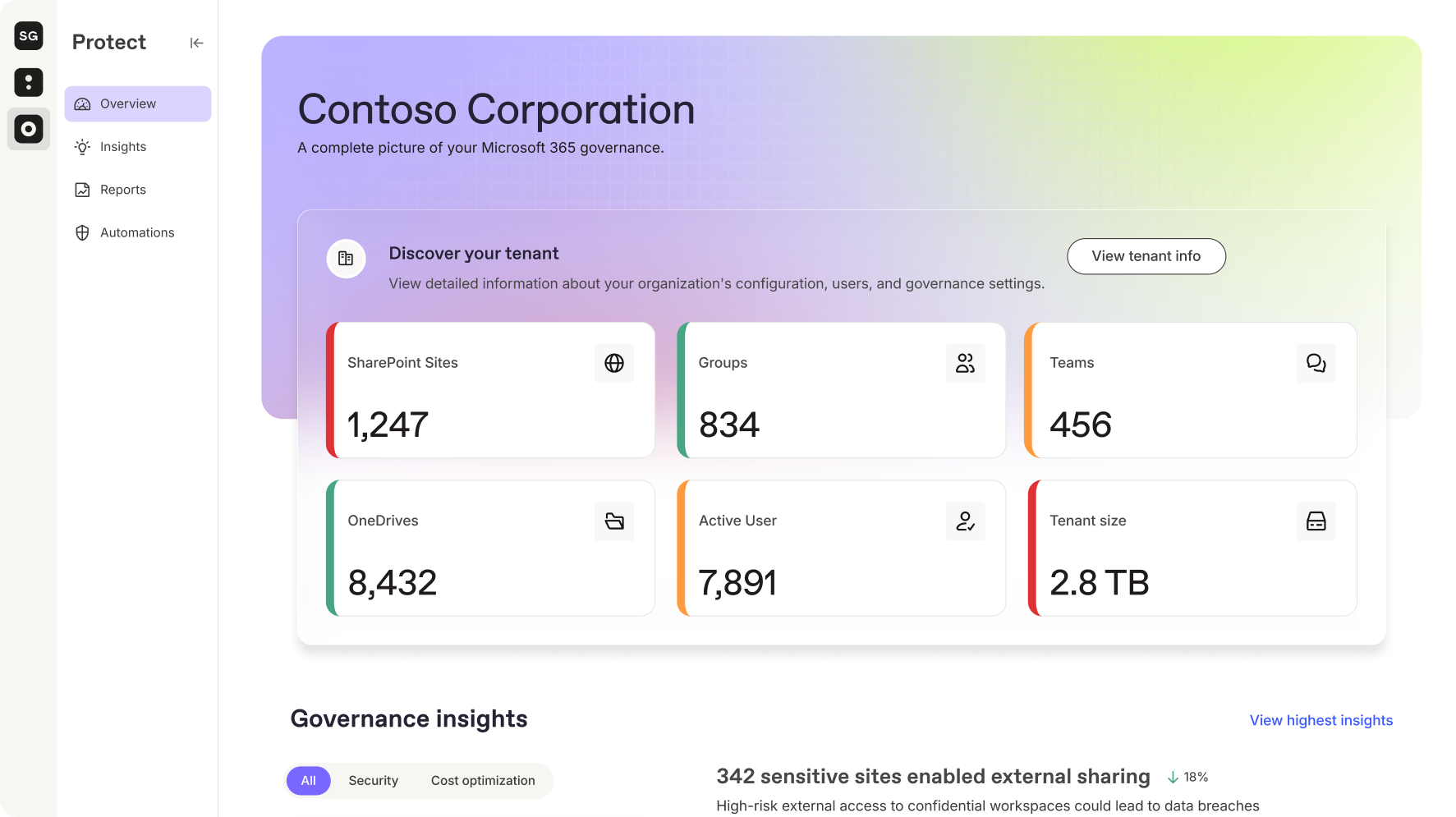
The unified tenant snapshot gives you a clear view of your most important governance risks across Microsoft Teams, SharePoint, Groups, and OneDrive. You’ll instantly see which workspaces are active, inactive, overshared, or missing owners, so you know exactly where to focus your time. It’s the difference between guessing at what needs attention and knowing exactly where the real risks live.
One dashboard, all your data, no guesswork.
The Governance risk assessment flags the most pressing issues in minutes, from external sharing and guest access to loose permissions and data exposure. Each risk is organized into clear categories, like security and lifecycle, so you can prioritize what matters most.
And because visibility is only useful if it’s actionable, ShareGate surfaces insights in plain language, not cryptic reports.
Example: After running a governance scan in ShareGate, you see that 24% of your teams haven’t had any activity in their chats, group calendars, or associated site collections in the past 90 days.
ShareGate flags these workspaces and surfaces key metadata—for example, whether there are still external guests or whether the group has no designated owner.
With that context in hand, you and the team owner can decide: “This team belonged to a one-time project, we can remove it” or “This team is part of a long-term client engagement, we should keep it but relabel it.”
Access questions come from two directions. The Permissions matrix report starts from content and answers “who can access this?” The User access report and Group access report flip it around. Pick a user, a guest, or a group like Everyone Except External Users, and see every site collection they can reach and exactly how they got there: a direct grant, a nested group, a sharing link, or broken inheritance.
With ShareGate, you get more than a snapshot—you get the context to understand what’s happening and the clarity to act on it quickly and confidently.
Fix it: Resolve oversharing and access issues in Microsoft 365. Fast.
Visibility is only the first step. Once you know what’s wrong, you need to fix it quickly. With native tools, that means hopping between the SharePoint admin center, the Teams admin center and Entra ID, or writing PowerShell to find and remove each link, guest or permission one at a time. It works. It also eats your week.
ShareGate turns insight into action with built-in remediation tools that let you clean up confidently. You can take direct action right where you spot the problem—revoke links, update permissions, or remove external guests—all without switching tools or touching PowerShell.
If you’re tackling hundreds of “Anyone with the link” shares, you can apply changes in one go instead of handling them manually.
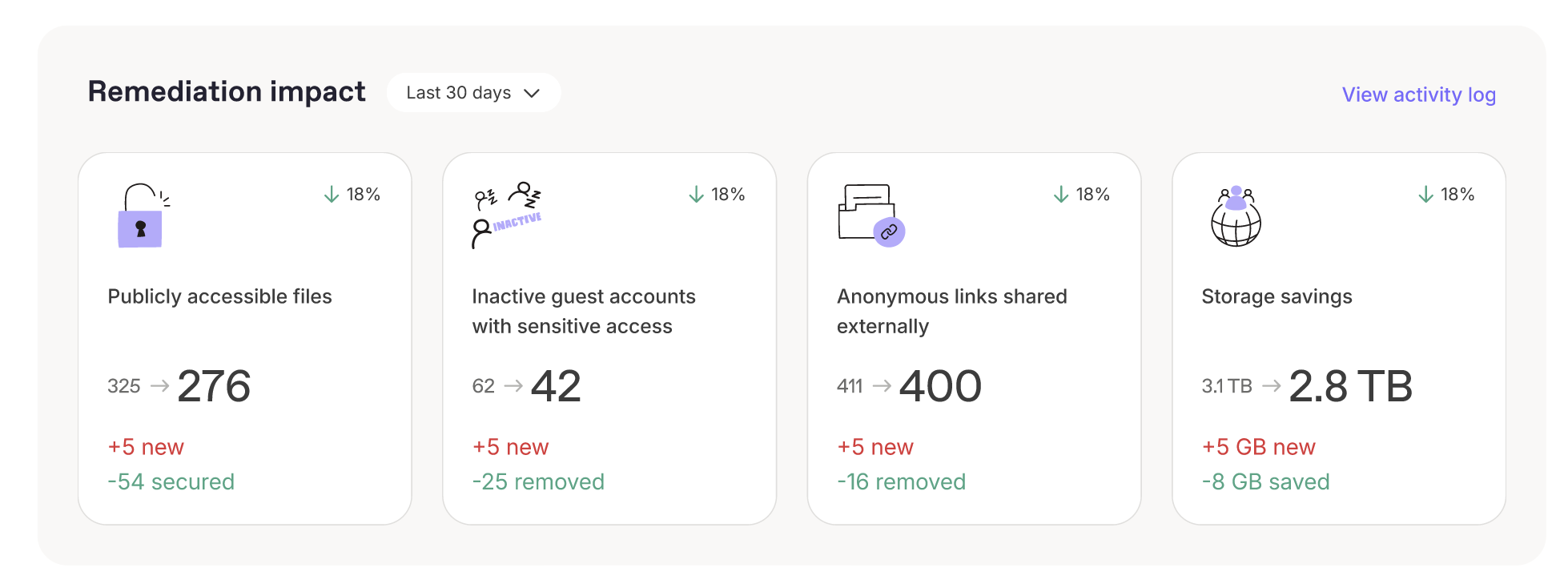
Once you’ve identified an issue, ShareGate helps you take the right action without switching tools or context.
Example: ShareGate surfaces a list of 237 “Anyone” sharing links across your SharePoint, OneDrive, and Teams content. The report filters by link creation date, last modified date, and workspace activity.
You review the list and identify 92 links that a department confirms are no longer needed.
With ShareGate’s bulk-action feature you revoke the links in one pass. The rest you tag for review by the business owner.
Crowded folders get the same treatment. In the Permissions matrix report, you can select several direct permissions, sharing links, SharePoint group members, or site collection admins on the same item and remove them in one action. Every change gets a confirmation preview and an Activity Log entry. Built-in guardrails stop you from removing a site’s last site collection admin or the access Microsoft relies on.
It’s fast, transparent, and practical. You spend less time fixing problems and more time improving your environment. Because cleaning up oversharing isn’t just good hygiene—it’s how you make sure to keep Copilot secure and focused on the right information.
Get it clean. Keep it that way.
Optimize it: Turn insight into improvement
Once you’ve fixed immediate risks, ShareGate helps you make smarter decisions that keep your Microsoft 365 environment clean, compliant, and secure.
Optimization is about understanding what’s working, what’s changing, and where your governance policies need to adapt to maintain both collaboration and control. It’s where governance becomes strategic, because the cleaner and more consistent your environment is, the better Copilot performs.

ShareGate’s insight categories organize risks into clear themes—like external sharing, guest access, or inactive workspaces—so you can see how issues connect across your tenant. Maybe the number of externally shared links has dropped, but guest access is rising. These insights help you focus your next actions where they’ll have the greatest long-term impact.
Insights show you where governance gaps could snowball into bigger issues and where a small adjustment today prevents unnecessary storage costs tomorrow. Then, ShareGate’s recommendations give you guidance to help you improve your tenant further.
Example: Your insight dashboard highlights several inactive workspaces that still have guest users. ShareGate brings these signals together under lifecycle and external access insights so you can quickly assess whether those guests still need access or if the workspace should be cleaned up.
Reducing stale external exposure supports smoother, safer use of Copilot across your organization.
IT can’t judge whether every team, guest or link still needs to exist. Workspace owners can. With delegated reviews, ShareGate asks owners to keep, archive or delete inactive workspaces, and to confirm which guests, members and sharing links should stay. You choose what’s in scope (external access, internal access or both) and which actions owners can take, so reviews follow your retention policies.
Every workspace also gets a Last reviewed date. Filter on it to find, for example, every workspace whose members haven’t been reviewed in 180 days. When an auditor asks, the answer is a column, not a project.
Optimization with ShareGate isn’t about checking boxes. It’s about continuously improving how your environment works. You get ongoing insights, smarter recommendations, and a governance foundation that keeps your data secure and your AI reliable.
What’s next: Smarter, more automated governance ahead
Governance challenges are evolving fast, and so is ShareGate.
In upcoming releases, ShareGate will introduce AI-powered risk recommendations and more automated remediation to help you catch and resolve recurring issues faster. The goal isn’t to replace your judgment—it’s to give you intelligent guardrails that help you stay one step ahead of risk while maintaining collaboration and compliance.
It all ties back to the same promise: simple, reliable governance that scales with your environment. Whether you’re managing thousands of Teams or maintaining data trust in a Copilot-driven world, ShareGate keeps giving you the visibility, control, and insight you need to move forward confidently.
The best way to understand your Microsoft 365 risks is to see them clearly. ShareGate gives you that visibility from day one, so you can take control, reduce exposure, and keep both collaboration and Copilot running smoothly.
Run your free Governance risk assessment in ShareGate today and see your most important risks in minutes. Or book a detailed walkthrough from one of our experts.













Don’t just migrate it, ShareGate it.
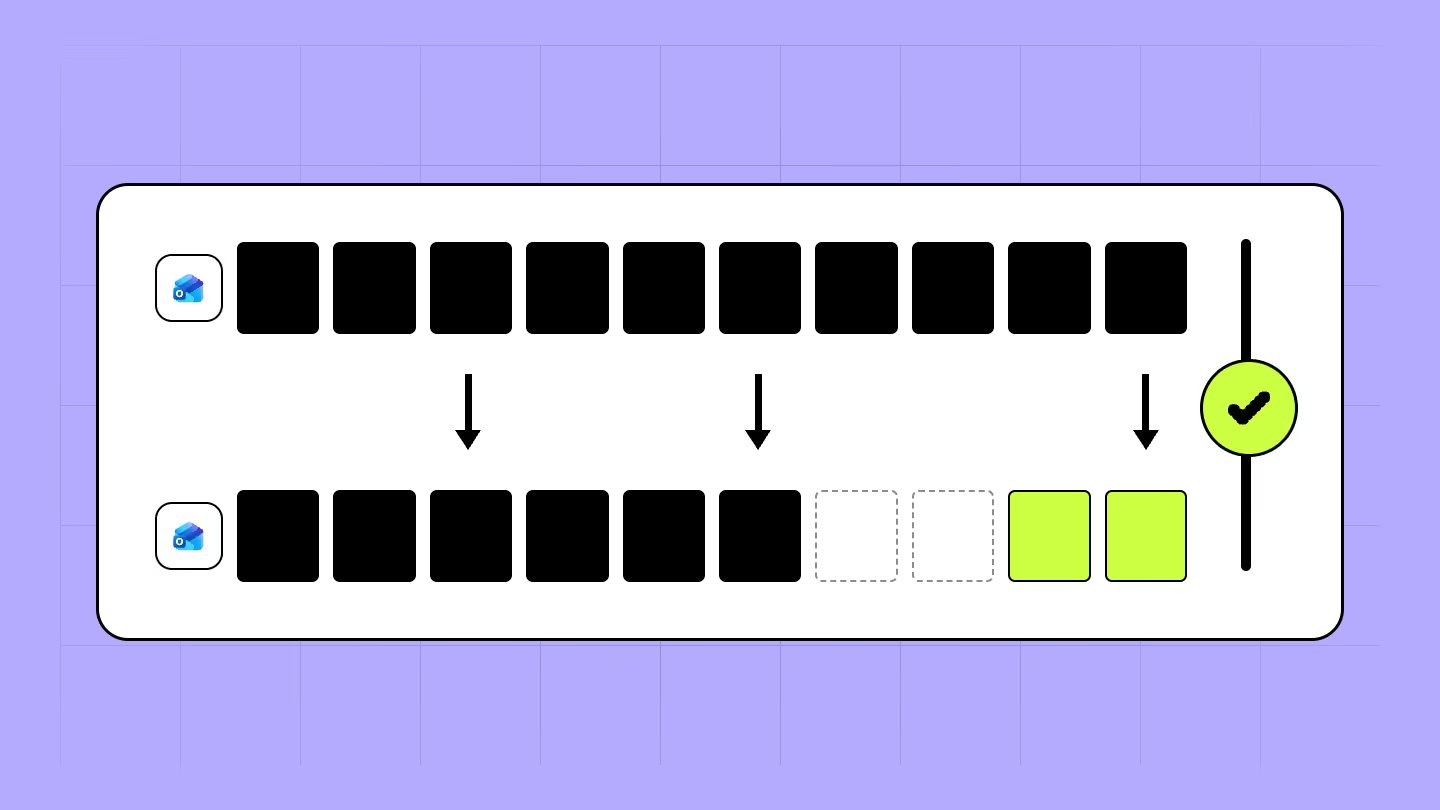
Your source is never touched — ShareGate only copies.
Re-running is safe, included, and free.